
A custom Snort rule the team wrote to spot an internal admin protocol sits in the FMC rule library but never fires, although matching traffic crosses the firewall daily. It must drop in the production intrusion policy and stay alert-only in the lab policy, and the two policies run behind different access control rules. Which rule-state configuration across the two policies makes both environments behave correctly?
Select an answer to reveal the explanation.
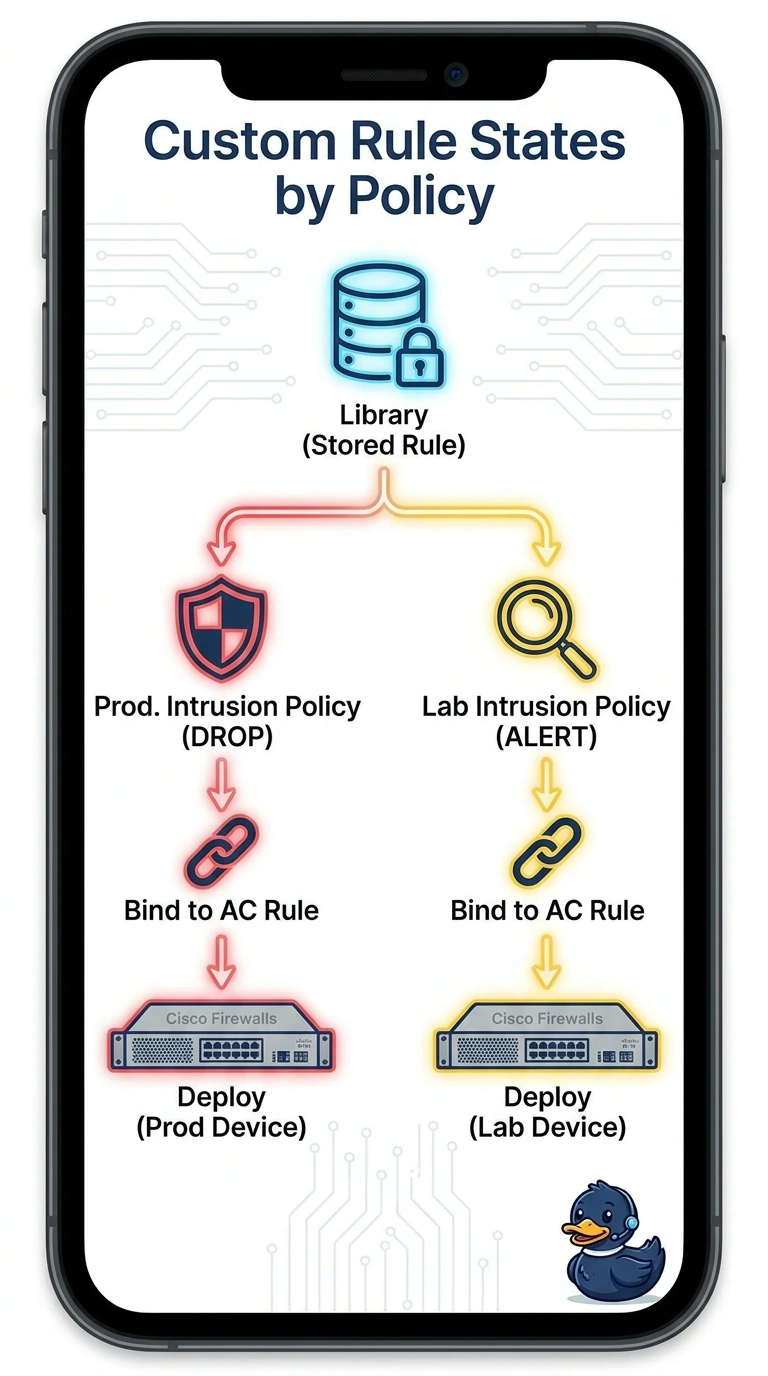
Short Explanation
You've spotted the gap between owning a rule and running it. The library only stores the text; the intrusion policy is where the state lives, so the same custom rule can drop in one place and merely alert in another. It's a recipe card in a drawer until you cook with it.
Full Explanation
Custom rules live in the FMC library as rule text with a signature ID, and a rule sitting in the library is inert until it is added to an intrusion policy; once added, each intrusion policy stores its own state for that signature, which is why the same rule can drop in production and only alert in the lab. That policy still only influences traffic that an access control rule routes into it, so each environment needs its own binding before anything is enforced. Adding the rule only to the production policy fails because the lab policy contains only what its own base carries, so the lab never evaluates the signature and cannot alert at all. Leaning on the access control rule to drop traffic fails because that layer decides which sessions reach the intrusion policy, not what the signature does to them, so the custom rule never issues its own drop. A single shared state fails because one policy cannot express drop in one environment and alert in another. Exam caveat: editing a shared intrusion policy changes behaviour for every access control rule pointing at it. Practical check: after deploying, send matching traffic and confirm a drop event in production and an alert event in the lab.