
The compliance team needs evidence every Monday that last week's blocked connections for the partner network were reviewed. An analyst currently opens the default Overview dashboard, sets the time range by hand, and exports a screenshot. Which FMC reporting workflow produces that scheduled report automatically with the right filter?
Select an answer to reveal the explanation.
Short Explanation
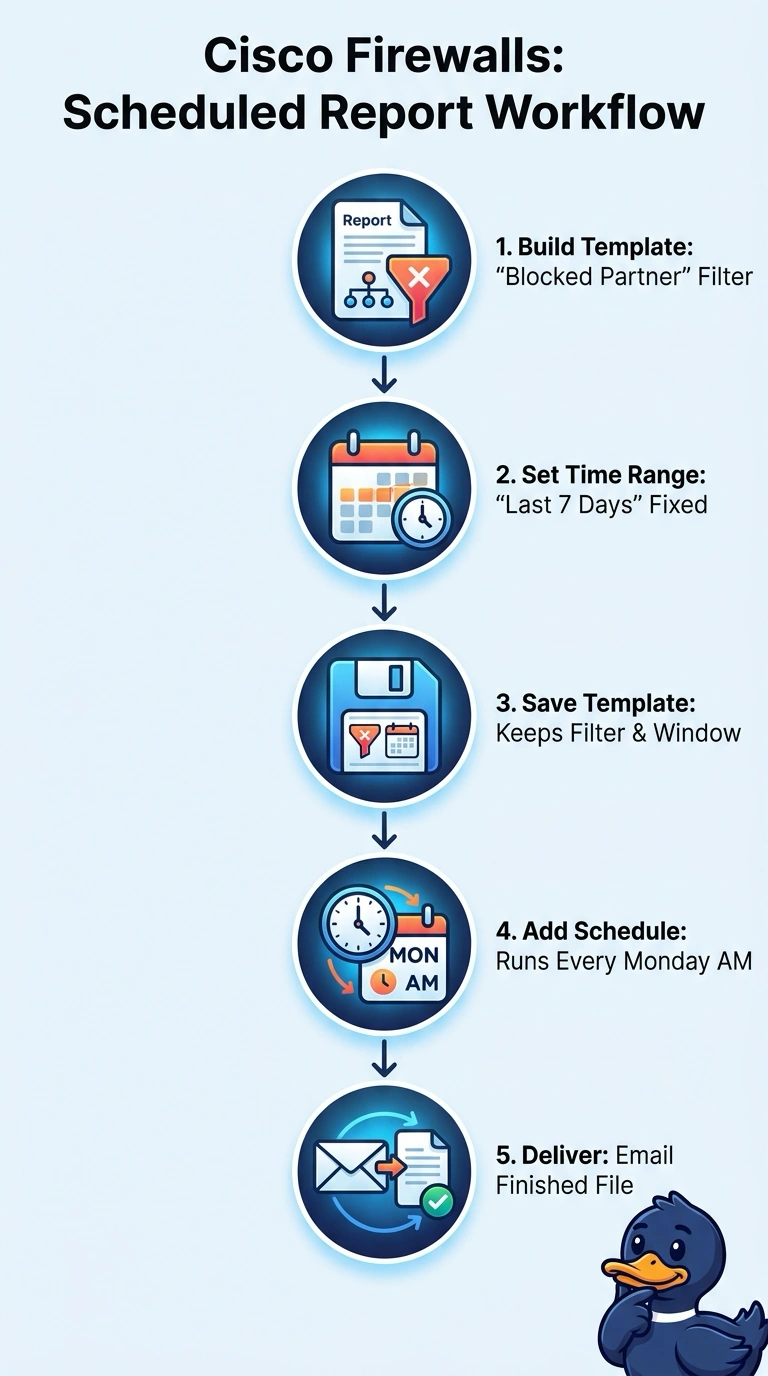
You've separated watching from reporting, which is the key idea here. A report template saves the filter and window, and the schedule turns it into evidence that lands without anyone starting it. Dashboards are for glancing; reports are for filing.
Full Explanation
In FMC a report template is a saved set of report items with a time range and filters, and a schedule runs that template on an interval and delivers the result as a file, so the evidence exists whether or not anyone logs in. Building the template first makes the output deterministic: the blocked-connections filter, the partner-network scope and the seven-day window travel with the template, and the schedule guarantees Monday delivery. A custom dashboard approach fails because a dashboard is a live view rather than a dated artifact, so nothing is delivered or retained for the auditor. Scheduling an all-outcomes report fails the scope requirement, because allowed connections dilute exactly what was asked for. Scheduling a one-day window fails the time requirement, since the review must cover the full week. Exam caveat: available report items and formats vary by version and licensed features, so confirm the widget you need exists before designing the schedule. Practical check: run the schedule once by hand, open the generated file and confirm every row is a blocked partner connection inside the seven-day window.