
After a suspected breach, an auditor asks your SOC for one chronological listing, on a single production server, that interleaves blocked connections, intrusion alerts, file-malware hits, and Security Intelligence events across a four-hour window. The auditor wants the sequence of events rather than separate per-type summaries. Which FMC view should the analyst open to give the auditor that single sequence?
Select an answer to reveal the explanation.
Short Explanation
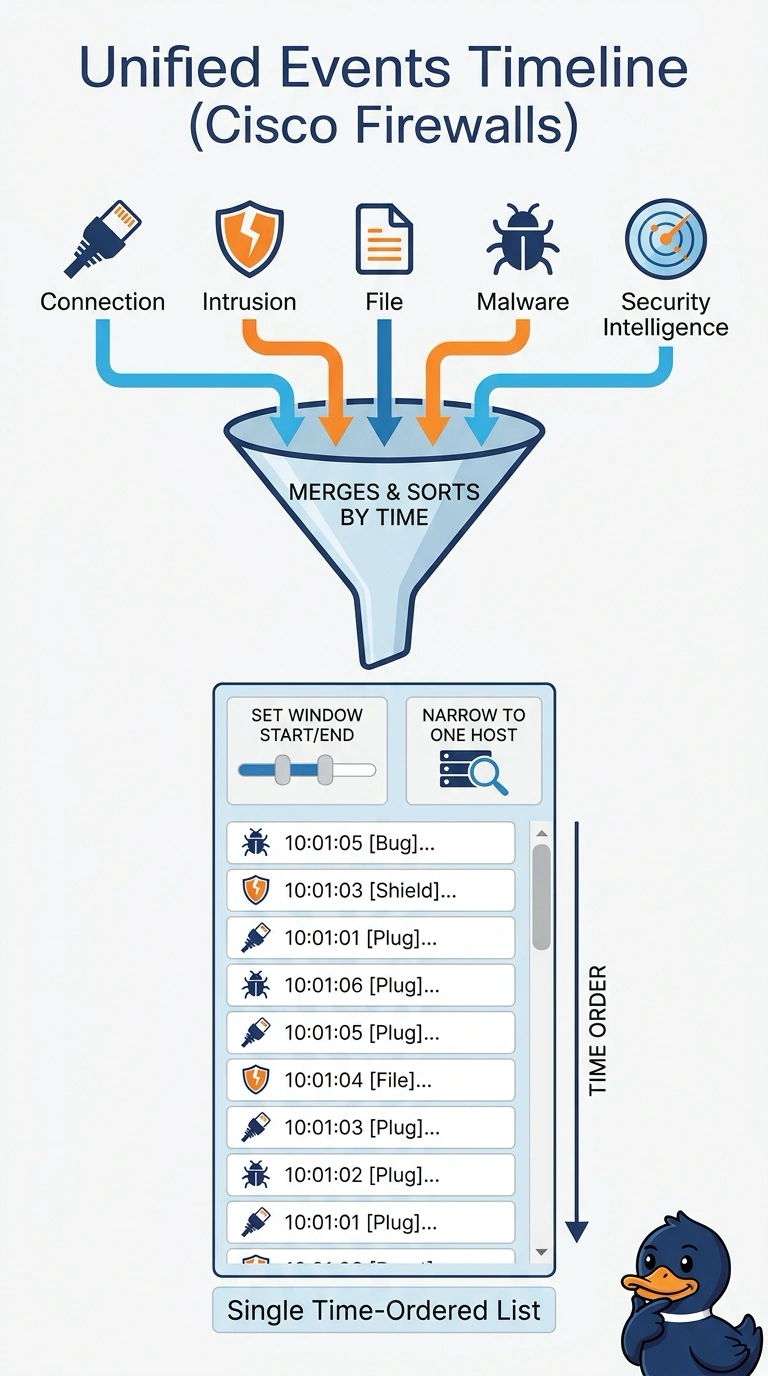
The Unified Events view brings supported event types together in one time-ordered list, so you can follow the server’s activity as a single sequence. It’s a single camera feed rather than four clips you’d have to line up by hand.
Full Explanation
Unified Events is the appropriate FMC view because it brings the relevant event families together in chronological order, letting you follow one production server’s activity within the requested four-hour window rather than reconcile separate reports. A one-day range around the incident still uses Unified Events and the correct server, but it is broader than the auditor’s specified interval, so the sequence is not bounded to the requested four hours. A normalized SIEM timeline can correlate records from multiple feeds and apply host and time filters, but it is not the FMC view the analyst is asked to open. Selecting intrusion, file, malware, and Security Intelligence records in Unified Events uses the correct view, server, and interval, yet omits connection records, so blocked connections cannot appear in the sequence. An exam caveat is that “unified” does not guarantee every event is present: visibility depends on enabled integrations, event types, permissions, and retention. In practice, verify the server identity and time-zone boundaries, then confirm the result includes blocked connection events as well as intrusion, file-malware, and Security Intelligence records before presenting it.