
Remote staff at a bank report a slow HR portal, and checks of their local Wi-Fi show a healthy link. Which approach shows the SaaS and WAN experience beyond that link?
Select an answer to reveal the explanation.
Short Explanation
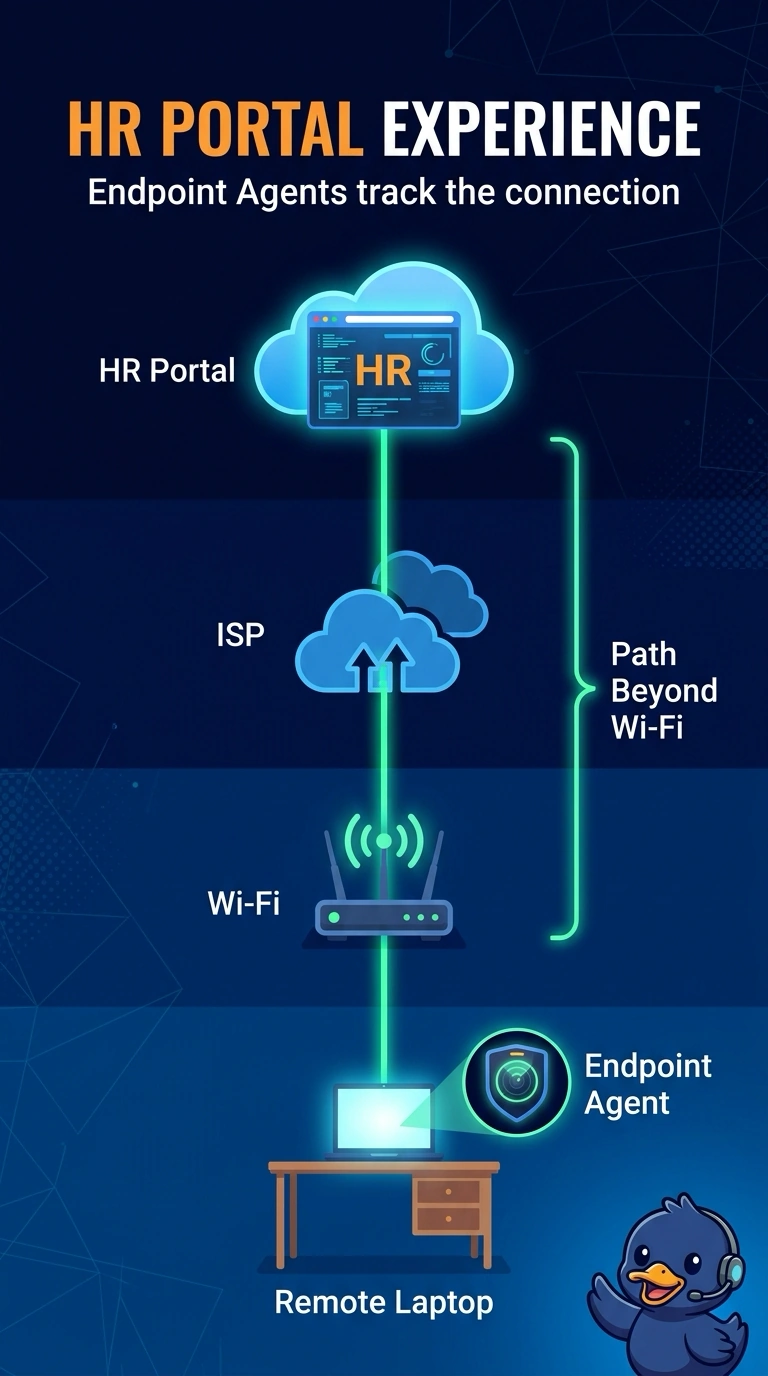
The driveway at home is clear, so the slow commute is out on the road. You put Endpoint Agents on the remote staff laptops, because they show each user's path past the healthy Wi-Fi to the HR portal. A router archive, one closet switch poll, or a page load that skips the network path stays in that driveway.
Full Explanation
Endpoint Agents run on the remote user's own laptop and measure the whole path from that device: the local Wi-Fi layer, the ISP, any VPN gateway, and the network path to the SaaS destination, plus application experience. That answers the open question once local Wi-Fi has been checked and the HR portal is still slow, because it shows the segments beyond the healthy link from the user's own vantage point. A device-configuration archive of branch routers and switches stores saved settings and does not describe the path a remote user takes to the portal. An SNMP poll of one access switch in a branch closet is a local device check at a site these remote users are not relying on. A web transaction that reports page time but does not record the network path can show a slow page and still hide which segment made the portal slow. The exam trap is polling a branch switch or rereading a backup when the users are remote and the local link is already healthy. In production, compare the Wi-Fi and gateway layers on a remote laptop with the Endpoint Agent path view toward the HR portal, keeping the destination the same. WAN Insights, by contrast, is an SD-WAN path-recommendation capability and does not measure remote laptops.