
A logistics hub wants an endpoint view from staff laptops and has put contractor home PCs out of scope. Which deployment matches that boundary?
Select an answer to reveal the explanation.
Short Explanation
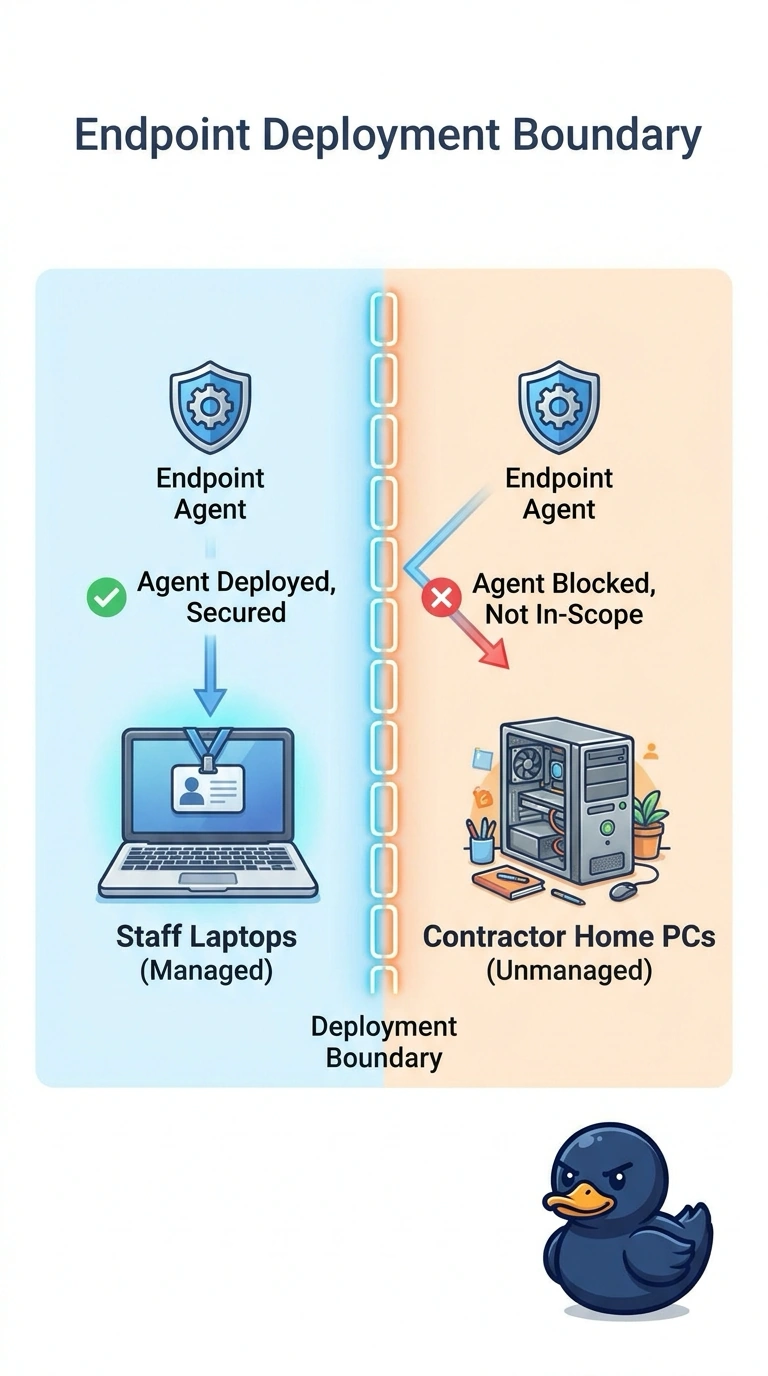
Employee badges don't get handed to visitors you already left off the list. You deploy Endpoint Agents on the in-scope staff laptops and leave contractor home PCs out. A single Enterprise Agent, a WAN Insights view with no endpoint, and an image without the agent miss that split.
Full Explanation
The hub drew a boundary: staff laptops are in scope and contractor home PCs are not, so Endpoint Agents go on the staff laptops and stay off those unmanaged PCs. That deployment produces the endpoint view from the devices they included and respects the devices they excluded. One Enterprise Agent in the data center stands in for no individual laptop and does not implement the split between staff machines and contractor PCs. A WAN Insights view of the hub paths with no endpoint agent on the staff laptops skips the in-scope devices entirely. An operating-system image for the staff laptops that does not include an endpoint agent refreshes the in-scope machines without measuring them. A single probe, a path view without endpoints, and an image without the agent all miss the staff laptops the boundary put in scope. Exam caveat: leaving unmanaged contractor PCs out of scope does not mean skipping the staff laptops that are in scope. Operational check: confirm staff laptops are reporting endpoint results and contractor home PCs are absent from that deployment.