
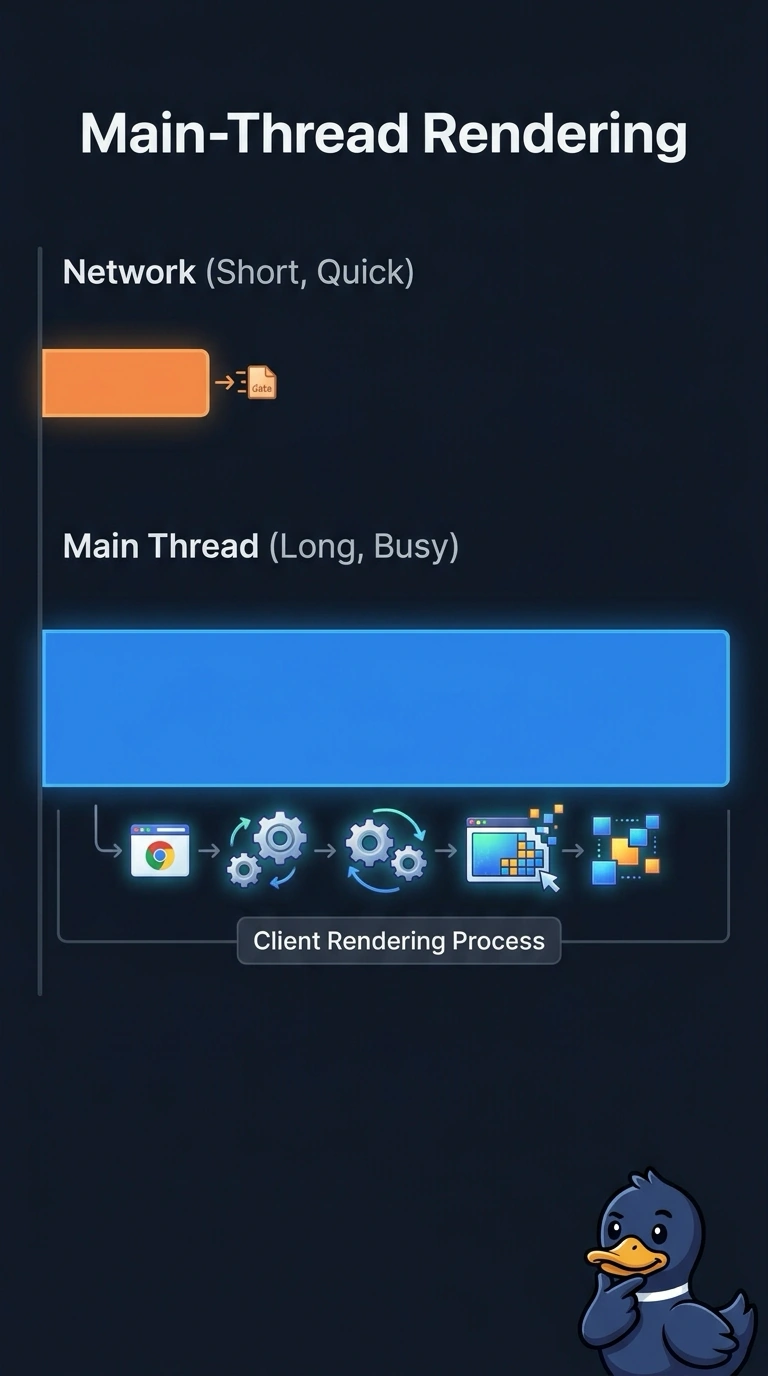
A bank's browser waterfall shows a short network row and a long main-thread stretch while the page paints. Which finding should the team treat as the cause?
Select an answer to reveal the explanation.
Short Explanation
A package can hit the porch quickly while unpacking it takes the rest of the afternoon. You treat the long main thread as client rendering, because the waterfall shows a short network row beside that stretch. A WAN loss alarm, a DNS hijack conclusion, or a QoS change targets a network delay the chart does not show.
Full Explanation
Client rendering is the right finding only when the waterfall itself separates a short network transfer from a long main-thread stretch, which is what this bank capture shows. Client rendering on the main thread, shown by the long stretch beside a short network row, is the cause, because the time is being spent in the browser after the bytes have arrived rather than on the path that carried them. A WAN loss alarm based on the long main-thread stretch before the page finishes painting assigns that stretch to the wide area. The network row is the short one, so the chart does not show path loss. A DNS hijack conclusion drawn from the long wait before the page paints for the banker treats paint delay as a forged lookup. A hijack would send the name to an unexpected destination, and a short network row plus a long main thread does not show that. A QoS change aimed at the network row even though the waterfall already shows that row as short retunes a path that the waterfall already shows is not the slow part. Exam caveat: blame the client only when the waterfall shows network time short and client time long; a long network row would point elsewhere. Operational check: on this page load, compare the network row with the main-thread stretch and confirm the main thread accounts for the wait while the page paints.