
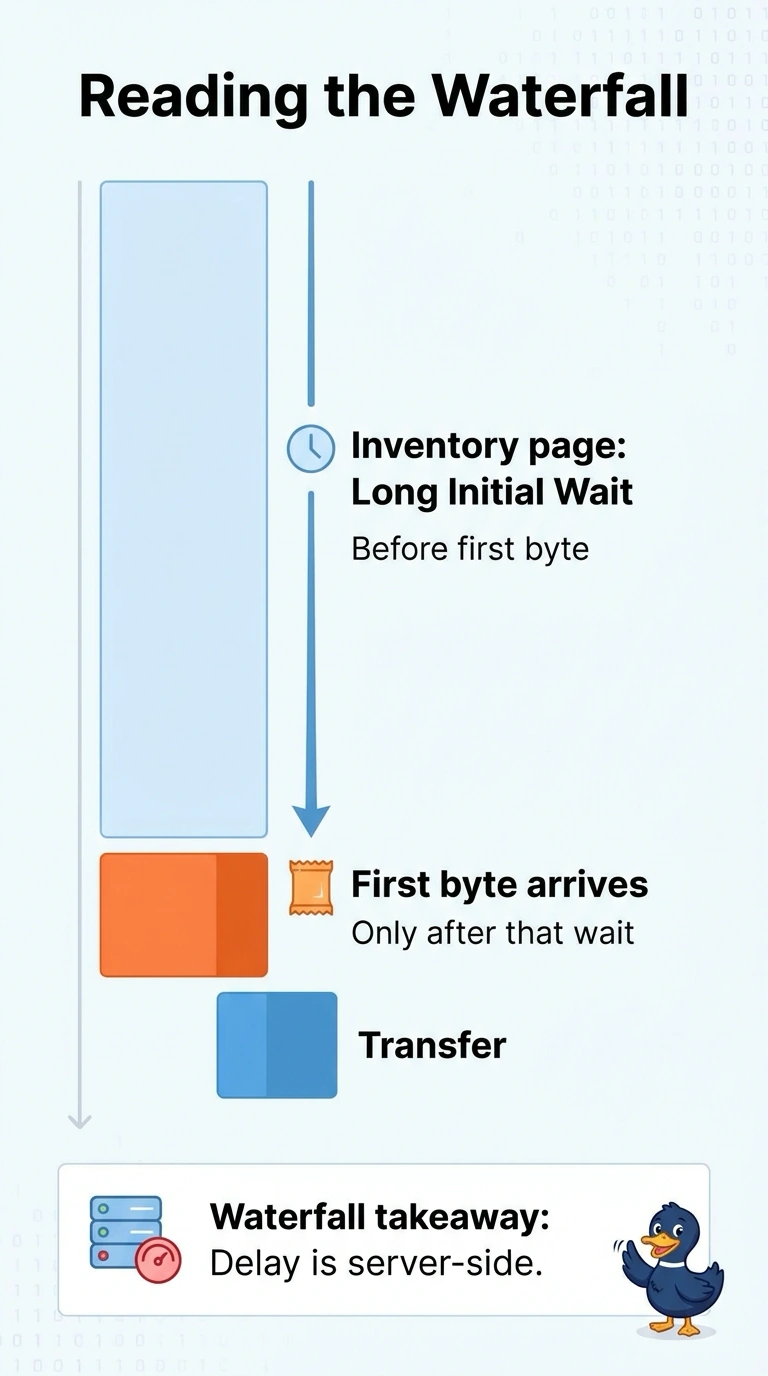
A retailer with branch stores sees a long time to first byte on the inventory page while the transfer after that byte is short. What does the waterfall indicate?
Select an answer to reveal the explanation.
Short Explanation
A small plate that sits in the pass for a long time means the kitchen was slow to start, and you do not blame the plate. The long wait before the first byte, with a short transfer after it, points to server wait. A WAN loss alarm, a hijack story about the name lookup, or a QoS change describes a different failure than this waterfall shows.
Full Explanation
Time to first byte is the wait until the server starts sending the body, and the transfer time after that byte is how long the bytes take to arrive. A long wait followed by a short transfer is a long server wait before the first byte, which is what this waterfall indicates. A loss alarm on the WAN circuit between the store and the data center would show up as loss on the path, which the report does not provide, and loss is not the same reading as a long server wait with a short body. A DNS hijack conclusion that treats the name lookup as the long wait mislabels server time as an integrity event, and a hijack is supported by resolution to an unexpected destination, not by a long time to first byte alone. A QoS change on the store edge so the inventory page is prioritized is a treatment for congestion or competing traffic, and it does not explain a waterfall whose time sits in server wait while the transfer stays short. Exam caveat: a long wait before the first byte with a short transfer is server time, and it is not a WAN loss alarm, a DNS hijack, or a QoS change. Operational check: read the inventory request in the waterfall, confirm the wait before the first byte dominates and the transfer after it stays short, and hold the WAN, hijack, and QoS readings until those other signals actually appear.