
A retail chain hosts its own terms-and-conditions splash page for an open guest SSID using Meraki's external captive portal. The access point has already redirected the visitor's browser to your portal with Meraki's grant parameters. Which step completes the external captive portal flow and puts the visitor online?
Select an answer to reveal the explanation.
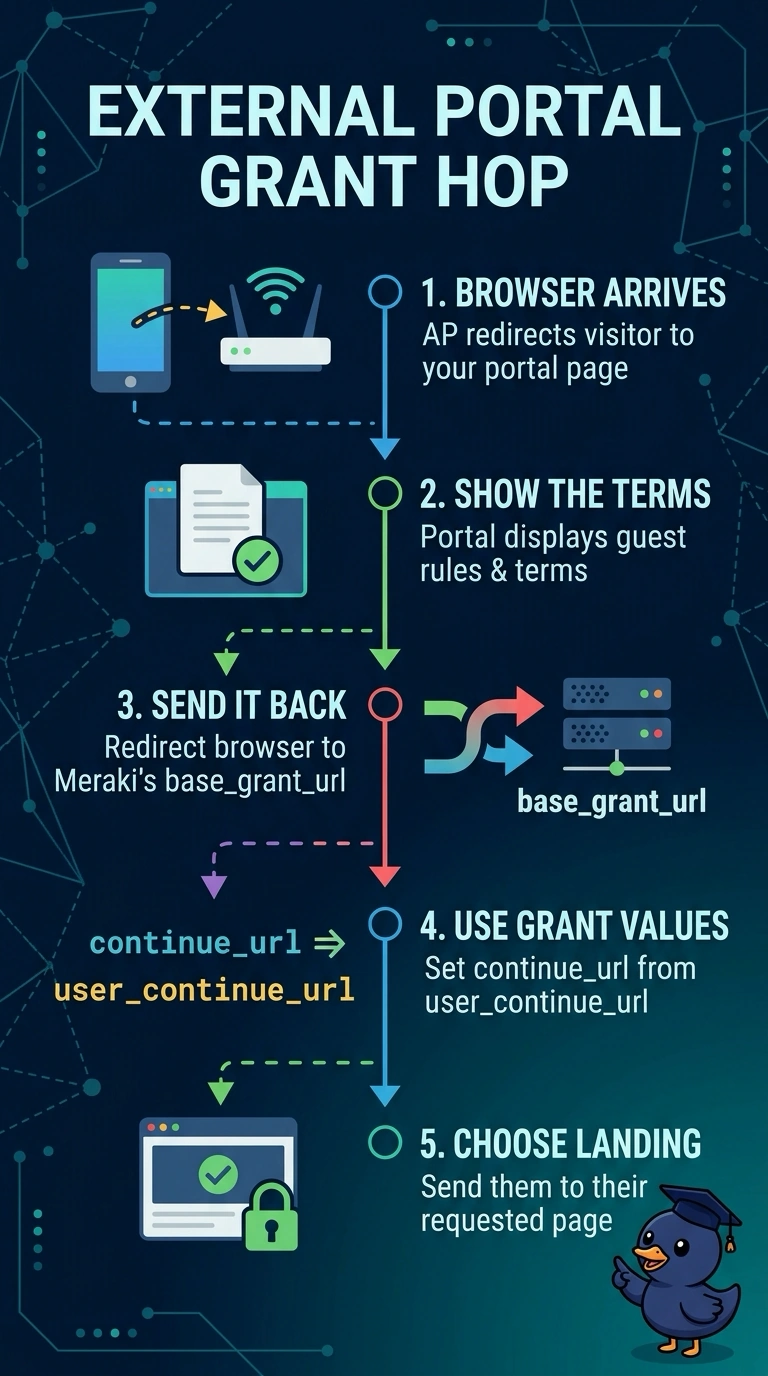
Short Explanation
You complete the flow by redirecting the visitor’s browser to Meraki’s base_grant_url with continue_url set to the supplied user_continue_url. That grant tells Meraki the visitor accepted the terms, and then sends them to the page they wanted.
Full Explanation
The external captive portal flow completes through a browser redirect, not a server-to-server call. The access point sends the visitor to your portal with base_grant_url, user_continue_url and client details; after the visitor accepts the terms, redirect their browser to the supplied base_grant_url with continue_url set to the supplied user_continue_url. Meraki then releases the client and returns the visitor to the requested page. Returning a 200 page with a link to the requested site does not contact Meraki’s grant endpoint, so the captive portal remains active and the visitor stays blocked. Posting a username and password to login_url uses the credential sign-on flow, which does not apply to a terms-only open guest network. Redirecting straight to user_continue_url navigates to the destination but skips the grant step, so Meraki is not told to accept the client. Exam caveat: use the parameter values from the redirect you received rather than hard-coding them. Practical check: use browser developer tools to confirm the redirect chain ends with a request to the grant URL carrying continue_url.