
A retail chain is opening twelve stores and its provisioning script must build the dashboard structure for each one. Every store needs a single network created under the existing organization with switch, wireless and appliance product types enabled so devices can be assigned later, in one call using the organization id. Which Meraki Dashboard API request creates a store network?
Select an answer to reveal the explanation.
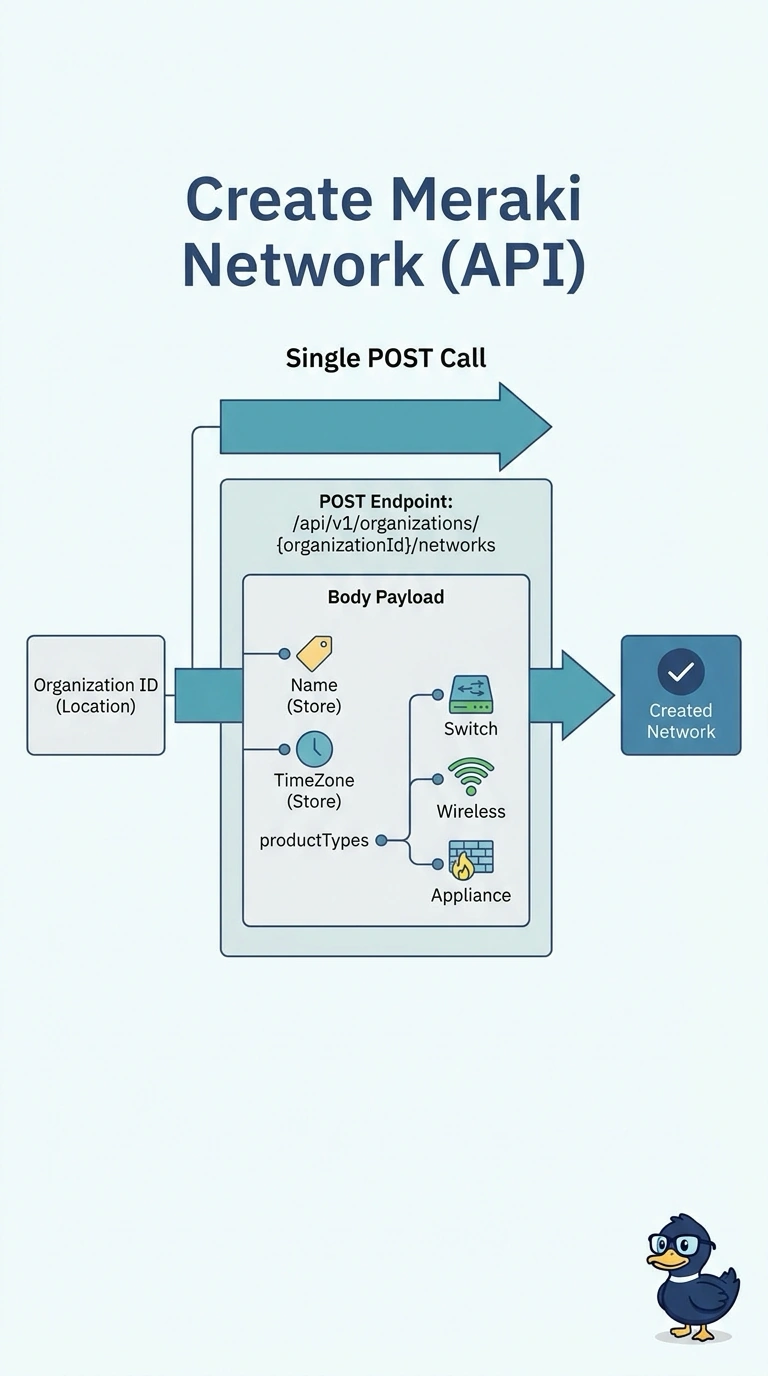
Short Explanation
Exactly: create the network under the existing organization by putting its ID in the endpoint path, not in the request body. That way, you can build each store’s network in one call. Your productTypes array enables switch, wireless, and appliance.
Full Explanation
Create the network directly within the existing organization by placing its organization ID in the endpoint path. The request body supplies the network name, time zone, and all three product types, so one call creates a single network ready for switch, wireless, and appliance devices to be assigned later. Putting organizationId in the body while posting to /api/v1/networks does not use the organization-scoped network-creation endpoint; the ID must be part of the documented path. Creating a network with name and timeZone, then enabling the product types in a second call, may be a workable staged workflow, but it violates the requirement to do this in one call. Posting to the organization-scoped endpoint with name, timeZone, and only switch and wireless creates a network, but omits appliance, so that product type is not enabled for later device assignment. Exam caveat: distinguish enabling product types when creating a network from claiming or assigning devices; device assignment is not required here. Practical check: after provisioning, retrieve the network and verify its organization, name, time zone, and productTypes before attempting device assignment.