
A public-health department’s OSPF adjacency to a PSAP link drops after a MetroE change. Which mismatch is a classic cause that prevents neighbors from forming?
Select an answer to reveal the explanation.
Short Explanation
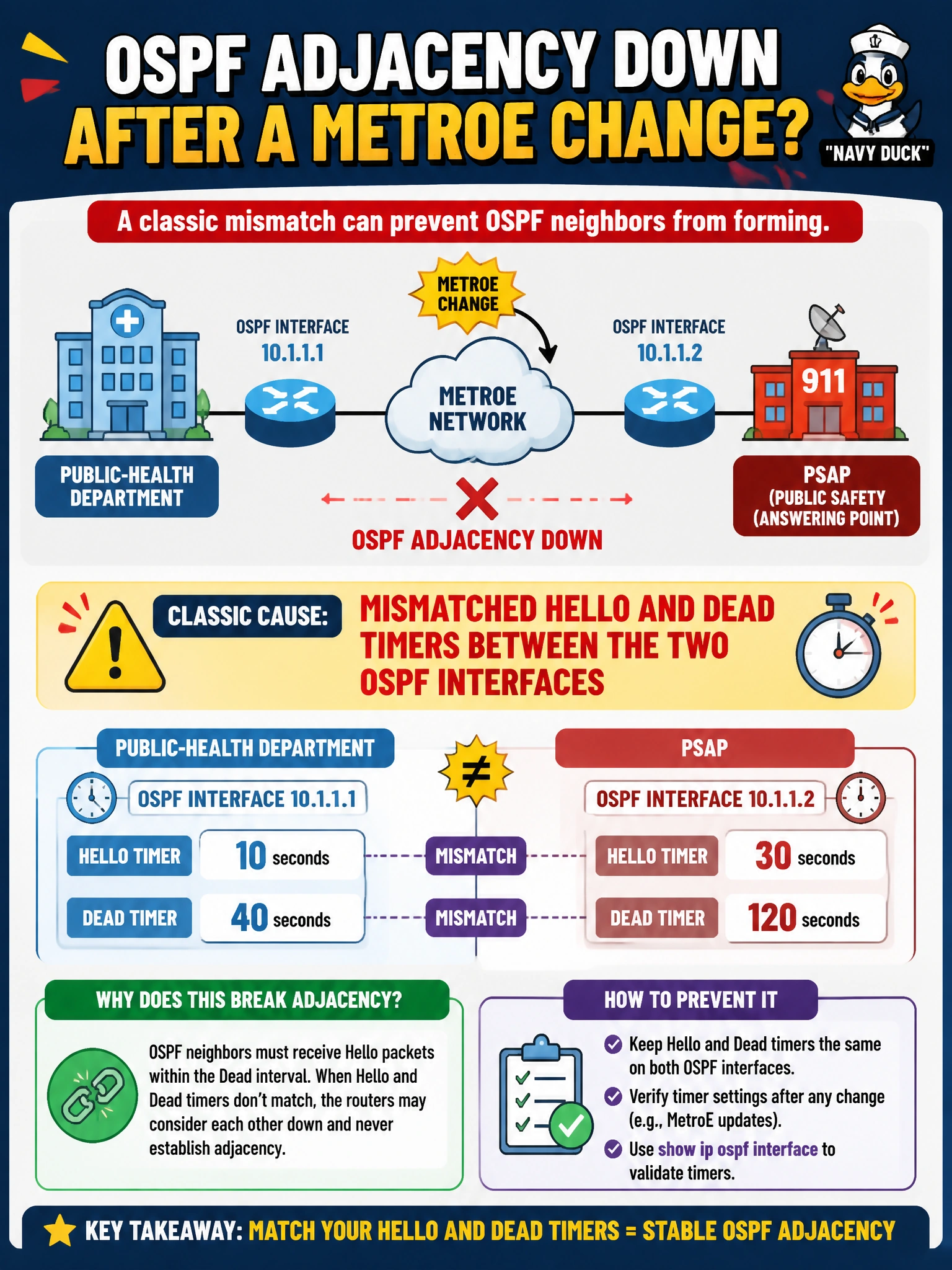
Think of OSPF hellos as synchronized dance steps: you need the same Hello and Dead timers to form a neighbor relationship. After the MetroE change, if the public-health and PSAP interfaces disagree on those timers, the adjacency will not form.
Full Explanation
OSPFv2 and OSPFv3 neighbor formation requires matching Hello and Dead intervals on the link. After a MetroE change on a public-health department path toward a PSAP, a one-sided timer change is a classic cause of adjacency loss, even when Layer 3 addressing still works. Peers ignore hellos whose configured timers do not match, so the adjacency cannot reach FULL; aligning the Hello and Dead intervals on both PSAP-link interfaces restores the conditions for neighbor formation. Identical Router IDs on both ends of an otherwise valid point-to-point link can be problematic in other OSPF designs, particularly when the duplicate IDs occur in the same area, but that is not the timer mismatch highlighted here. Using /30 addressing instead of /31 does not by itself prevent adjacency when both sides share the subnet correctly. Having both routers in area 0 while the PSAP VLAN is dual-stack is normal backbone design, not a mismatch that prevents neighbors from forming. Exam caveat: a duplicate Router ID can still cause problems, so distinguish that issue from a timer mismatch when the question points to Hello and Dead settings after a circuit change. Practical check: compare the Hello and Dead intervals on both public-health and PSAP interfaces, including OSPFv3 equivalents, make them match, and confirm that the neighbors progress to FULL.