
During a threat hunt, an analyst spots an internal workstation querying a newly registered external domain in internal resolver query logs containing client IPs and timestamps, but the DNS record alone does not reveal what program triggered the lookup. Which SIEM correlation technique best identifies the responsible software?
Select an answer to reveal the explanation.
Short Explanation
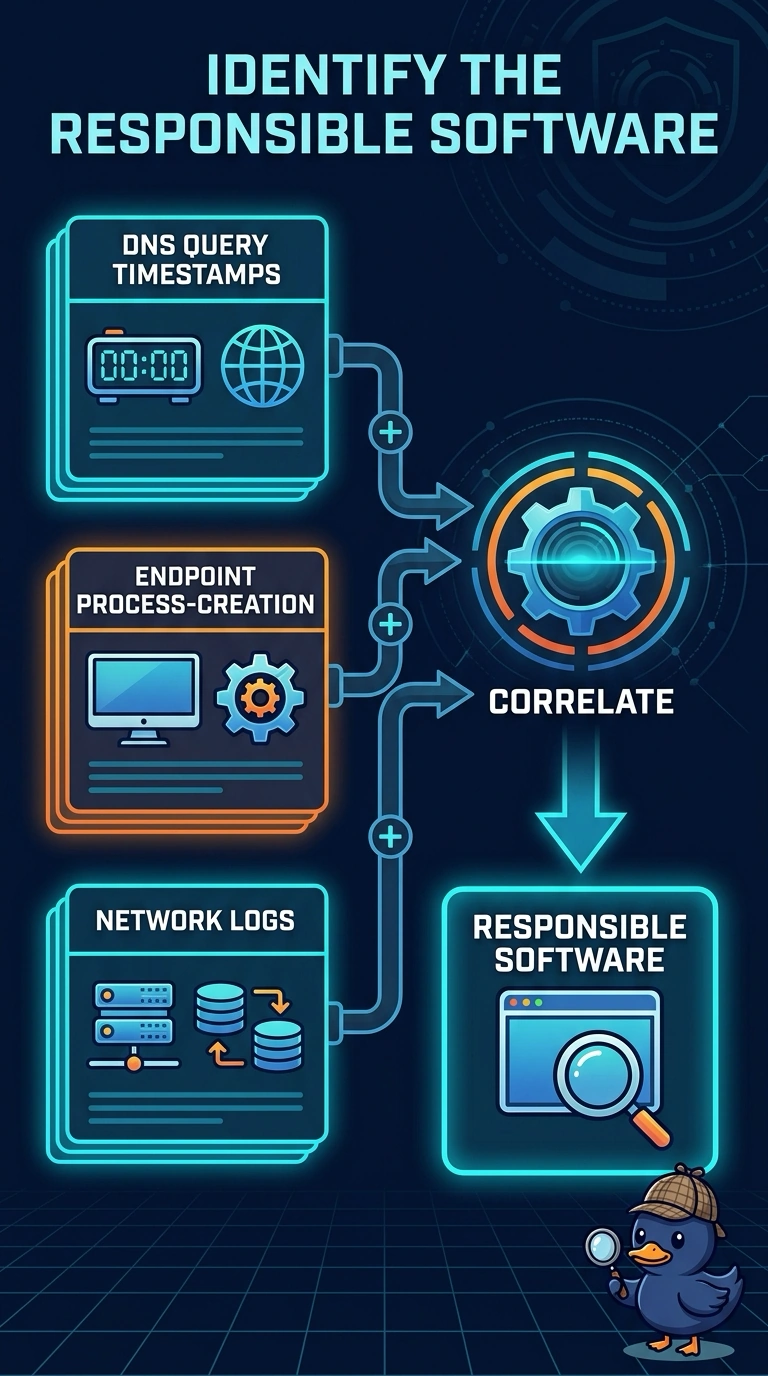
A DNS log tells you someone asked for directions, not which program was driving the car—you can find the culprit by matching the lookup time to activity on the host. The correlation of endpoint process and network telemetry helps identify the responsible software, while inventory and routing records do not show what ran.
Full Explanation
Internal resolver query logs with client IPs and timestamps show which client requested a domain and when, but not which local executable made the request. Correlating DNS query timestamps with endpoint process-creation and network logs bridges that gap: aligning the lookup with process starts, command lines, parent processes, and outbound sockets on the same host can identify the responsible binary. For more exact attribution, use endpoint DNS-query events, such as configured Sysmon Event 22, and correlate the process identity. An expired-certificate entry in a corporate web proxy’s static blocklist concerns access policy, not which local process caused a lookup. A workstation’s physical asset tag and hardware warranty date describe inventory and lifecycle, not runtime execution. A perimeter firewall’s default routing table describes forwarding paths, not which application performed DNS resolution. Exam caveat: a process start or connection near the query time is supporting evidence, not unique proof of causation. Practical check: search a time window around the resolver event and account for DNS caching and clock skew when validating the match.