
During a threat hunt on corporate Windows workstations, an analyst notices a legitimately signed desktop utility loading an unsigned dynamic-link library from a user-writable directory rather than the standard system folder. Which technique is most likely occurring?
Select an answer to reveal the explanation.
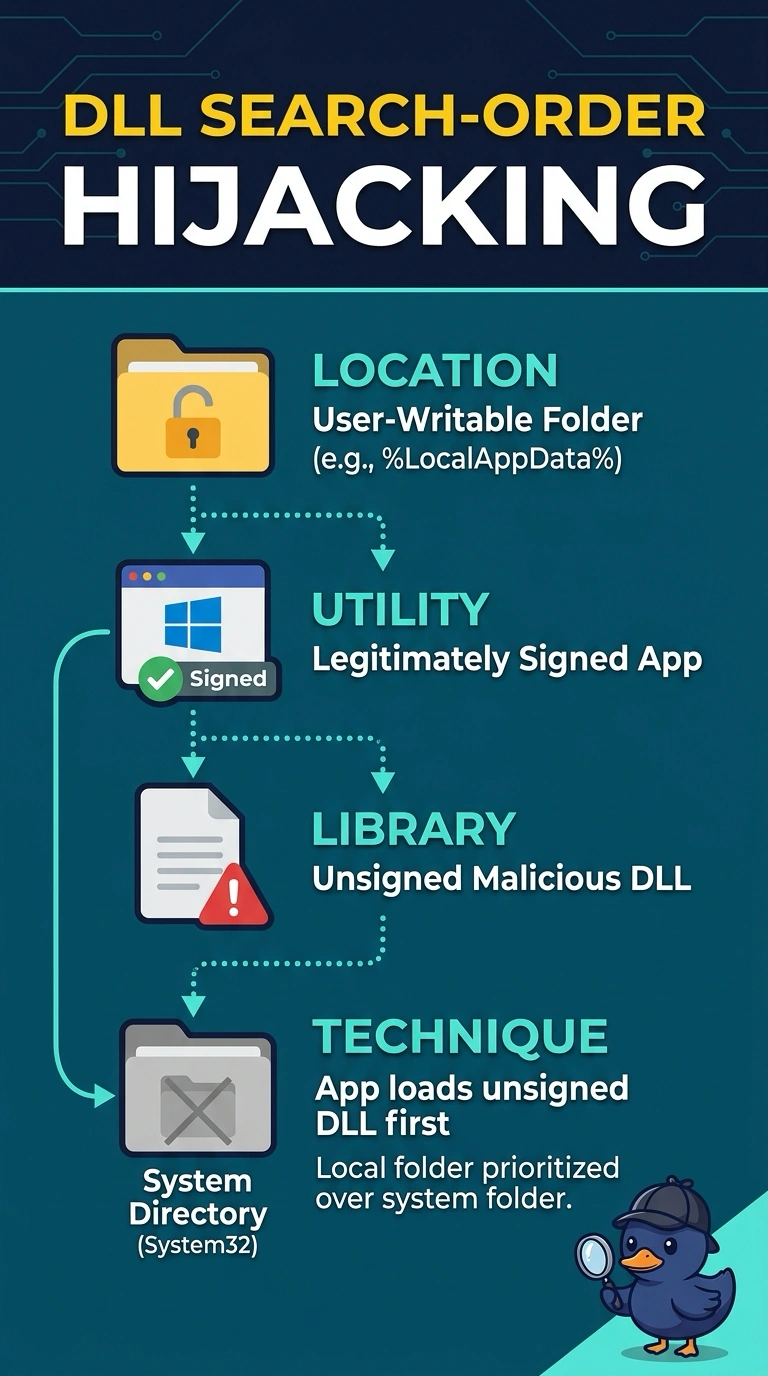
Short Explanation
You can think of the signed utility as a trusted messenger whose package is picked up from an unguarded porch instead of a secure vault. The signature does not guarantee safety when an unsigned library loads from a user-writable path, so check the module’s location for DLL search-order hijacking.
Full Explanation
This behavior indicates DLL search-order hijacking in a user-writable application folder. For an unpackaged application using the standard safe search order, the application directory precedes System32, while the current directory follows system directories; loader settings and flags can change the order. By placing a malicious, unsigned library with the expected name in a writable directory, an attacker can execute code inside a trusted, signed process context. Kernel-mode rootkit hooking of system call tables operates in kernel space to conceal processes or files, rather than loading user-mode libraries into an application directory. Credential harvesting from browser profile stores targets saved browser files or memory secrets, not library resolution order. Scheduled-task persistence using Task Scheduler entries establishes execution through scheduled tasks, rather than hijacking a binary’s module-loading sequence. Exam caveat: some legacy third-party installers legitimately place unsigned helper libraries in application directories, so baseline known software layouts before escalating. Practical check: correlate image-load telemetry in your SIEM for signed executables loading unsigned libraries from user-profile or temporary directories, then inspect the library’s file hash and creation history.