
A threat hunt reveals that an attacker bypassed multi-factor authentication on several employee mailboxes by authenticating through a legacy email protocol that does not support modern MFA prompts. Which countermeasure most effectively eliminates this gap?
Select an answer to reveal the explanation.
Short Explanation
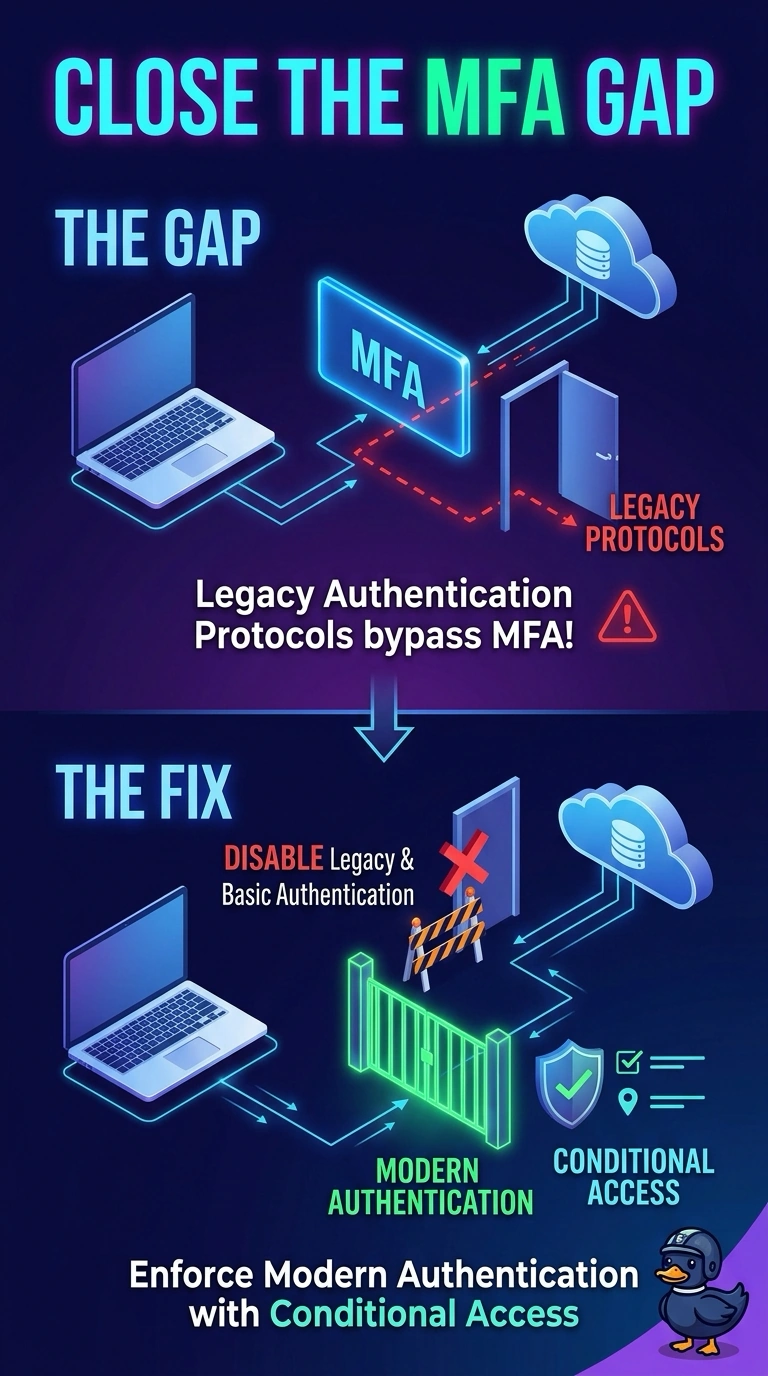
Leaving legacy authentication enabled is like locking your front door with a keypad while leaving an old side window unlatched. The trap is tweaking password rules when the protocol itself skips your multi-factor checks.
Full Explanation
Disabling legacy authentication protocols and enforcing modern conditional access closes the exact architectural bypass that allows attackers to authenticate with stolen passwords without ever facing a multi-factor prompt. Modern authentication flows support token-based verification and device-health checks, whereas Legacy/basic authentication cannot satisfy modern MFA controls; protocols such as IMAP, POP, or SMTP may support OAuth, so distinguish authentication mode from the mail protocol itself. Increasing password complexity requirements while keeping legacy protocols active still leaves accounts vulnerable to credential stuffing, phishing, and password spraying through those unguarded endpoints. Requiring employees to change their passwords every thirty days without MFA adds user friction without preventing attackers from replaying or spraying valid passwords between resets. Instructing users to report suspicious login notifications via an internal chat channel is a reactive human workflow that does nothing to block automated legacy logins, which rarely generate MFA prompts anyway. One caveat is that older automated scripts or mail clients may still depend on legacy protocols, so teams should audit authentication logs before flipping the switch. As an operational check, query identity provider sign-in logs for legacy protocol usage over the past month and migrate or decommission remaining clients before enforcing the block.