
While reviewing Windows event logs across a corporate network, an analyst suspects an intruder is using native remote management protocols to move laterally without dropping custom malware. Which log pattern best supports this hypothesis?
Select an answer to reveal the explanation.
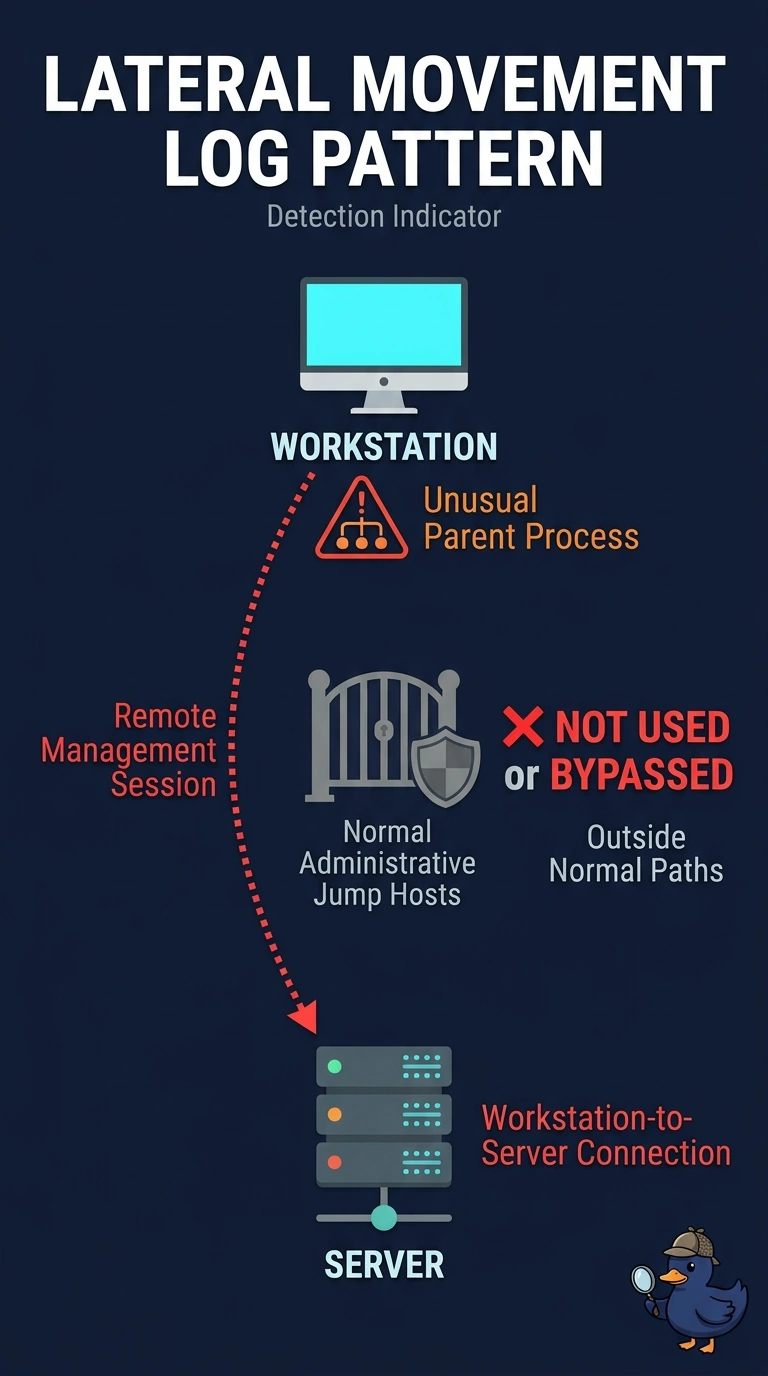
Short Explanation
Adversaries love hiding inside the same remote tools your administrators use every day, much like a trespasser wearing a maintenance uniform. You catch them not by the tool itself, but by noticing who is using it and where they are coming from. The trap is assuming native remote management traffic is always benign.
Full Explanation
Native administration protocols rarely trigger signature alerts on their own, so defenders look for behavioral context like Workstation-to-server remote management sessions spawned by unusual parent processes outside normal administrative jump hosts. Because legitimate administrators typically connect from designated management systems using standard consoles, deviations in source host, timing, or parent process expose unauthorized lateral movement. By contrast, Routine software updates pushed from the central management server during a scheduled maintenance window reflect expected operational baselines rather than adversary tradecraft. Similarly, Outbound HTTPS connections from employee browsers to approved cloud productivity domains represent normal user web traffic and do not indicate internal lateral movement. Meanwhile, Standard user account lockouts caused by expired passwords on a single corporate laptop point to routine credential hygiene issues rather than remote command execution. As a caveat, some legitimate automation scripts may run from non-standard hosts during emergencies, so context matters. As an operational check, correlate remote logon events with process creation telemetry on both the source and destination hosts to confirm whether an authorized administrator initiated the session.