
A file has already run on a branch laptop, and the analyst needs the parent process that launched it. What should be consulted before anyone deletes the file?
Select an answer to reveal the explanation.
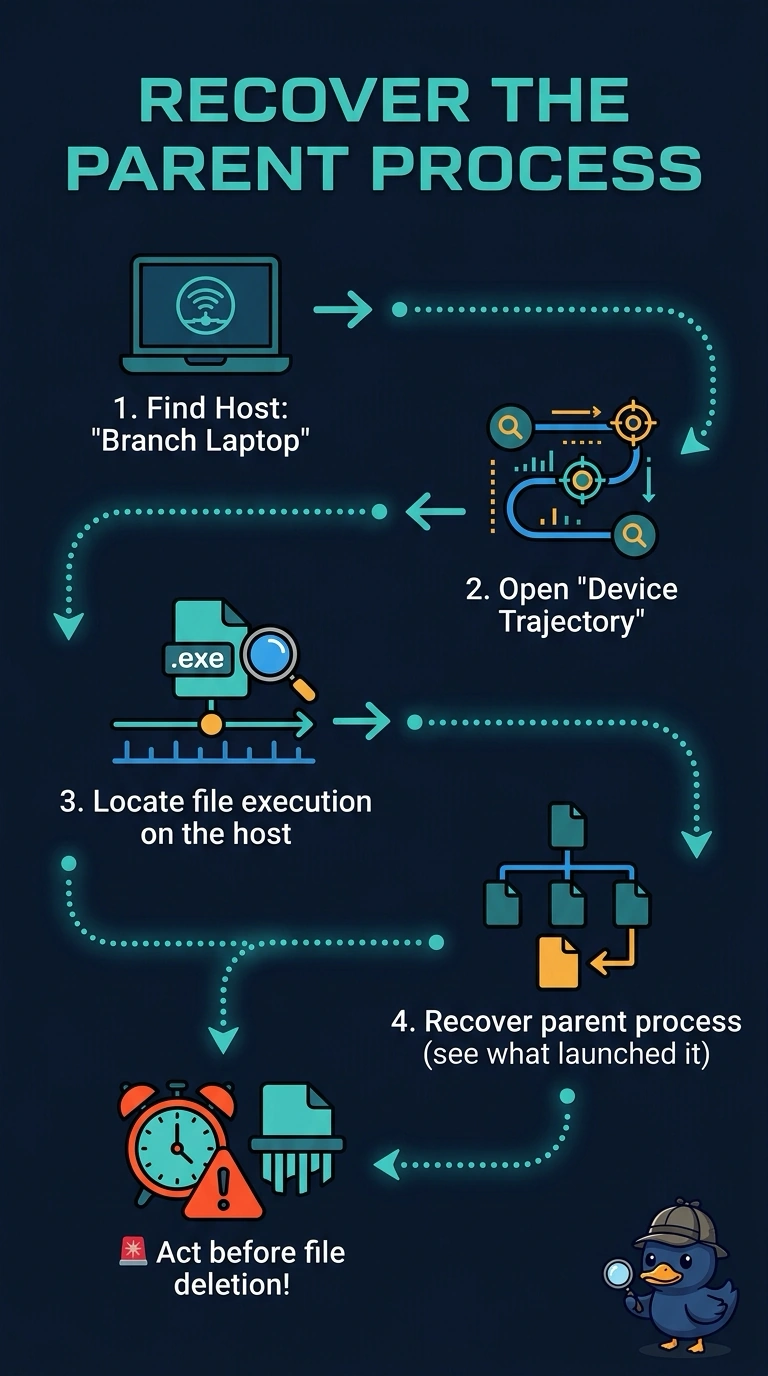
Short Explanation
You’ll want to preserve the launch history before removing the file: device trajectory on that host shows the parent process that launched it. Deleting it first may block another launch, but it won’t recover that lineage; file trajectory alone tracks other hosts with the hash, and a cloud disk snapshot isn’t a memory image.
Full Explanation
Device trajectory records activity on a particular computer, including the process that launched a file. Open device trajectory on the branch laptop to recover the parent process before anyone deletes the file; removal does not rebuild the process tree. Deleting the file immediately may stop the user from launching that same binary again, but preventing another launch is a different goal from identifying the parent, and deletion first can leave the lineage unrecorded. File trajectory alone can list other hosts that have already stored the hash, but that cross-host view does not identify the parent process on this laptop. A cloud disk snapshot captures disk contents, not RAM, so reviewing it as a memory image cannot recover the parent process in the way the option claims. Exam caveat: file trajectory and device trajectory answer different questions; the parent process is found in the device view for the host where the file ran. Practical check: open device trajectory for the branch laptop, locate the file’s launch event, and confirm the parent process there before deciding whether to delete the file.