
A hospital malware bench receives a Windows sample that must be checked for an MZ header and a ZIP archive appended after the PE, without executing the file. Which inspection fits that job?
Select an answer to reveal the explanation.
Short Explanation
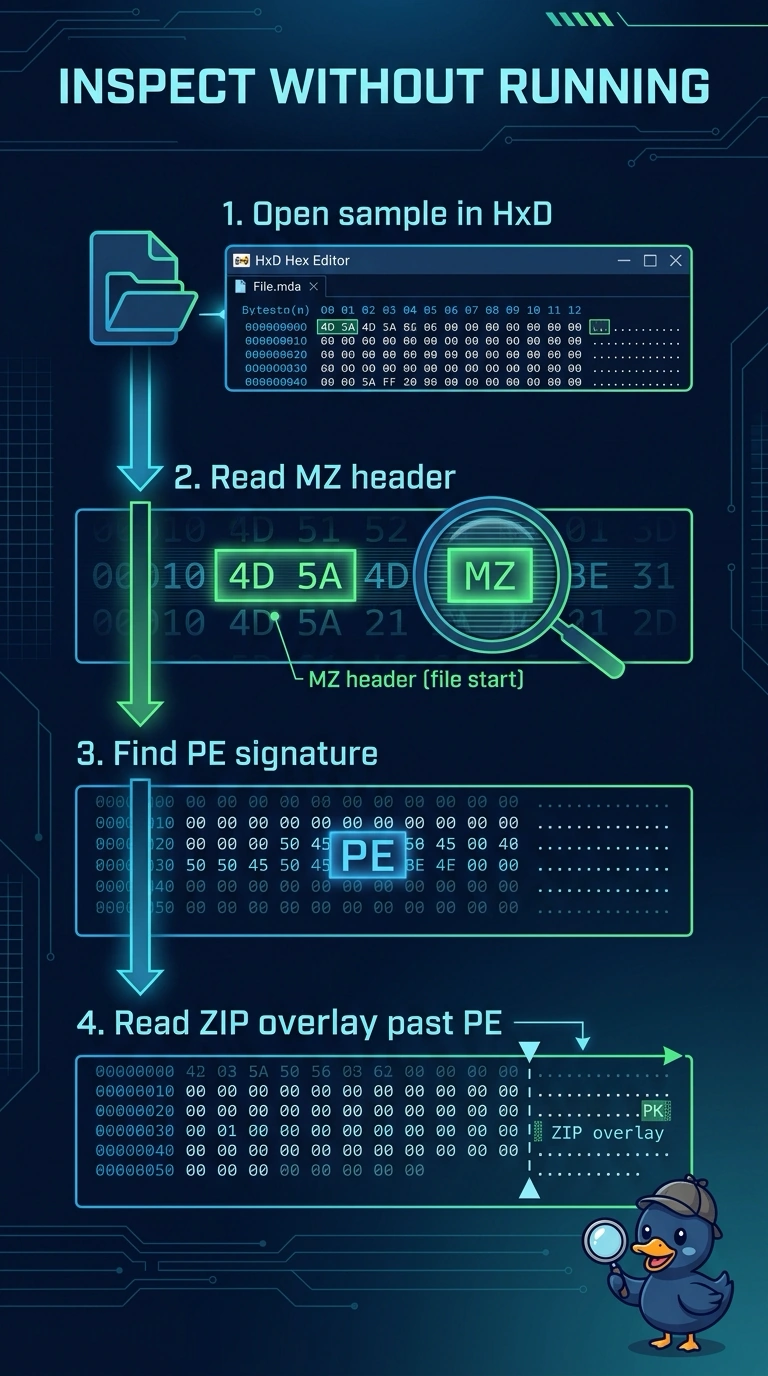
Think of the sample as a sealed envelope you can hold up to a lamp. HxD lets you read the MZ header and any ZIP overlay without tearing the envelope open. A sandbox detonation or a debugger launch is opening that envelope, and that is the trap.
Full Explanation
HxD is a hex editor, so this inspection stays on bytes already stored in the file. You confirm the MZ header at the start of the PE and then read any ZIP overlay past the PE, and the sample is not launched. A choice to detonate the sample in a sandbox can list dropped names in a report, but that creates a process, which breaks the condition that the hospital bench must not execute the file, and an overlay the program does not unpack can be missing from that report. A choice to rename the sample and assign a zip extension, then extract it with a desktop archive utility, trusts the extension rather than the header and can fail when the archive is only appended to a PE. A choice to launch the sample in a debugger so the header is copied into process memory also starts execution, even if you hope to pause at the first instruction. Exam caveat: an overlay proves the ZIP bytes are present, not that every execution path will unpack them. Operational check: open the sample in HxD, confirm the MZ header at the start of the file, and search the tail for a ZIP signature while the sample stays unexecuted.