
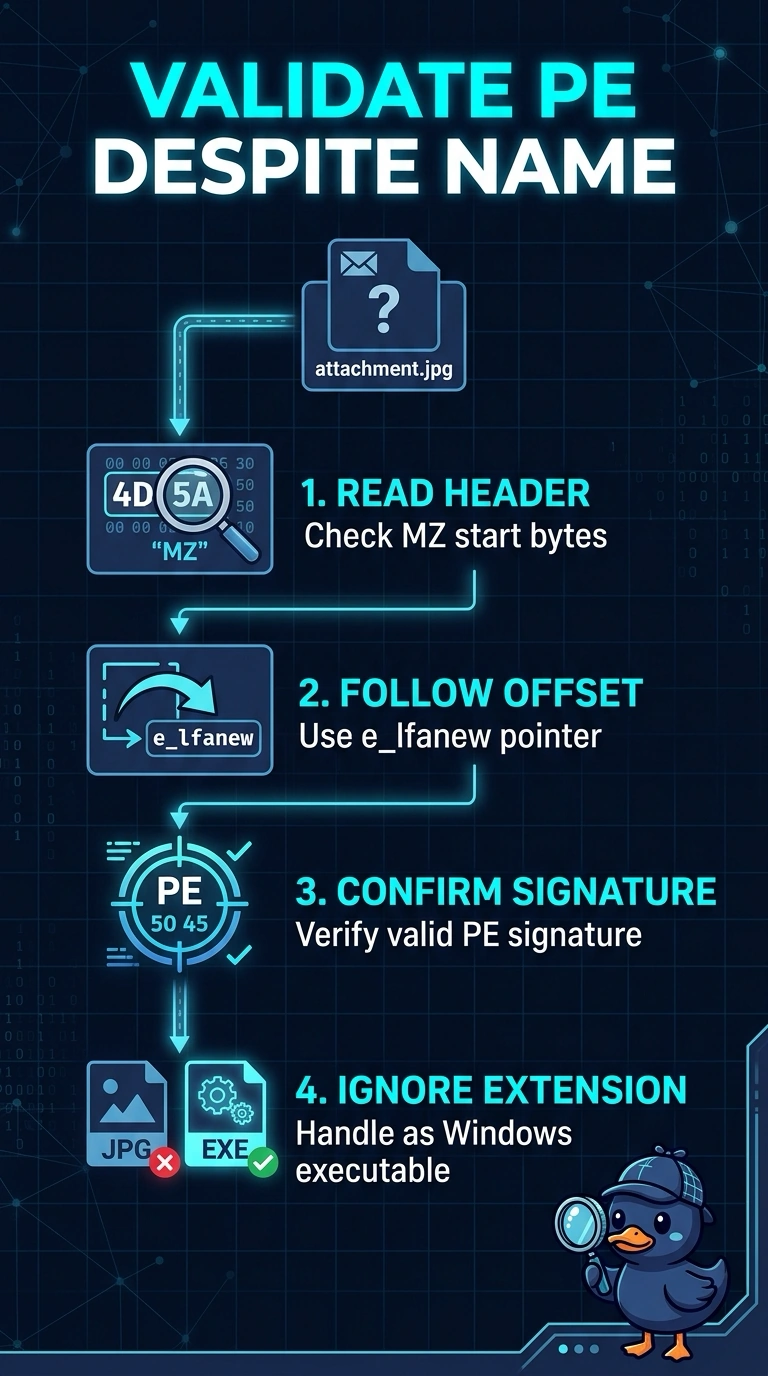
A mailed file at a regional bank is named with a jpg extension, but the first bytes are the MZ header. Further parsing confirms a valid PE signature at the DOS header e_lfanew offset and consistent executable headers. Which file type should analysts treat it as?
Select an answer to reveal the explanation.
Short Explanation
Do not let the jpg label fool you since you are looking at validated executable headers. MZ suggests a DOS-family executable header; the valid PE signature and structural headers establish the Windows PE format. MZ alone is insufficient.
Full Explanation
Triage takes the file type from validated headers, not from the name a sender picked. MZ suggests a DOS-family executable header; the valid PE signature and structural headers establish the Windows PE format. MZ alone is insufficient. Because further parsing confirms a valid PE signature at the DOS header e_lfanew offset with consistent executable headers, the file must be handled as a Windows executable despite the jpg extension and kept out of a normal image viewer in a controlled workspace. Treating the attachment as a photograph based on the jpg filename extension trusts the field an attacker can type without touching the bytes and ignores the validated structural headers. Treating the attachment as a macro document based on arrival in mailbox storage confuses the delivery path with the format; mail can carry any type, and nothing here shows a document macro. Treating the attachment as a compressed archive based on the gateway size warning leans on a size flag that was never tied to an archive signature. A misleading name and a real header can coexist, and the validated header governs risk sorting. Exam caveat: a polyglot can look like more than one type, and validated PE headers still mean you do not treat the file as a harmless photograph. Operational check: confirm the leading bytes with a file-type check or a hex view and verify the PE signature at e_lfanew.