
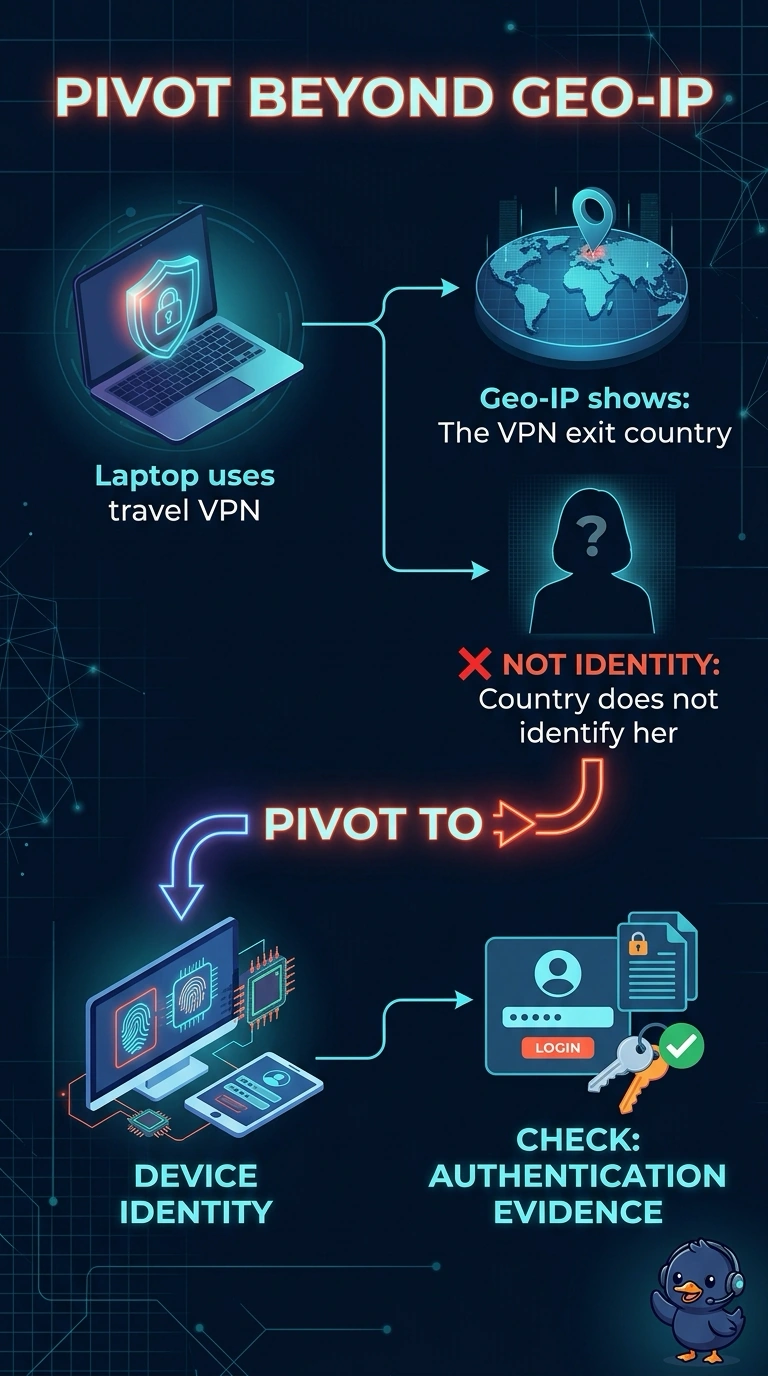
Geo-IP places a finance analyst VPN login in a country she has not visited, and that laptop uses a travel VPN. Why is the country not her identity, and where should the case pivot?
Select an answer to reveal the explanation.
Short Explanation
A postmark shows where a letter entered the mail, not who wrote the letter. You are seeing the travel VPN exit in that country, which is not the analyst's identity. Pivot to the laptop and the authentication record instead of closing the case on a map pin.
Full Explanation
Geo-IP locates the public address that finished the VPN login. On a travel VPN that address is an exit node, so the country can be one the analyst has not visited even when she is the person at the keyboard. Geo-IP marks the VPN exit, not the person, and the pivot is device identity and authentication evidence: the laptop identifier, the session, and how the login was proved. The country code does not prove account takeover, and it is not a reason to disable the user and close the case as finished. Geo-IP does not name the person; consumer databases that map a public address to one employee record are the wrong tool, and a shared VPN exit is not one employee. Treating the travel VPN as irrelevant and letting the foreign country alone identify the responsible threat actor skips the fact that this user already uses that VPN. Exam caveat: a travel VPN explains a surprising country, and it does not by itself prove the legitimate user was the one who authenticated. Operational check: compare the VPN session device identifier and authentication events with the analyst's known laptop before the country is treated as a person.