
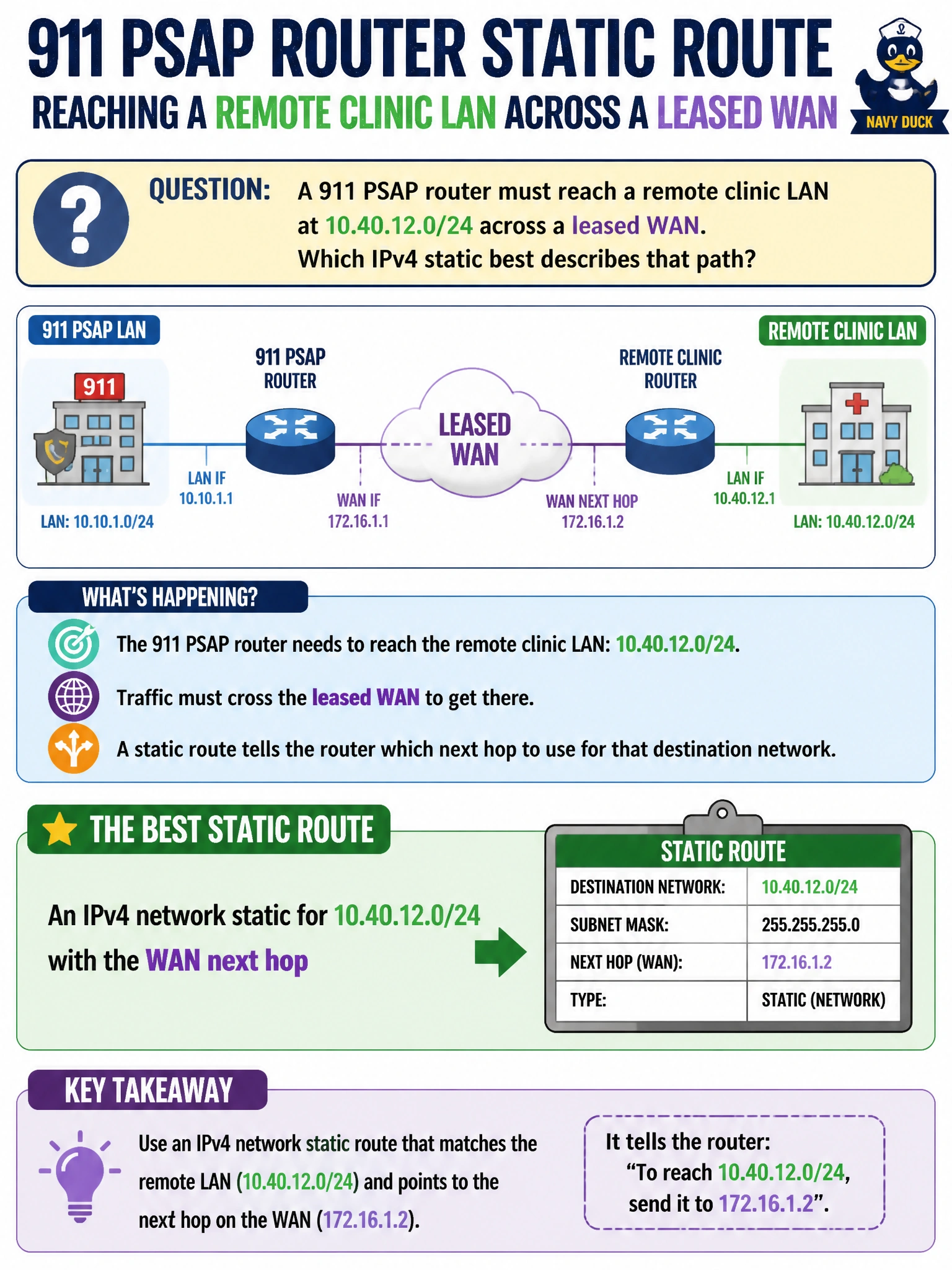
A 911 PSAP router must reach a remote clinic LAN at 10.40.12.0/24 across a leased WAN. Which IPv4 static best describes that path?
Select an answer to reveal the explanation.
Short Explanation
Think of the whole clinic subnet as the neighborhood, not one house or the entire Internet. You can install an IPv4 network static for 10.40.12.0/24 aimed at the WAN next hop so PSAP traffic can reach every address in that LAN.
Full Explanation
The 911 PSAP needs to reach the entire remote clinic LAN, 10.40.12.0/24, across a leased WAN. An IPv4 network static describes that path precisely: configure destination 10.40.12.0 with mask 255.255.255.0 (or /24) and the WAN next hop, or a properly specified exit interface on a true point-to-point link. The clinic’s addresses then match that prefix under longest-match routing when no more-specific host route exists, providing reachability to its servers and endpoints. A default 0.0.0.0/0 could carry clinic-bound packets if no other route matched, but it also sends all unmatched Internet and other traffic toward the clinic, so it does not describe only the path to that LAN. A host route to 10.40.12.1 reaches just that address and leaves the rest of the /24 without the required route. An IPv6 ::/0 default does not provide IPv4 reachability to 10.40.12.0/24, even if the clinic supports IPv6 elsewhere. Exam caveat: the WAN next hop must be recursively resolvable through a connected route or another route; an unreachable next hop cannot forward traffic. On multipoint Ethernet, prefer specifying the next-hop IP. As a practical check, confirm that 10.40.12.0/24 appears in the IPv4 routing table with the WAN next hop, test multiple clinic addresses from the PSAP router or a test host, and verify that traffic uses the leased WAN rather than an unintended default route.