
Parks and recreation is cabling closet switches for Wi-Fi. How should port modes typically differ for APs versus uplinks toward distribution or a WLC?
Select an answer to reveal the explanation.
Short Explanation
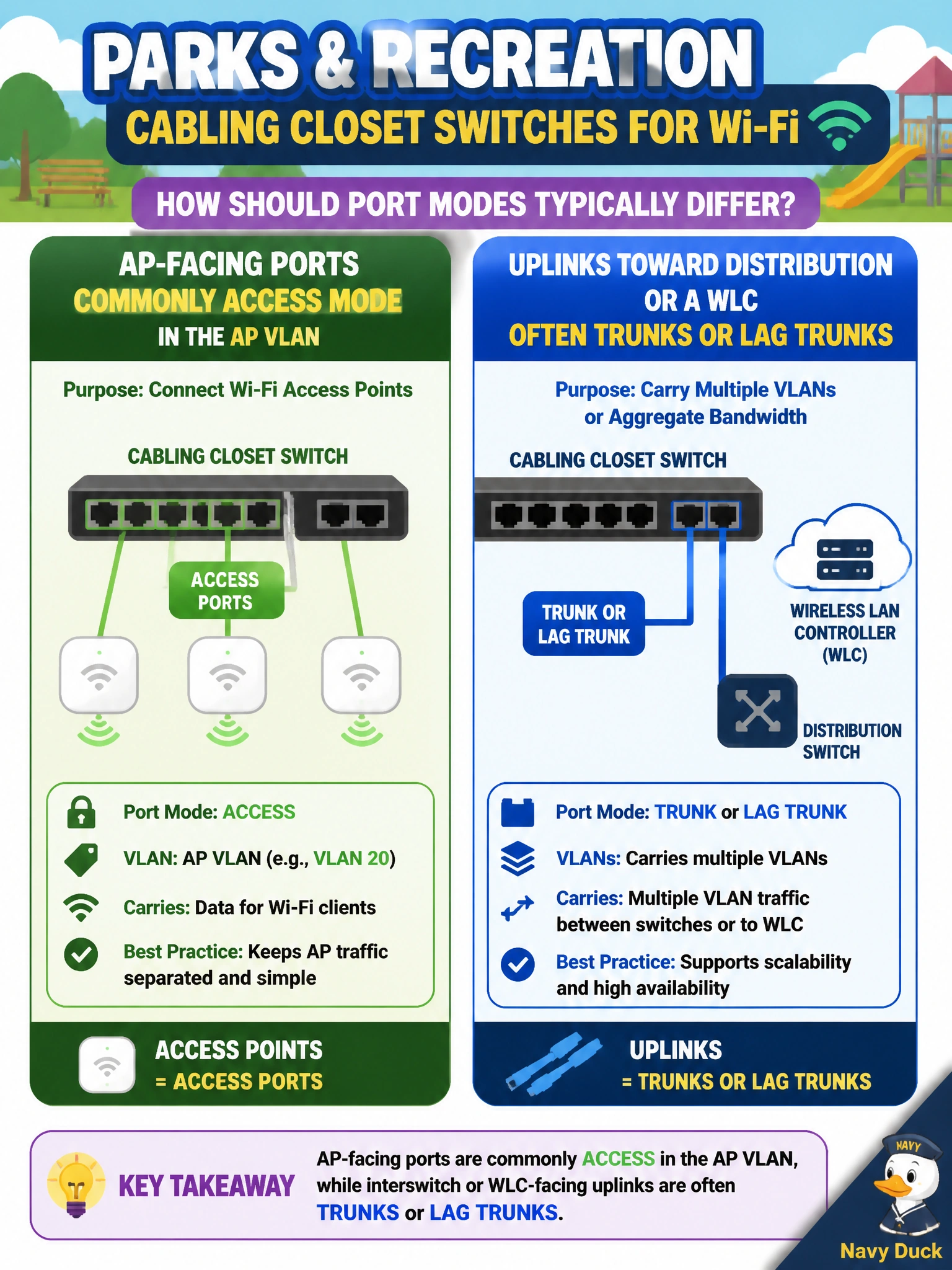
Treat the AP port like a labeled parking spot — usually one VLAN, access mode. The uplink to distribution or the WLC is the multi-lane highway — trunk (and often LAG) so many VLANs can ride. Mixing those modes is how parks Wi-Fi gets weird.
Full Explanation
Parks and recreation closet cabling should treat AP-facing ports differently from uplinks. AP ports are commonly access mode in the AP or management VLAN so each radio gets a simple, predictable CAPWAP path. Links toward distribution switches or toward a WLC attachment are often trunks (and may be LAG trunks) because they must carry multiple VLANs or aggregated controller traffic. Matching port mode to role prevents both under-tagged uplinks and unnecessarily complex AP edges.
Requiring every AP port to be a trunk carrying only native VLAN 1 with no access-mode option is neither required nor best practice for typical CAPWAP APs. Forcing distribution uplinks to be access ports in the printer VLAN only breaks multi-VLAN transport and misplaces wireless infrastructure into an unrelated VLAN. Claiming port mode does not matter because CAPWAP ignores 802.1Q is false: Ethernet tagging and VLAN membership still determine how AP and WLC traffic enter the switched campus.
Exam caveat: FlexConnect local switching may require trunked AP ports to carry user VLANs; know that exception, but do not apply it blindly to every AP. Always align mode with whether the AP only needs management/CAPWAP or also locally switched client VLANs.
Operational check: on a closet switch, show interface switchport for an AP port (expect access + AP VLAN) and for the uplink (expect trunk/LAG as designed); then confirm the AP still joins the WLC after cabling.