
A developer experiments with a GIS MCP that teammates should not inherit. How should it be configured?
Select an answer to reveal the explanation.
Short Explanation
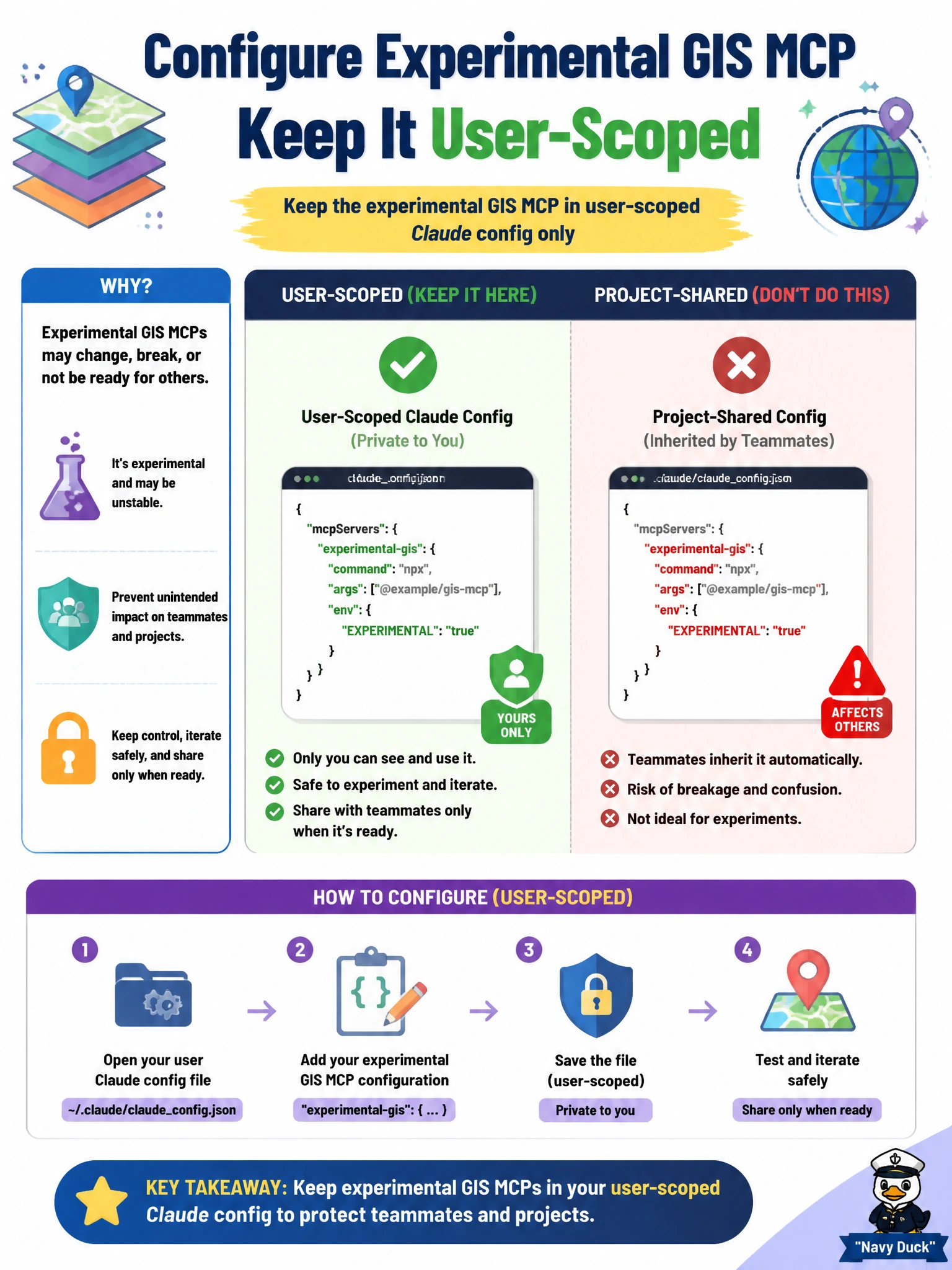
Personal GIS experiments belong in your user-scoped Claude config—like sticky notes on your own desk, not on the shared team whiteboard.
Full Explanation
Experimental MCP servers that only one developer should see belong in user-scoped Claude configuration, not in the shared project file. When a developer tries a GIS MCP that teammates must not inherit, keeping that server in user-level config isolates the experiment: personal sessions can load it, while project clones continue with the team’s approved MCP set.
Why the correct option works: user-scoped config is intentionally non-distributable through the repo. It is the right home for unfinished endpoints, personal API keys tied to a sandbox GIS tenant, and exploratory tools that would confuse or break teammates if auto-loaded. Project .mcp.json remains the source of truth for shared civic tooling.
Why the other three fail by concept: committing the experimental GIS server to project .mcp.json forces every clone to load unfinished tooling and can leak sandbox URLs or credentials patterns into the team baseline. Embedding the GIS server binary inside every municipal CI secret store confuses runtime MCP config with secret storage and spreads an experiment into pipelines. Replacing all team MCP servers with the experimental GIS endpoint destroys the shared baseline and couples the whole city engineering stack to one person’s trial.
Exam caveat: user-scoped MCP is for personal or experimental servers; project-scoped MCP is for team-shared servers—do not invert them on the exam. Operational check: after adding a personal GIS MCP only in user config, clone the repo on a clean machine without that user config and confirm the experimental server is absent while project MCP servers still load.