
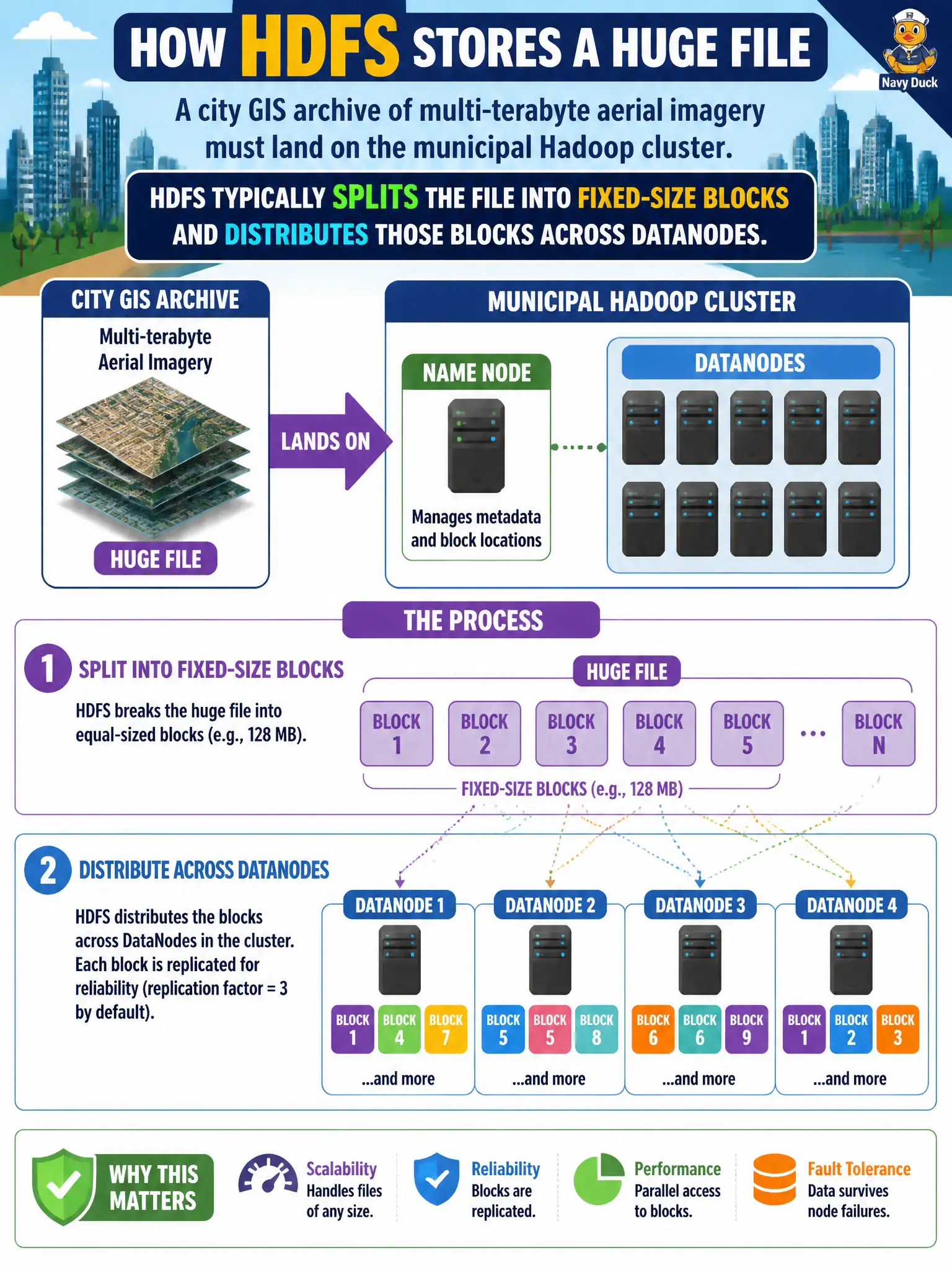
A city GIS archive of multi-terabyte aerial imagery must land on the municipal Hadoop cluster. How does HDFS typically store each huge file?
Select an answer to reveal the explanation.
Short Explanation
Think of a warehouse palletizing one giant shipment into many crates. HDFS does the same: huge files become fixed-size blocks spread across DataNodes. That layout is how the cluster stores volume without stuffing everything onto one disk.
Full Explanation
HDFS typically stores each huge municipal GIS imagery file by splitting it into fixed-size blocks and distributing those blocks across DataNodes, enabling parallel scans and fault-tolerant placement for multi-terabyte aerial archives on the city cluster. Keeping each file as one contiguous blob on a single OLTP database volume confuses transactional storage with distributed analytics filesystems and will not scale imagery archives. Compressing the whole file into one NameNode memory object for every reader misunderstands the metadata-versus-data path and would exhaust coordinator memory. Mirroring the entire file to a desktop USB drive attached to the job submitter is not cluster storage and fails durability, locality, and operational control. Exam caveat: block distribution is the core HDFS large-file model—do not equate HDFS with a single-volume RDBMS file or NameNode payload store. Operational check: land a sample imagery file, confirm multiple block IDs across DataNodes via fsck or NameNode UI, and verify a distributed read touches those DataNodes rather than NameNode heap. In municipal platform operations, record the rationale in the architecture decision record so future on-call staff know which pattern was chosen and which failure modes the rejected options would create for city services. Re-validate after the next maintenance window that monitoring, access paths, and recovery steps still match the documented design for agencies that depend on this platform.