
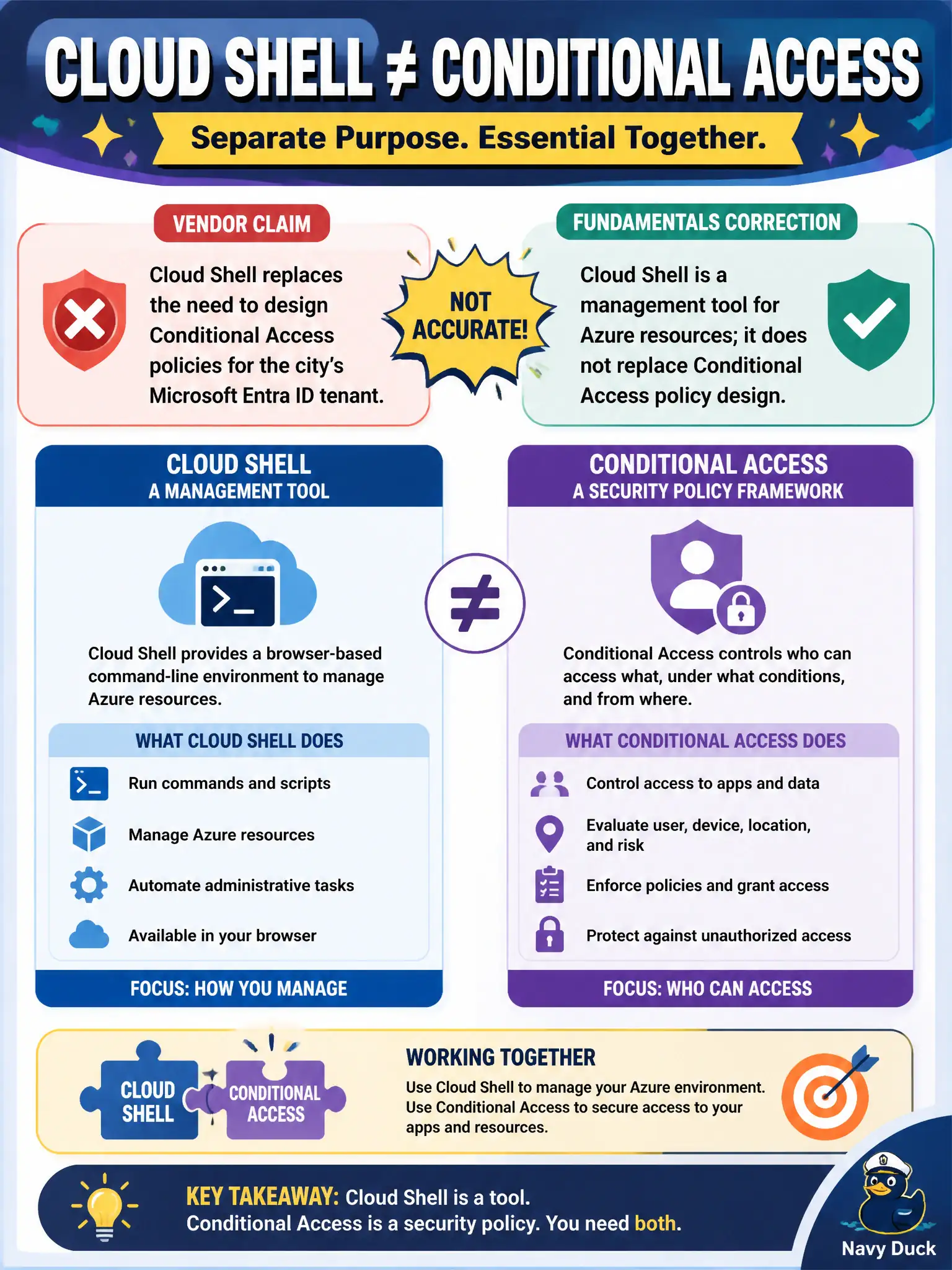
A security vendor claims Cloud Shell replaces the need to design Conditional Access policies for the city’s Microsoft Entra ID tenant. What is the accurate fundamentals correction?
Select an answer to reveal the explanation.
Short Explanation
Cloud Shell is a handy browser toolbox for managing Azure — period. It does not invent your sign-in rules. Conditional Access still lives in the identity governance conversation.
Full Explanation
Cloud Shell is a management tool for Azure resources: a browser-hosted CLI or PowerShell session for operating the estate. Conditional Access is an identity governance control in Microsoft Entra ID that decides when and how users (and sometimes apps) may sign in based on conditions such as user, location, device, and risk. One does not replace the other. The city still designs Conditional Access to protect access to apps and the portal itself; Cloud Shell neither authors those policies automatically nor absorbs their purpose.
Claims that Cloud Shell automatically authors every Conditional Access policy when Bash starts confuse a shell host with identity policy design. Treating Cloud Shell and Conditional Access as the same product under two names collapses unrelated concepts. Opening Cloud Shell does not disable Entra ID for the tenant; sessions still depend on identity and authorization.
Exam caveat: AZ-900 expects you to separate management interfaces (portal, CLI, PowerShell, Cloud Shell) from security/identity controls (such as Conditional Access), even though admins use both in real operations. Operational check: review Conditional Access policies in the Entra admin experience (or documented equivalents), then open Cloud Shell and show that resource inventory commands succeed or fail based on RBAC—not because Cloud Shell “replaced” sign-in rules.