
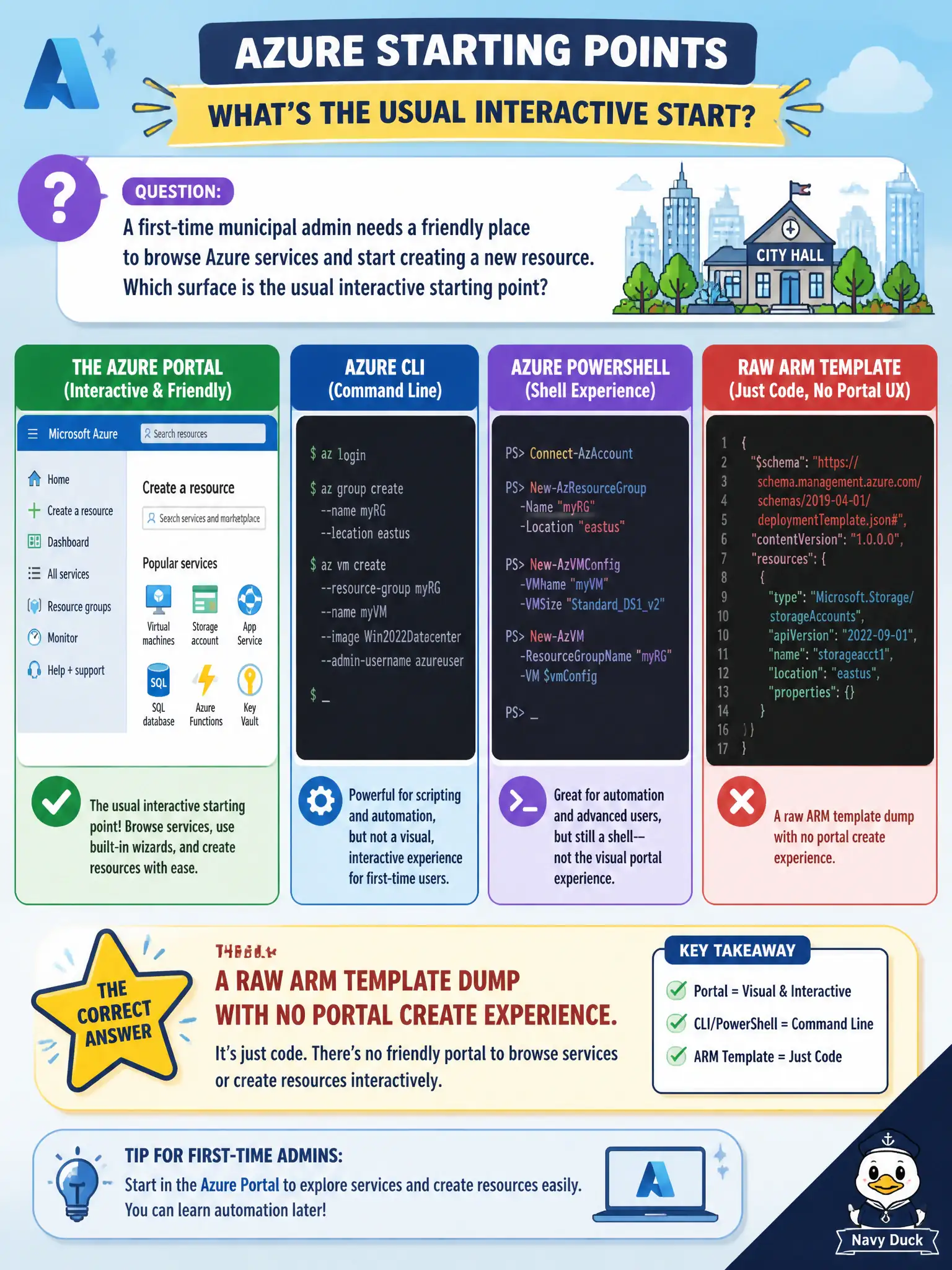
A first-time municipal admin needs a friendly place to browse Azure services and start creating a new resource. Which surface is the usual interactive starting point?
Select an answer to reveal the explanation.
Short Explanation
New to Azure, open the portal and you get a map of services plus a create path. It is the front door most city admins walk through first. Templates and private circuits are different chapters of the story.
Full Explanation
For a first-time municipal admin, the Azure portal is the usual interactive starting point. It presents a browsable catalog of services, guided create experiences, and marketplace-style discovery so someone can find a service, open a create blade, and provision a resource without first authoring templates or wiring private networking. That “friendly map plus create path” is exactly what fundamentals expect for early hands-on management.
A raw ARM template dump without a portal create experience is a valid deployment vehicle for teams already practicing infrastructure as code, but it is not the welcoming first surface for browsing services and starting a create. ExpressRoute alone provides private connectivity into Azure; circuits do not create resource types or substitute for a management console. Relying only on on-premises Hyper-V Manager assumes Azure has no browser console, which is false—Azure’s primary graphical management experience is the portal in a web browser.
Exam caveat: the portal is interactive management, not the only management path—CLI, PowerShell, and templates also talk to Azure Resource Manager. Operational check: have the new admin sign in, use All services or Create a resource to locate a simple resource type, complete a create into a sandbox resource group, and confirm the resource appears under the chosen subscription.