
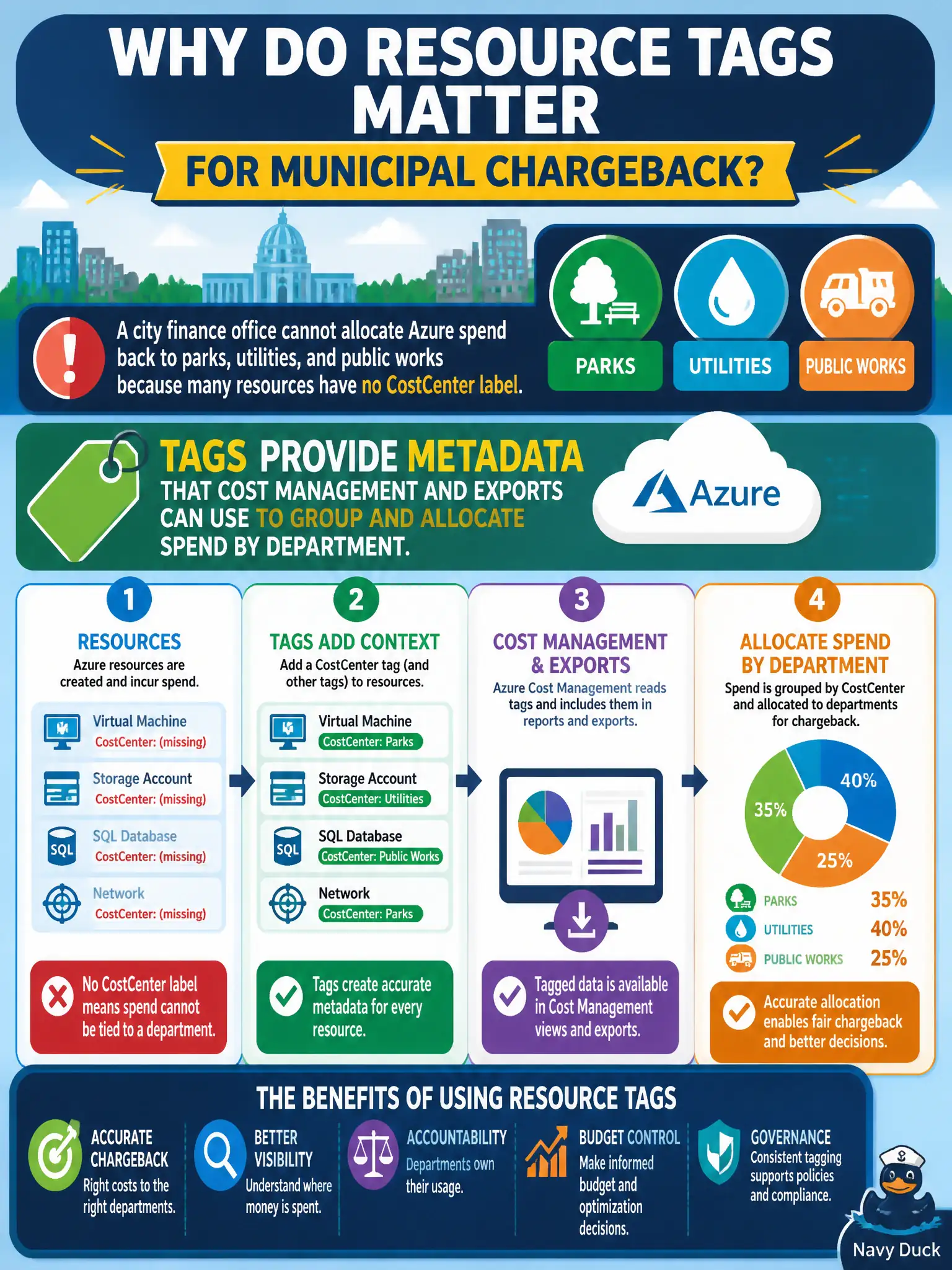
A city finance office cannot allocate Azure spend back to parks, utilities, and public works because many resources have no CostCenter label. Why do resource tags matter for municipal chargeback?
Select an answer to reveal the explanation.
Short Explanation
Chargeback falls apart when nobody labeled the stuff that ran the meter. Tags are sticky notes Azure Cost Management can filter on—CostCenter, Department, Project—so parks is not paying for utilities’ VMs. No tags means a pile of unallocated spend.
Full Explanation
Azure resource tags are name-value metadata you attach to resources, resource groups, or subscriptions so cost and governance tools can filter and group usage. For municipal chargeback, keys such as CostCenter, Department, or Bureau let Cost Management views, budgets, and exports roll parks spend separately from utilities and public works instead of dumping everything into one unallocated cloud bill. Finance can then reconcile Azure invoices to each bureau’s appropriation without manually hunting resource names.
Tags do not replace invoices or eliminate Cost Management reports; they enrich those reports so allocation is possible. Tags also do not automate VM shutdown schedules—that is automation, DevTest Labs schedules, or similar operational tooling, not metadata. Tags never grant Owner rights or billing-approval authority; identity and RBAC control who can act, while Cost Management workflows handle approvals outside the tag dictionary itself.
Exam caveat: tags only help chargeback when they are applied consistently and when Cost Management (or exports) actually filter on those keys—empty or misspelled values leave spend unallocated even though the feature exists. Operational check: pick one production subscription, confirm a required CostCenter tag exists on a sample of VMs and storage accounts, open Cost Management cost analysis grouped by that tag, and verify parks, utilities, and public works each show a distinct slice rather than a large “Untagged” bucket.