
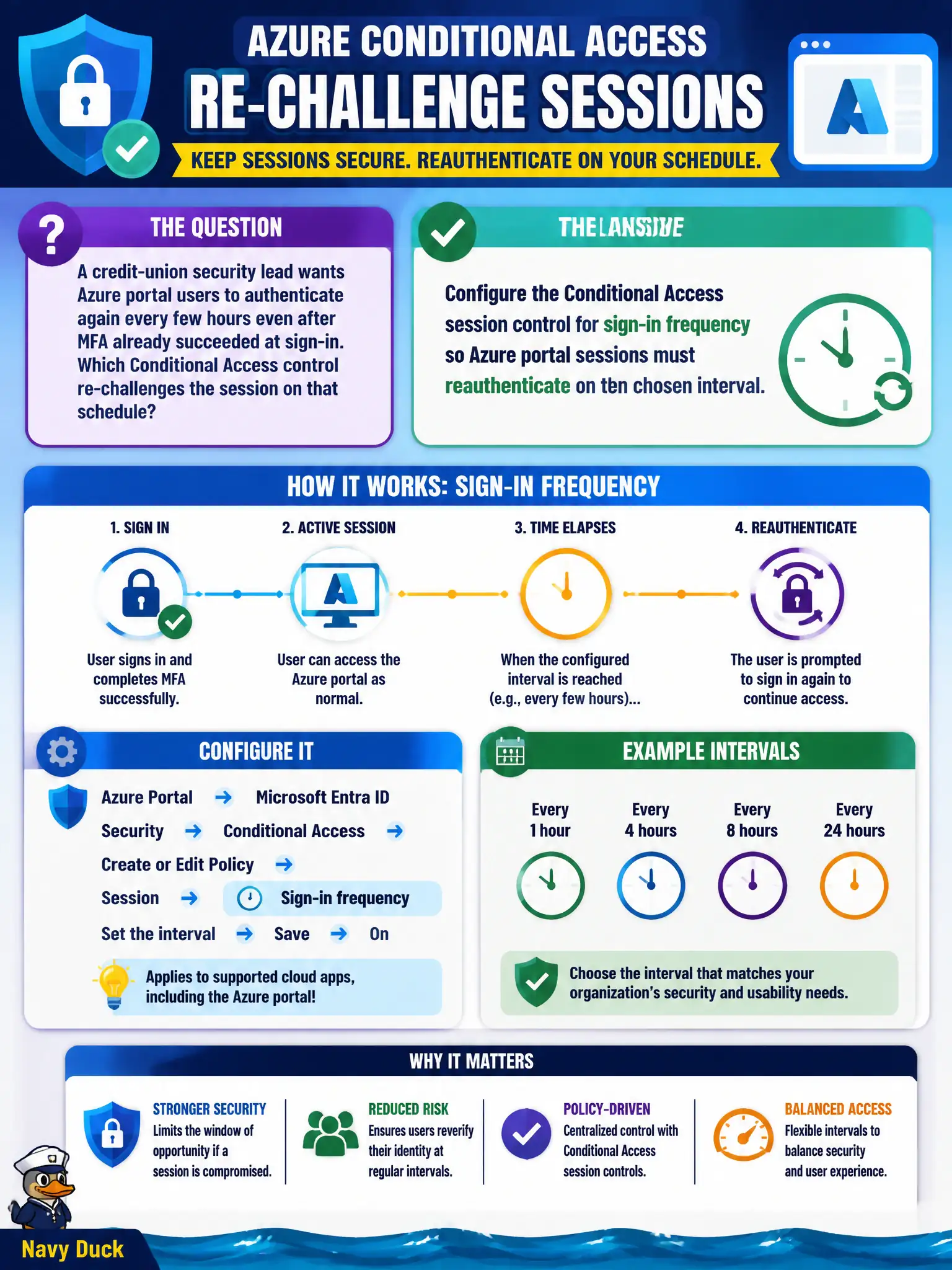
A credit-union security lead wants Azure portal users to authenticate again every few hours even after MFA already succeeded at sign-in. Which Conditional Access control re-challenges the session on that schedule?
Select an answer to reveal the explanation.
Short Explanation
MFA at the door is a grant; how long the badge stays valid is a session control. Sign-in frequency is the dial that says “come back and prove it again in a few hours,” without stacking another grant checkbox that never reopens the session clock.
Full Explanation
Conditional Access separates grant controls from session controls. Grant controls such as require MFA decide whether sign-in is allowed; session controls such as sign-in frequency decide how often Azure portal users must reauthenticate even after MFA already succeeded. For the credit-union security lead who wants re-challenge every few hours, configure the Conditional Access session control for sign-in frequency on the Azure portal / Azure management policy so sessions must reauthenticate on the chosen interval.
Adding another grant control that requires MFA again without changing session settings fails by concept: duplicate MFA grant requirements do not create a timed reauthentication cadence the way sign-in frequency does. Assigning Azure RBAC Owner fails entirely—RBAC authorizes resource actions and does not refresh portal token lifetimes on a schedule. An NSG deny on management ports fails because NSGs are not an Entra session reauthentication mechanism and blocking ports does not force MFA re-challenge for cloud portal sessions.
Exam caveat: sign-in frequency is the exam-facing control for periodic reauthentication; pair it with the correct cloud app target for Azure management. Operational check: set sign-in frequency to the desired hours, sign in with MFA, wait past the interval (or use a test-friendly short value), attempt portal use again, and confirm reauthentication occurs.