
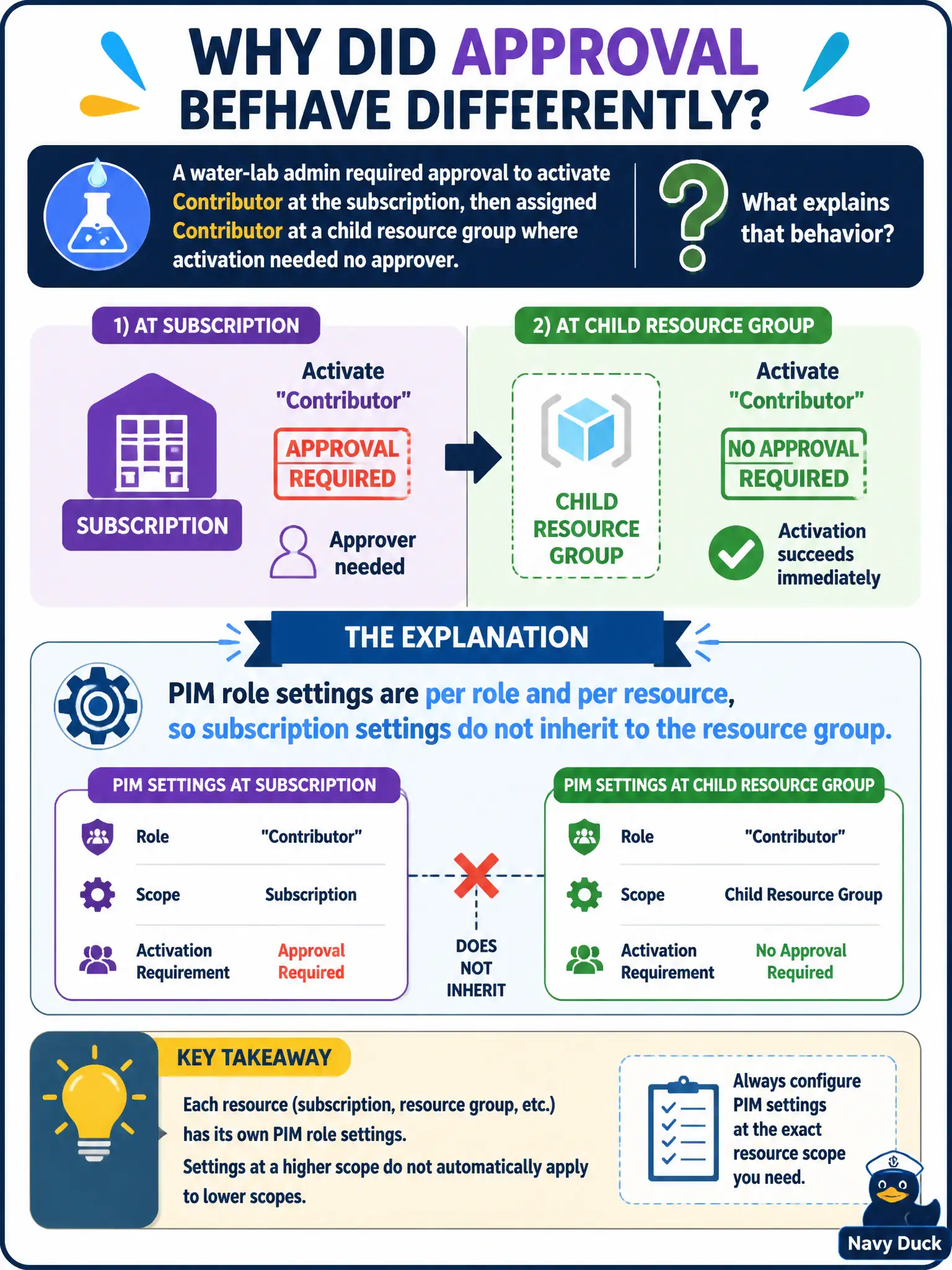
A water-lab admin required approval to activate Contributor at the subscription, then assigned Contributor at a child resource group where activation needed no approver. What explains that behavior?
Select an answer to reveal the explanation.
Short Explanation
PIM settings are sticky notes on each resource’s role card—not paint that drips from the subscription onto every resource group. Configure approval on the RG’s Contributor settings too if you want the same gate downstairs.
Full Explanation
Microsoft Entra PIM settings for Azure resource roles are scoped to a specific role at a specific resource. Subscription-level PIM activation settings do not automatically inherit to a child resource group’s Contributor role settings. That is why a water-lab admin needed approval to activate Contributor at the subscription but could activate Contributor at a child resource group with no approver: the resource group’s PIM role settings were configured differently (or left at defaults that omit approval).
Claiming child resource groups inherit subscription PIM settings unless Policy blocks inheritance fails—PIM role settings are not RBAC-style inherited policy in that way. Claiming resource-group settings always default to require approval when the parent does is false given the scenario. Claiming only Privileged Role Administrator can set resource-group PIM settings so the RG silently used defaults misstates who can configure Azure resource PIM and invents a silent-defaults story that ignores per-resource configuration.
Exam caveat: when designing approval gates, configure each scope where the role can be activated—management group, subscription, and resource group as used—rather than assuming parent settings cascade. Operational check: open PIM settings for Contributor at both the subscription and the resource group, align approval requirements, activate at each scope, and confirm both paths demand the same approver workflow if that is the municipal standard.