
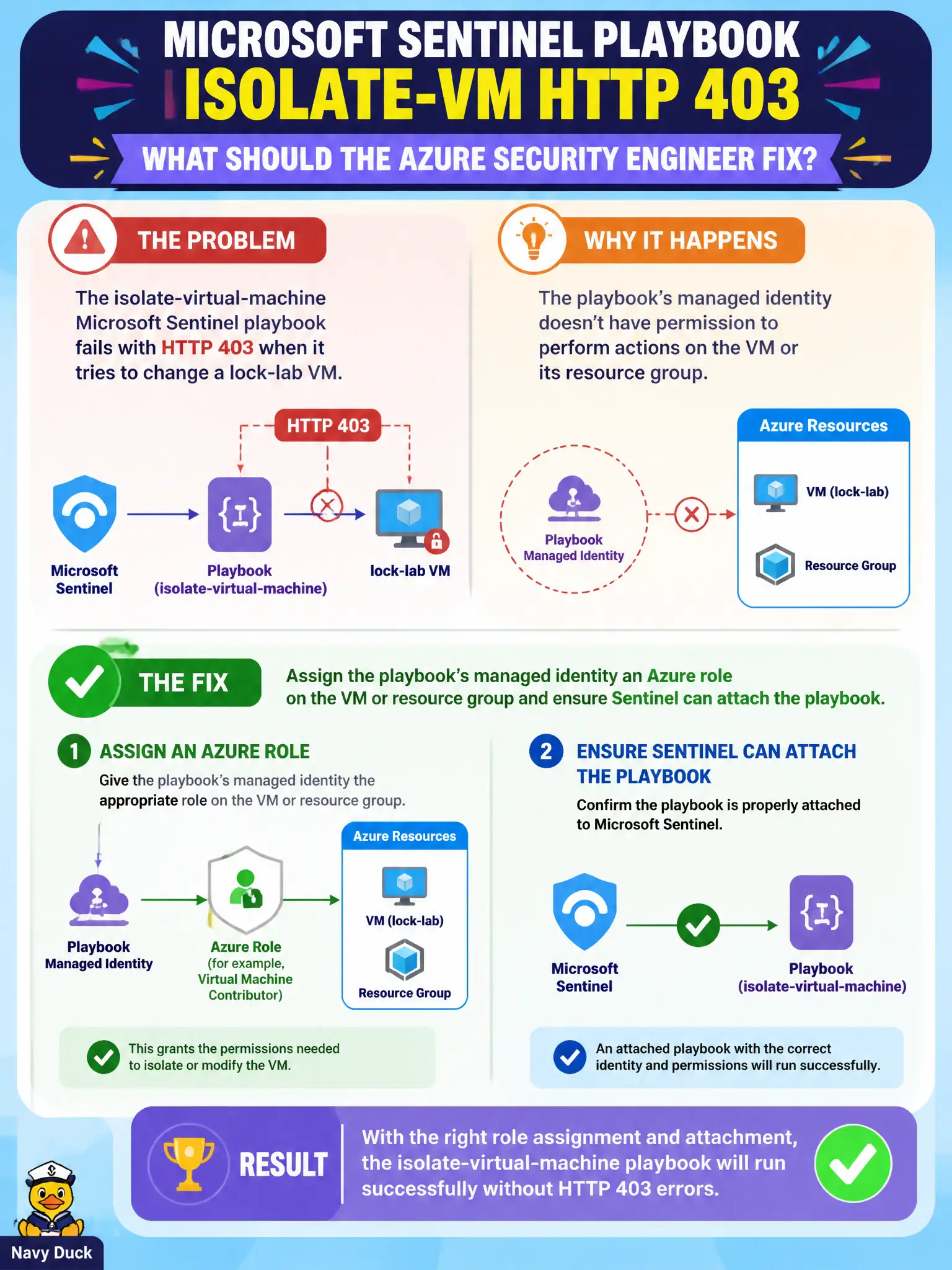
The isolate-virtual-machine Microsoft Sentinel playbook fails with HTTP 403 when it tries to change a lock-lab VM. What should the Azure security engineer fix?
Select an answer to reveal the explanation.
Short Explanation
403 means the playbook’s identity showed up without a badge. Give that managed identity an Azure role on the VM or resource group, and make sure Sentinel is allowed to attach the playbook.
Full Explanation
HTTP 403 when an isolate-virtual-machine Microsoft Sentinel playbook tries to change a lock-lab VM means authorization failed for the identity performing the Azure action. Assign the playbook’s managed identity an Azure role on the virtual machine or its resource group, and ensure Microsoft Sentinel is allowed to attach and run the playbook, so isolation actions are authorized end to end.
Removing the playbook’s managed identity so all actions run anonymously removes the identity Azure RBAC evaluates and cannot succeed against ARM. Granting Contributor on the entire management group to every Sentinel reader wildly over-privileges human readers instead of fixing the Logic App identity that actually calls the isolate API. Rewriting the playbook as a Security Copilot agent with no Azure RBAC does not grant the rights required to stop or isolate a lock-lab virtual machine.
Exam caveat: least privilege usually means a scoped role on the resource group hosting lock-lab VMs, not subscription-wide Owner for the playbook managed identity. Operational check: grant the playbook managed identity an appropriate role on the target resource group, confirm the automation rule can attach the playbook, re-run isolate, and verify the 403 is gone in Logic App run history.