
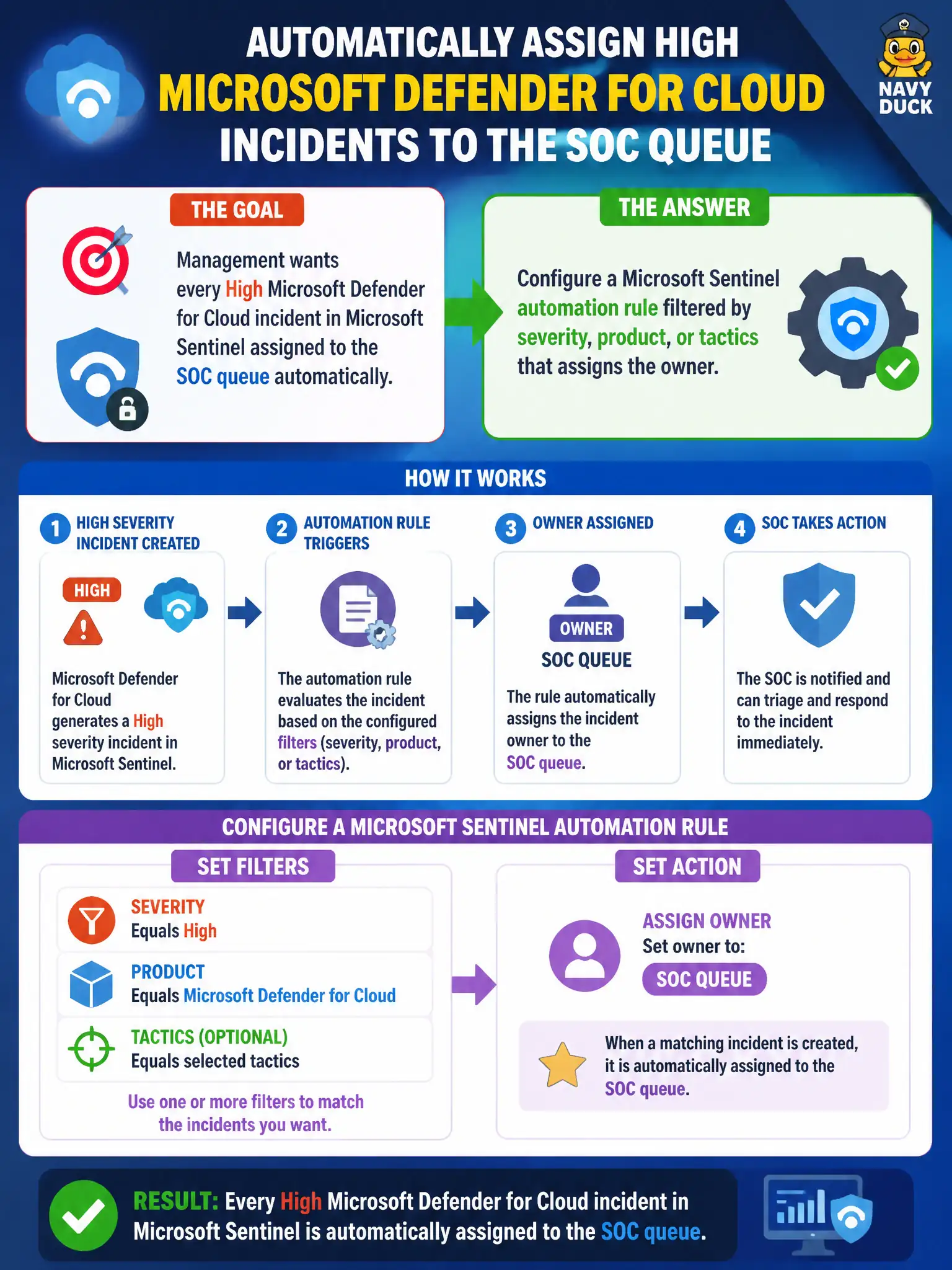
Management wants every High Microsoft Defender for Cloud incident in Microsoft Sentinel assigned to the SOC queue automatically. What should the Azure security engineer configure?
Select an answer to reveal the explanation.
Short Explanation
Don’t make analysts play hot potato with every High Defender alert. Drop an automation rule filtered by severity, product, or tactics that auto-assigns the SOC queue—and call Domain 4 done.
Full Explanation
Automatic ownership of High Microsoft Defender for Cloud incidents inside Microsoft Sentinel is an automation-rule responsibility. Configure a Microsoft Sentinel automation rule filtered by severity, product, or tactics that assigns the SOC queue when matching incidents are created so High Defender-originated incidents do not sit unowned waiting for an analyst to play hot potato.
A hunting notebook that analysts must run after each High incident appears is manual process and does not auto-assign ownership at creation time. Treating Security Copilot chat as the only supported way to set incident ownership invents a mandatory assist path over the automation rules the product provides. An analytics rule that disables itself whenever severity equals High breaks detection instead of assigning owners and is not an ownership control.
Exam caveat: filter on product or vendor so Defender for Cloud incidents are assigned without forcibly owning unrelated Low noise from other connectors in the same workspace. Operational check: create an automation rule for High severity and Microsoft Defender for Cloud product, set owner to the SOC queue, generate a test High Defender incident, and confirm assignment appears on the incident without analyst intervention.