
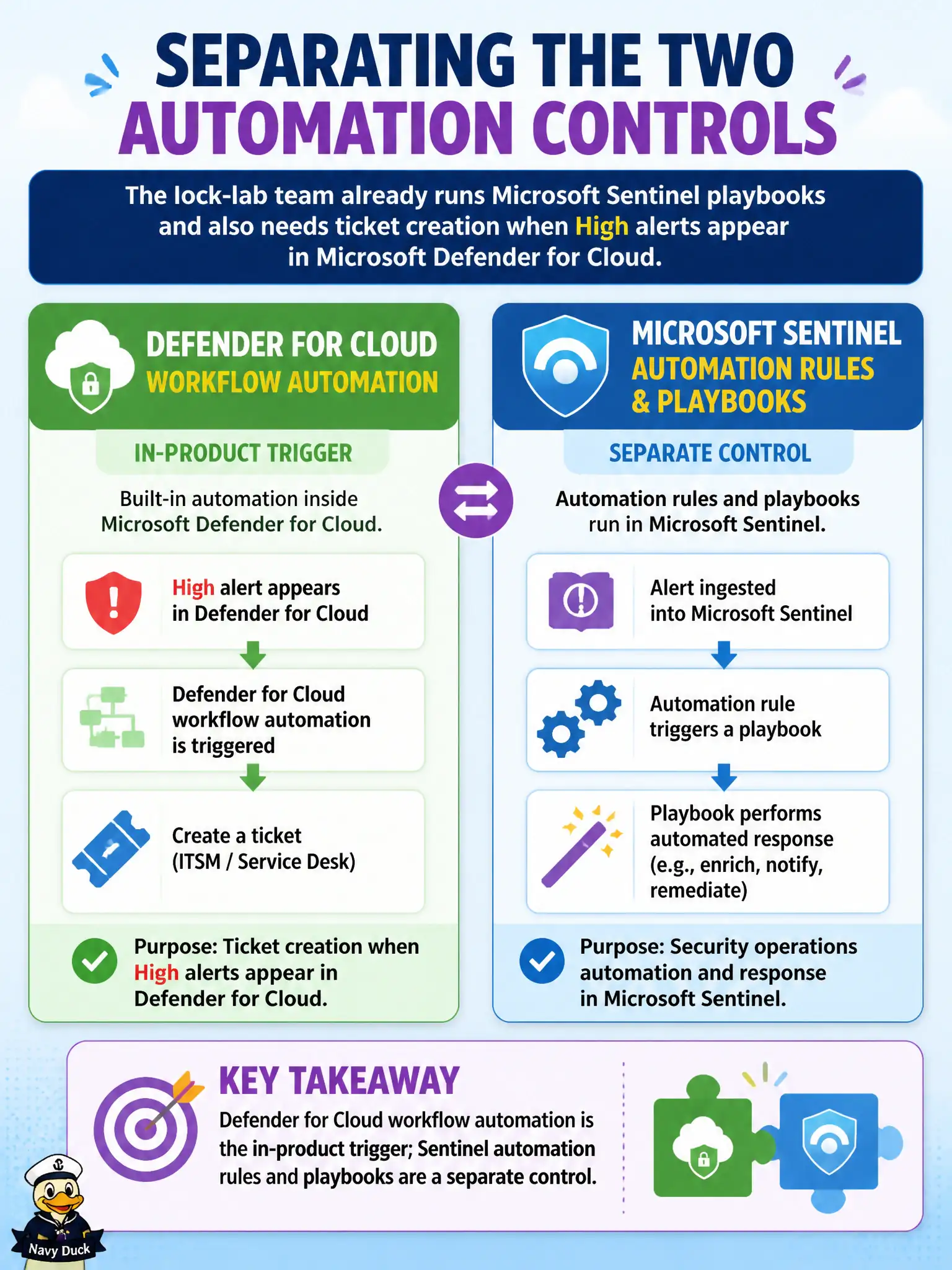
The lock-lab team already runs Microsoft Sentinel playbooks and also needs ticket creation when High alerts appear in Microsoft Defender for Cloud. Which statement correctly separates the two automation controls?
Select an answer to reveal the explanation.
Short Explanation
Two toolboxes, two labels. Defender for Cloud workflow automation kicks off from Defender alerts; Sentinel automation rules and playbooks live over in Sentinel. Either can call a Logic App—just don’t mash the controls together.
Full Explanation
Defender for Cloud and Microsoft Sentinel each expose their own automation surface, and the exam expects you to keep the labels straight. Defender for Cloud workflow automation is the in-product trigger for Defender alerts and recommendations; Sentinel automation rules and playbooks are a separate control for Sentinel incidents. Both may call Logic Apps, but they are not interchangeable product names.
Claiming Sentinel playbooks replace Defender for Cloud workflow automation for every Defender alert erases the in-blade automation path and misstates product boundaries when alerts have not yet become incidents. Saying only Security Copilot can automate both invents a single mandatory orchestrator that AZ-500 does not require. Calling Azure Policy workflow automation the only supported host for both products misattributes Policy’s role and ignores the two native automation controls.
Exam caveat: if High alerts must ticket from Defender for Cloud and also drive Sentinel playbooks after incident creation, you may need both controls—one at the Defender alert and one at the Sentinel incident. Operational check: document which High lock-lab scenarios fire Defender workflow automation versus Sentinel automation rules, and verify each path invokes the intended Logic App without assuming one product’s automation replaces the other.