
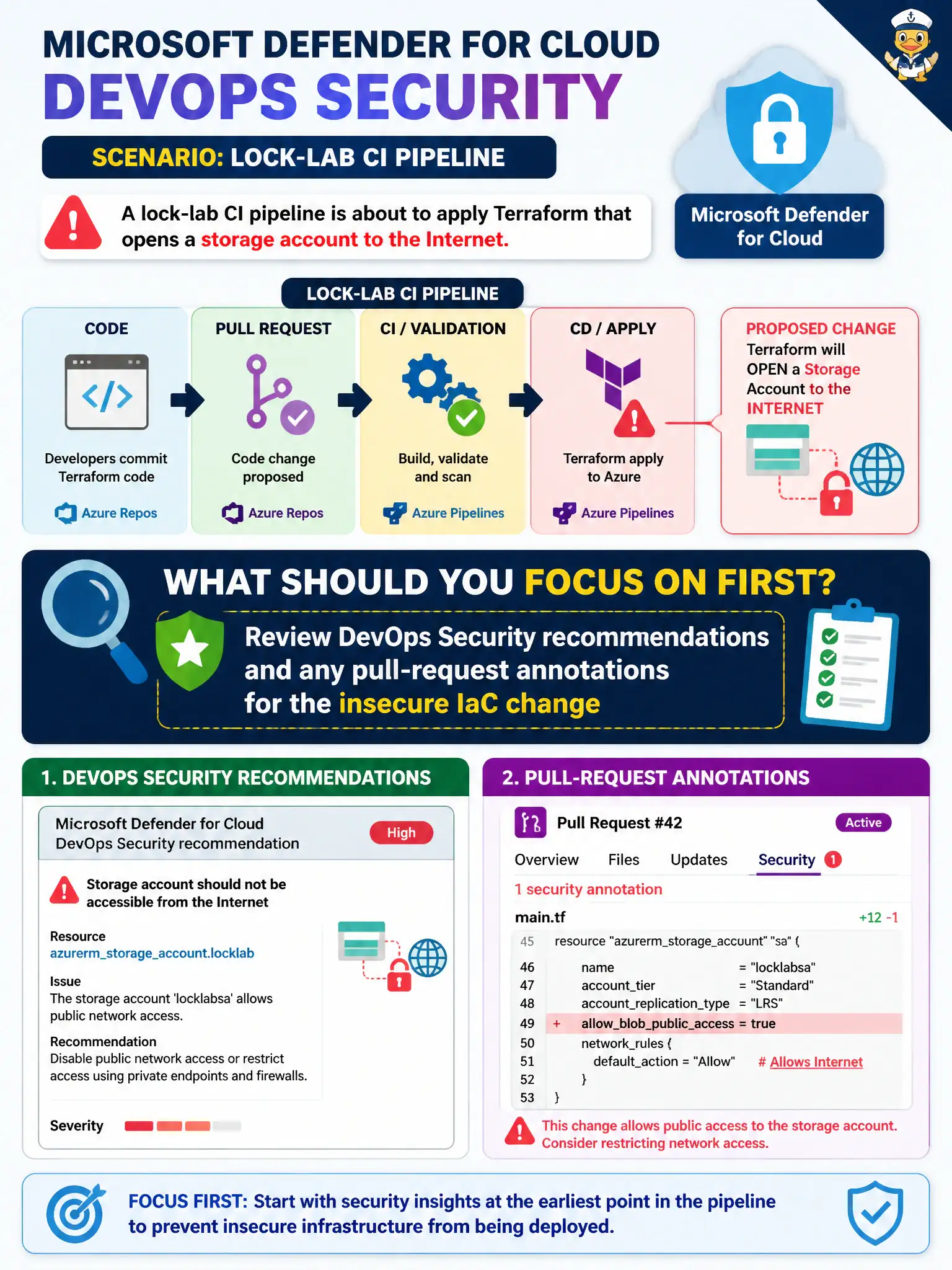
A lock-lab CI pipeline is about to apply Terraform that opens a storage account to the Internet. As the Azure security engineer reviewing Microsoft Defender for Cloud DevOps Security, what should you focus on first?
Select an answer to reveal the explanation.
Short Explanation
Don’t tear up the whole release train because one Terraform plan looks shady. Pop open Defender for Cloud DevOps Security, read the IaC findings and PR annotations, and catch that public storage opening before it lands.
Full Explanation
Microsoft Defender for Cloud DevOps Security is the control plane for finding insecure infrastructure-as-code before it lands. For a Terraform change that would open lock-lab storage to the Internet, the engineer’s first move is to review DevOps Security recommendations and any pull-request annotations tied to that change so the public-access misconfiguration is visible in the PR and connector findings, not after apply.
Redesigning the Azure DevOps branching model and release stages first treats a process redesign as incident response; branching hygiene matters later, but it does not surface the IaC finding that blocks the risky apply. Disabling Microsoft Defender for Cloud Apps for GitHub and ignoring repository posture findings confuses CASB/session controls with DevOps Security connectors and deliberately removes visibility. Deleting the storage account as soon as a plan file appears jumps to destructive remediation without confirming the finding, ownership, or whether the change even exists yet in Azure.
Exam caveat: connector health alone is not enough—organizations and repositories must be selected and app authorization completed or findings stay empty even when the connector shows Connected. Operational check: open DevOps Security for the lock-lab repo, confirm the public-storage IaC recommendation or PR annotation is present, then require the pipeline to fail or the PR to be blocked until the Terraform is corrected.