
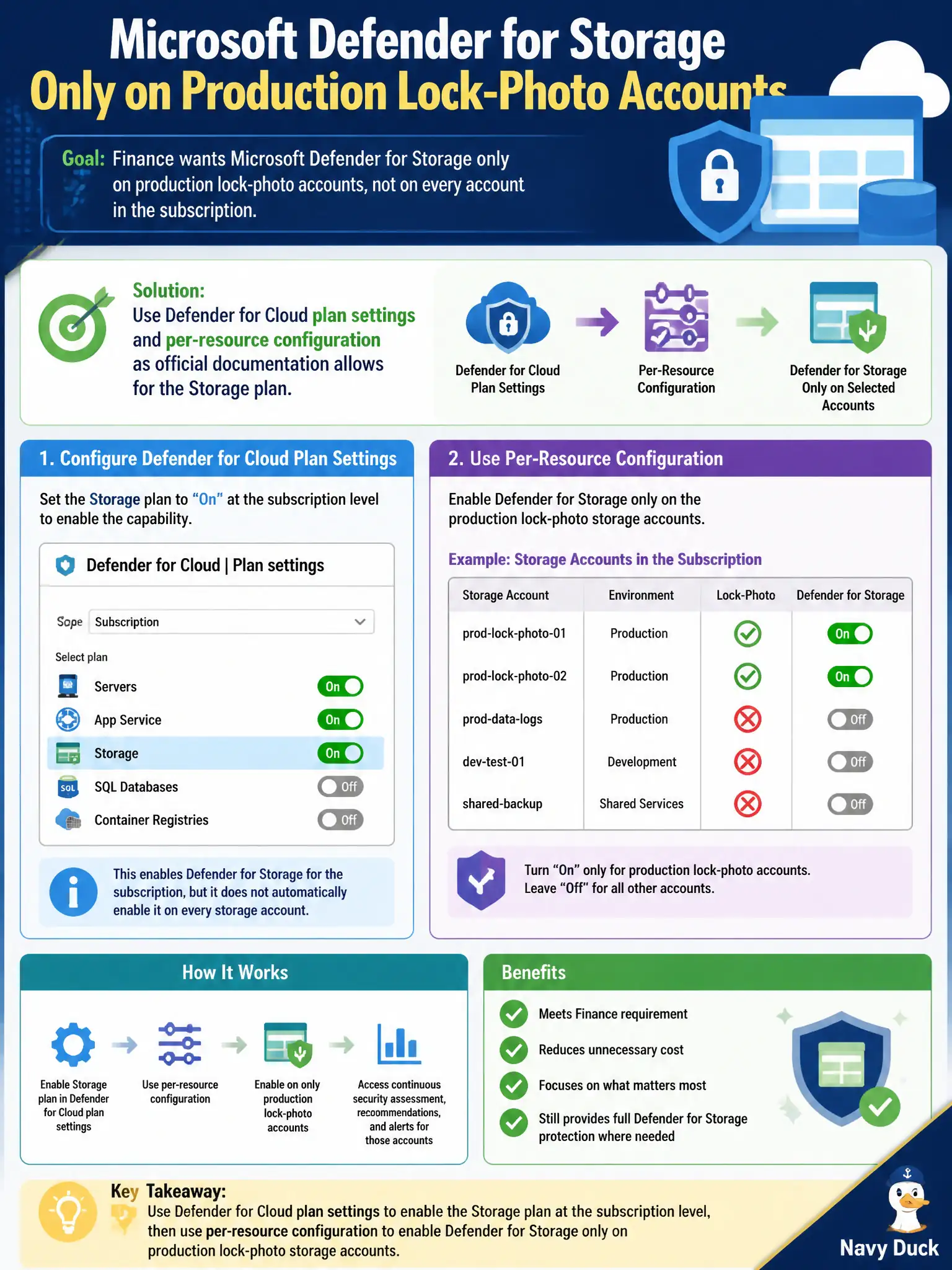
Finance wants Microsoft Defender for Storage only on production lock-photo accounts, not on every account in the subscription. How should the Azure security engineer configure that?
Select an answer to reveal the explanation.
Short Explanation
Finance wants production only—use the product’s plan settings and per-resource knobs, not a homemade delete script. Configure the named plan; don’t only slam the subscription default and walk away.
Full Explanation
Finance wants Microsoft Defender for Storage only on production lock-photo accounts, so use Defender for Cloud plan settings and per-resource configuration as official documentation allows for the Storage plan. Configure the named plan deliberately rather than relying on unsupported automation or leaving every account unprotected.
Writing an unsupported custom script that deletes the plan nightly from non-production accounts creates drift, audit gaps, and break-glass failures. Enabling Defender for Cloud Apps Conditional Access and hoping storage accounts inherit exclusions confuses SaaS access policies with Storage CWPP scope. Turning the subscription Storage plan off permanently so no account can be protected satisfies “not every account” by protecting nothing, including production.
Exam caveat: default enablement may be subscription-wide; per-resource narrowing must follow current official Storage plan settings. Civic finance constraints are met with supported configuration, not homemade delete jobs.
Operational check: enable Defender for Storage using documented plan and per-resource settings so production lock-photo accounts remain protected, confirm non-production accounts are excluded as allowed, and capture screenshots or export plan scope for finance’s cost review.