
A DBA believes enabling Microsoft Defender for SQL will encrypt the water-quality database at rest. What is the plan actually for?
Select an answer to reveal the explanation.
Short Explanation
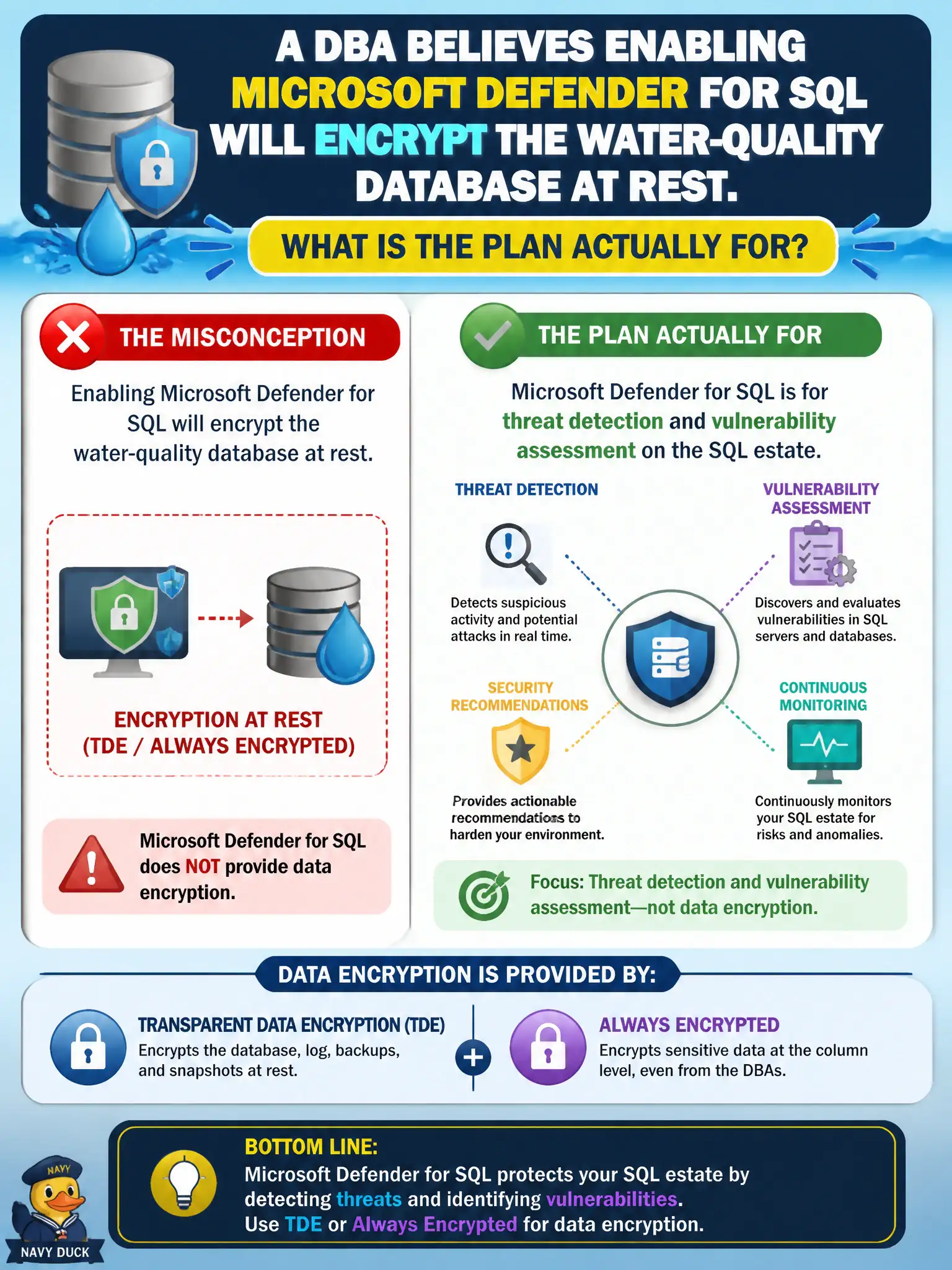
Defender for SQL watches for shady queries and weak configs—it does not wrap the database in TDE. Encryption stays Domain 3; this plan is threat detection and vulnerability assessment.
Full Explanation
Microsoft Defender for SQL provides threat detection and vulnerability assessment on the SQL estate. It does not implement Transparent Data Encryption or Always Encrypted for the water-quality database. The DBA’s belief that enabling Defender for SQL encrypts data at rest confuses a CWPP threat plan with Domain 3 encryption controls.
Automatic Always Encrypted column provisioning for every table is not what Defender for SQL enablement does. Replacing TDE customer-managed keys with Defender for Storage malware scanning mixes encryption key management with an unrelated Storage malware feature. Turning off auditing because Defender for SQL supposedly duplicates SQL audit logs as encryption invents both an encryption outcome and an auditing substitution that the plan does not provide.
Exam caveat: encryption (TDE/Always Encrypted) and Defender for SQL can coexist; enabling one does not replace the other. Civic DBAs should keep encryption ownership separate from threat-protection plan ownership.
Operational check: confirm TDE or Always Encrypted settings on the water-quality database remain configured under SQL security features, enable Defender for SQL for threat detection and vulnerability assessment, and verify alerts/VA results appear without expecting encryption state to change.