
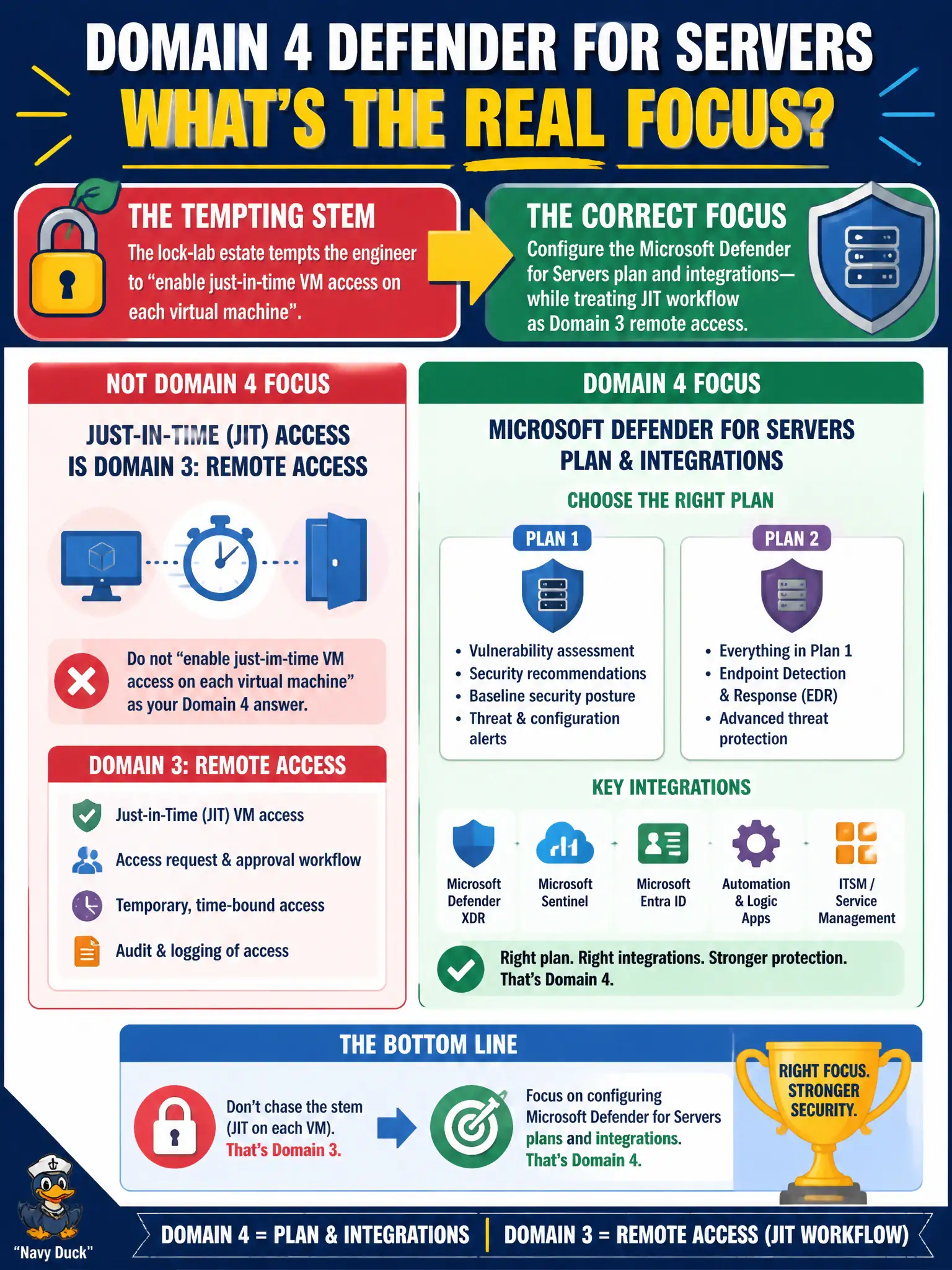
A stem for the lock-lab estate tempts the engineer to “enable just-in-time VM access on each virtual machine” as the Domain 4 Defender for Servers answer. What is the correct Domain 4 focus instead?
Select an answer to reveal the explanation.
Short Explanation
JIT is how you borrow the lock door key for an hour—that’s Domain 3. Domain 4 is picking and configuring the Servers plan itself. Don’t confuse the unlock procedure with the plan toggle.
Full Explanation
For Domain 4 on the lock-lab estate, the focus is configuring the Microsoft Defender for Servers plan—such as Plan 1 versus Plan 2 and related integrations—while treating just-in-time VM access request workflow as Domain 3 remote access. Do not let a stem that mentions JIT reframe the Servers plan configuration task as an unlock procedure.
Documenting the JIT elevate-and-approve workflow as the primary Defender for Servers plan configuration task misplaces a Domain 3 access pattern into Domain 4 plan enablement. Replacing Defender for Servers with Azure Bastion host SKUs ignores plan tiers entirely and answers a connectivity product instead of CWPP. Disabling Defender for Servers so JIT can be requested without any Defender plan prerequisite invents a dependency story that dodges plan configuration.
Exam caveat: JIT may relate to Defender for Cloud offerings in broader product docs, but AZ-500 domain framing for this item separates remote-access workflow from selecting and configuring the Servers plan.
Operational check: in Defender for Cloud environment settings, configure Defender for Servers Plan 1 or Plan 2 for the lock-lab subscription based on required features, and keep JIT access policies documented under remote-access/Domain 3 controls rather than as the plan-tier answer.