
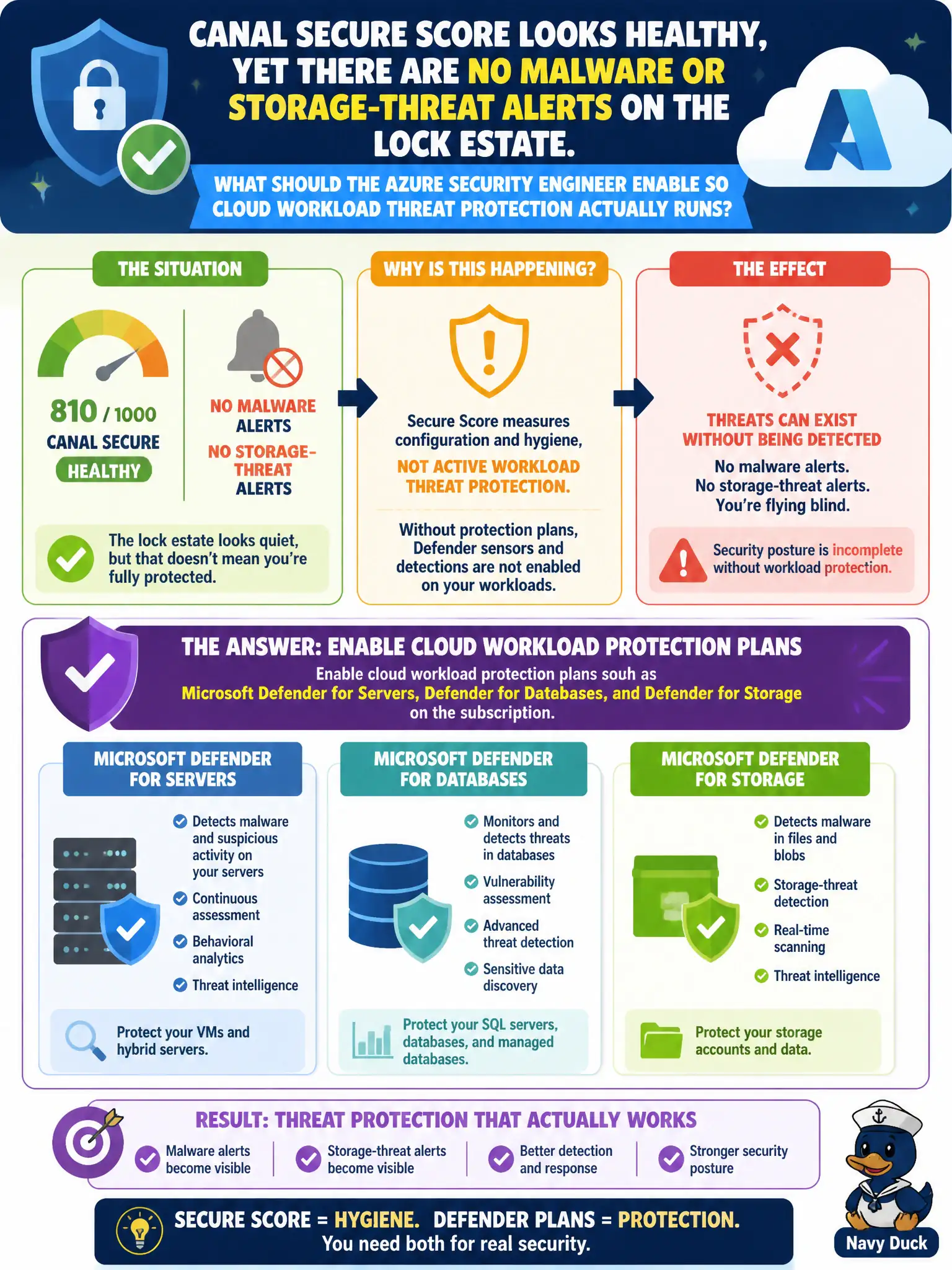
Canal Secure Score looks healthy, yet there are no malware or storage-threat alerts on the lock estate. What should the Azure security engineer enable so cloud workload threat protection actually runs?
Select an answer to reveal the explanation.
Short Explanation
Pretty Secure Score with zero threat alerts means you polished the posture mirrors and never flipped the workload plans. Turn on Defender for Servers, Databases, and Storage—CSPM alone does not hunt malware on the canal estate.
Full Explanation
A healthy canal Secure Score with no malware or storage-threat alerts usually means foundational CSPM recommendations are progressing while cloud workload protection plans are still off. Enable Microsoft Defender for Cloud workload plans such as Defender for Servers, Defender for Databases, and Defender for Storage on the subscription so threat protection actually runs on the lock estate’s workloads.
Relying on foundational CSPM alone assumes Secure Score includes malware and storage-threat alerts; CSPM improves posture recommendations but is not cloud workload protection. Turning on Security Copilot agents instead of any Defender for Cloud workload plan substitutes assistants for named CWPP plans that generate those alerts. Enabling only Microsoft Defender for Cloud Apps treats SaaS session controls as if they were Servers and Storage threat protection for IaaS and storage accounts.
Exam caveat: Secure Score can look strong while CWPP plans remain disabled; civic CISOs should not equate recommendation completion with active threat detection coverage.
Operational check: in Defender for Cloud environment settings for the lock-lab subscription, enable Defender for Servers, Defender for Databases, and Defender for Storage as the workloads require, then confirm plan status shows enabled and that threat-protection alert paths are available for test signals.