
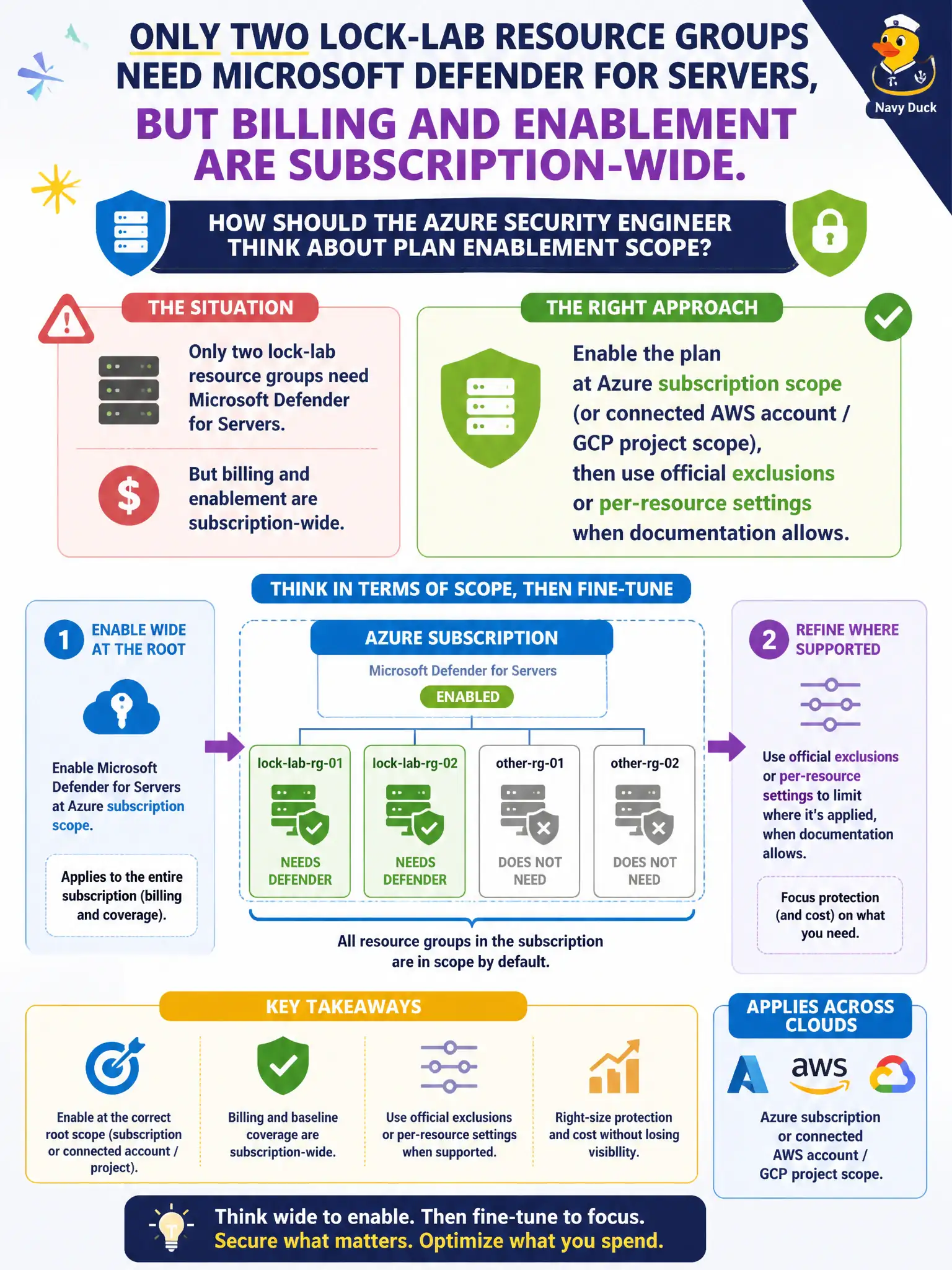
Only two lock-lab resource groups need Microsoft Defender for Servers, but billing and enablement are subscription-wide. How should the Azure security engineer think about plan enablement scope?
Select an answer to reveal the explanation.
Short Explanation
Plans light up at the subscription—or the connected AWS account or GCP project—not at a make-believe per-VM storefront SKU. After that, use the product’s real exclusions or per-resource knobs when the docs allow.
Full Explanation
Microsoft Defender for Cloud workload plans such as Defender for Servers are enabled at Azure subscription scope—or at connected AWS account or GCP project scope—not as imaginary per-resource-group marketplace SKUs. After subscription-level enablement, use official exclusions or per-resource settings when documentation allows so only the two lock-lab resource groups that need Servers protection remain in scope for billing and coverage intent.
Purchasing a unique per-virtual-machine marketplace SKU for each lock-lab VM outside Defender for Cloud bypasses the supported plan model and billing path. Enabling Defender for Servers only inside Microsoft Sentinel workspace settings invents inheritance that does not replace Defender for Cloud plan enablement. Enabling the plan once in Security Copilot and assuming every resource group is covered confuses chat configuration with subscription-scoped plan settings.
Exam caveat: billing and default enablement are subscription-wide (or connected-account-wide); fine-grained narrowing depends on official exclusion and per-resource options, which vary by plan and release. Do not invent unsupported scripts as the primary control.
Operational check: enable Defender for Servers on the lock-lab subscription in Defender for Cloud environment settings, then apply documented exclusions or per-resource configuration for resource groups that must remain out of scope, and verify protected versus excluded machine lists match finance’s intent.