
After the AWS account is connected, operators expect Defender for Servers alerts on every EC2 instance immediately. What should the engineer explain?
Select an answer to reveal the explanation.
Short Explanation
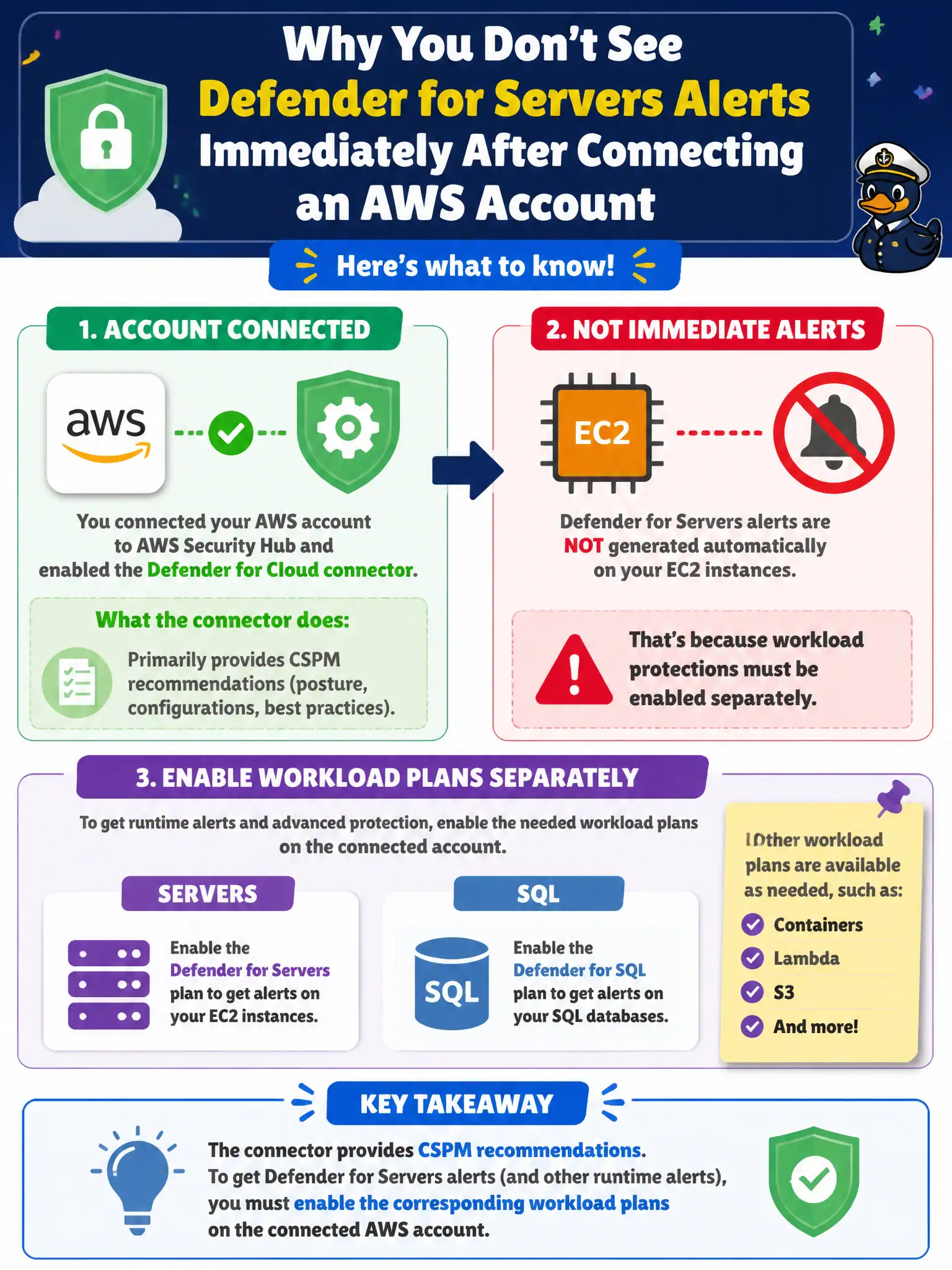
Connecting AWS turns on the posture flashlight—CSPM recommendations. Defender for Servers–style workload protection is a separate light switch you still have to flip on that connected account.
Full Explanation
After an AWS account is connected, operators should understand that the connector primarily provides CSPM recommendations; workload plans such as Servers or SQL must be enabled separately on the connected account. Expecting Defender for Servers–style alerts on every EC2 instance immediately after connect confuses posture onboarding with workload-protection enablement.
Claiming the AWS connector automatically enables every workload plan including Servers and SQL with no further steps overstates what connect does and can cause false coverage assumptions. Saying CSPM recommendations never appear for AWS and only workload plans can be used after connecting reverses the usual sequence—CSPM is the primary outcome of the connector. Claiming EC2 alerting requires deleting the AWS connector and rebuilding each instance as an Azure Arc server first discards the native multi-cloud path; Arc is for hybrid/on-premises representation, not the mandatory replacement for the AWS connector.
Exam caveat: which AWS workload protections are available and how agents/extensions are deployed can differ by plan and resource type—read the current Defender for Cloud multi-cloud workload docs before promising "Servers alerts on every EC2."
Operational check: after AWS connect, verify CSPM recommendations exist for EC2/S3, then explicitly enable the Servers (and any SQL) plan on the connected account if required, confirm plan status, and validate that expected alerts/recommendations for a pilot EC2 instance appear before announcing estate-wide coverage.