
A quahog-lease daemon uses client credentials and calls Microsoft Graph /me, which fails. What should the developer do?
Select an answer to reveal the explanation.
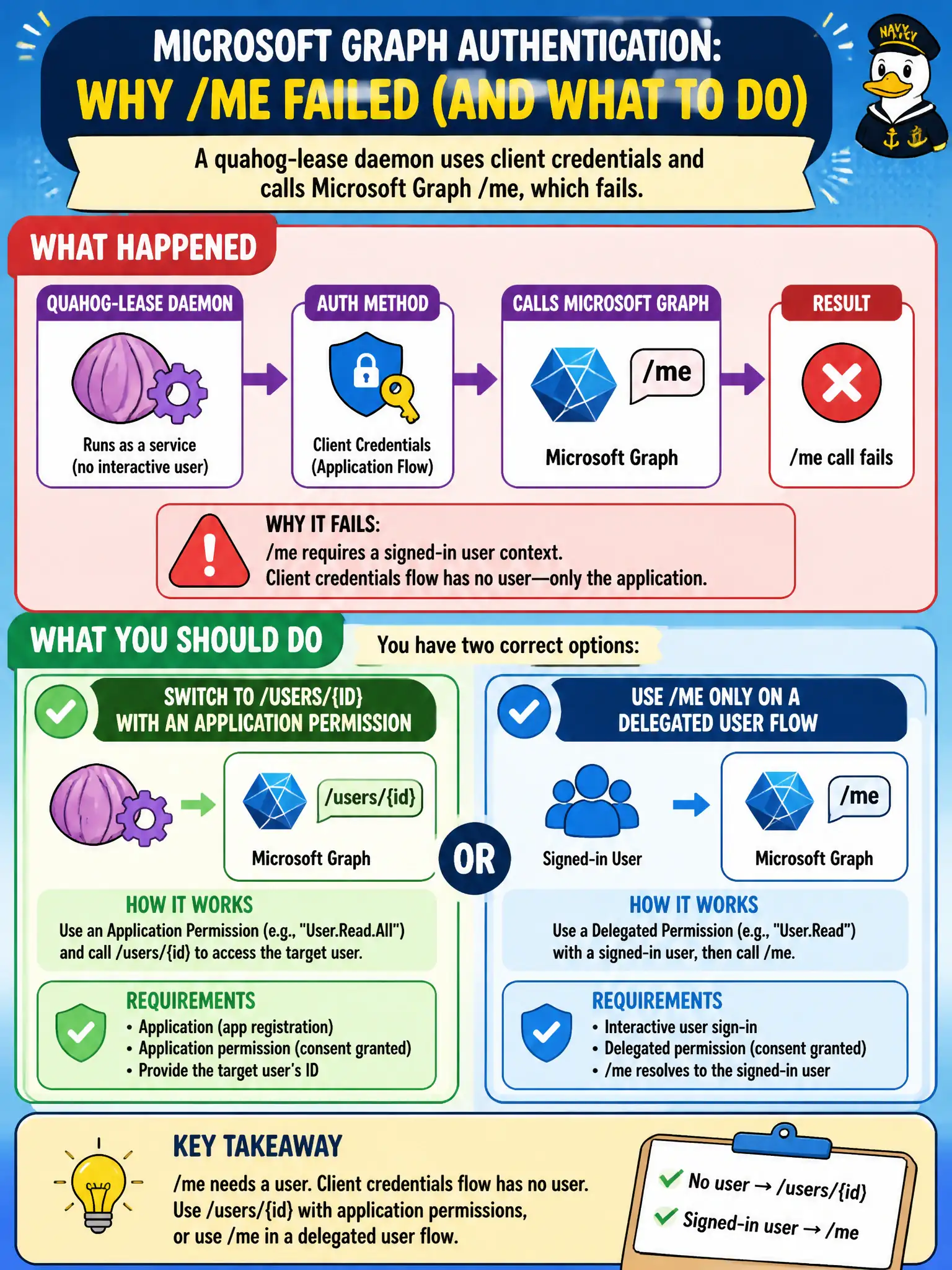
Short Explanation
/me means “the signed-in human.” A daemon with client credentials has no human—so use /users/{id} with an app permission, or keep /me only when someone is signed in.
Full Explanation
Microsoft Graph /me means the signed-in user. A quahog-lease daemon using client credentials has an application identity only—there is no “me.” Switch to /users/{id} (or another absolute user path) with an application permission such as User.Read.All (admin-consented), or keep /me only when using a delegated flow with a signed-in user token.
Keeping /me and adding a fake user assertion in the client-credentials body fails because client credentials does not accept homemade user assertions to magically enable /me. On-behalf-of and other assertion flows have specific protocols; fabricating fields is not supported and will not create a user subject for /me.
Calling /me with an application permission because “/me always means the app identity” fails the Graph contract. /me is defined for delegated user context; application tokens should address users by ID or other query patterns, not /me.
Posting to /me with a service SAS minted for Graph fails because SAS is an Azure Storage construct. Graph does not authorize requests with Storage SAS.
Exam caveat: application permissions that read users are privileged; prefer delegated /me when a user is present, and use app-only /users/{id} only for true daemon scenarios with admin consent and least privilege.
Operational check: reproduce /me with the client-credentials token and confirm failure; call /users/{id} with User.Read.All (or narrower if available for your scenario) and confirm success; ensure no SAS headers are used for Graph.