
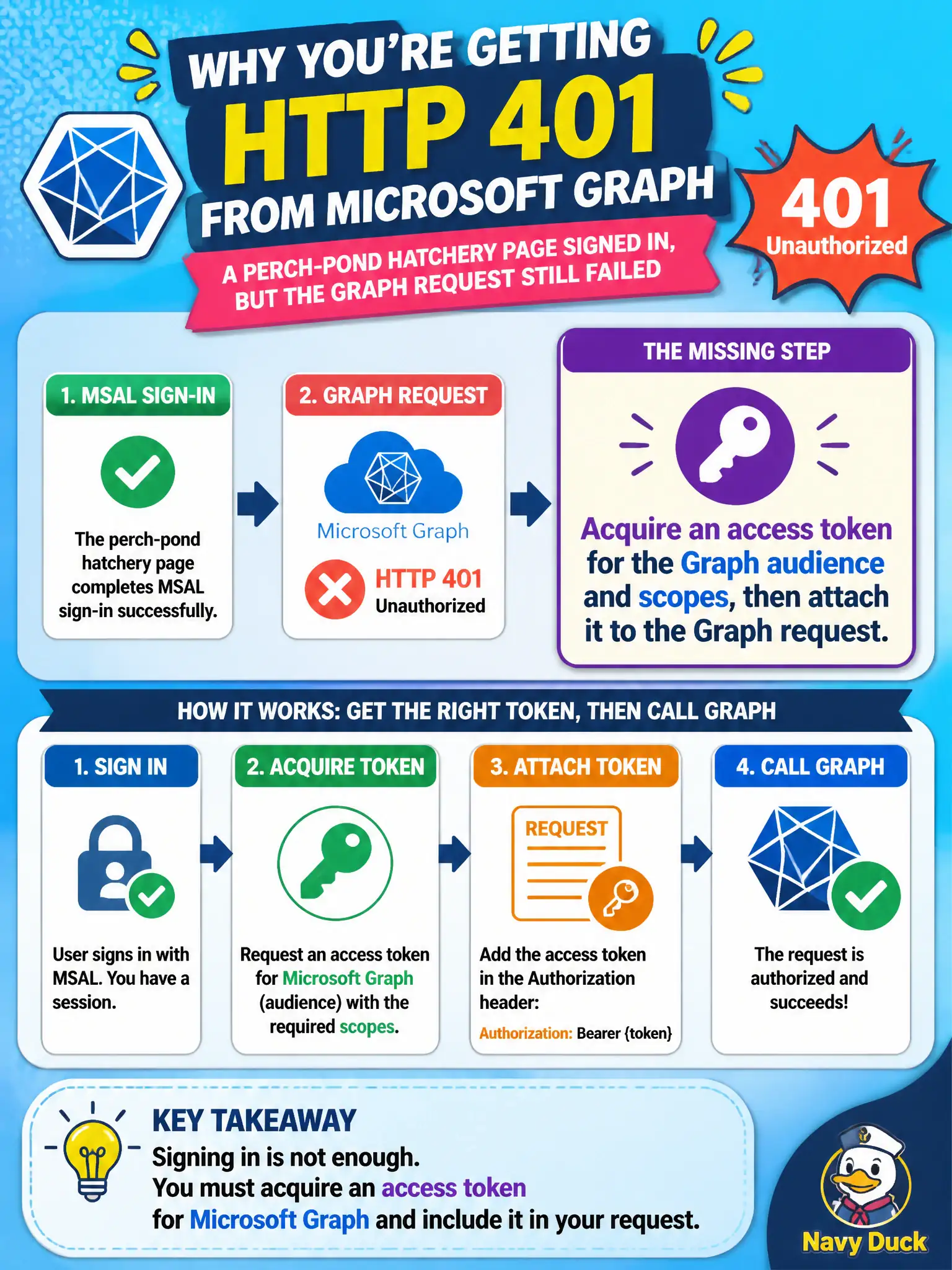
A perch-pond hatchery page completes MSAL sign-in but still receives HTTP 401 from Microsoft Graph. What step is missing?
Select an answer to reveal the explanation.
Short Explanation
Sign-in alone doesn’t feed Graph. You still need an access token aimed at Graph’s audience, then hang it on the request—SDK or REST.
Full Explanation
MSAL sign-in alone yields an ID token for the perch-pond hatchery page’s session; Microsoft Graph still requires a separate access token whose audience is Graph and whose scopes match the Graph call. Acquire that access token (silently or interactively), attach Authorization: Bearer to the Graph request (SDK or REST), and only then will Graph authorize the call.
Disabling HTTPS on Graph calls so tokens are optional fails because Graph requires HTTPS and authenticated requests. Turning off TLS does not make tokens optional; it only adds interception risk.
Sending only the ID token to Graph without requesting Graph scopes fails because Graph validates access tokens for its audience. An ID token for your app client ID will not satisfy Graph’s aud/scp requirements.
Replacing MSAL with unsigned cookies that Graph will accept by default fails because Graph does not accept arbitrary app cookies. Only Entra-issued access tokens with the right audience and permissions authorize Graph.
Exam caveat: consent and scope selection matter—openid/profile may sign the user in without granting User.Read or other Graph scopes. Request the Graph scopes your call needs when configuring MSAL.
Operational check: after sign-in, call acquireToken for https://graph.microsoft.com/User.Read (or your required scopes), inspect aud and scp, retry the Graph request with that access token, and confirm the previous ID-token-only call still returns 401.