
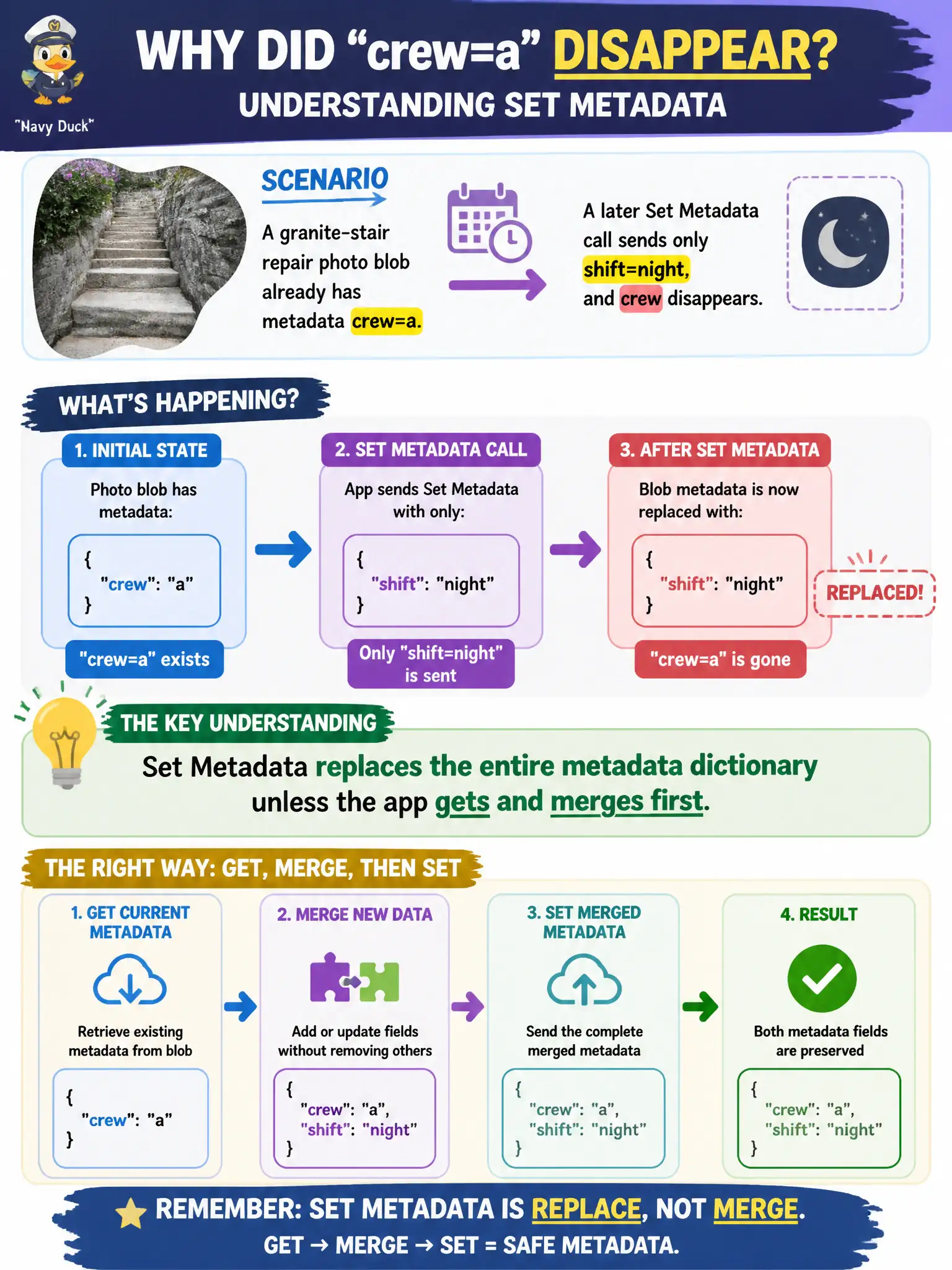
A granite-stair repair photo blob already has metadata crew=a. A later Set Metadata call sends only shift=night, and crew disappears. What should the developer understand?
Select an answer to reveal the explanation.
Short Explanation
Sending a new metadata bag swaps the whole locker—it does not quietly merge. Get the current metadata, merge in shift=night, then set the combined dictionary. That is why crew vanished.
Full Explanation
When a granite-stair repair photo blob already has metadata crew=a and a later Set Metadata call sends only shift=night, crew disappears because Set Metadata replaces the entire user metadata dictionary with the values supplied in that call. Azure Blob user metadata is not merged server-side on set: whatever dictionary you send becomes the full set. To add shift=night without losing crew=a, the developer must get the current metadata, merge the new key in application code, then set the combined dictionary.
Assuming Set Metadata merges keys automatically and never removes existing entries is the misconception that caused crew to vanish. Metadata is not append-only forever after first write; it can be replaced whenever Set Metadata runs. Content-Type changes do not clear user metadata keys; properties and metadata are separate surfaces, so blaming HTTP header updates for the missing crew key misdiagnoses the replace semantics.
Exam caveat: concurrent writers can still race on read-merge-write—use conditions/ETags if two repair crews might update metadata at once.
Operational check: reproduce with crew=a present, send Set Metadata with only shift=night, confirm crew is gone; then get-merge-set both keys and verify both remain on a subsequent metadata read.