
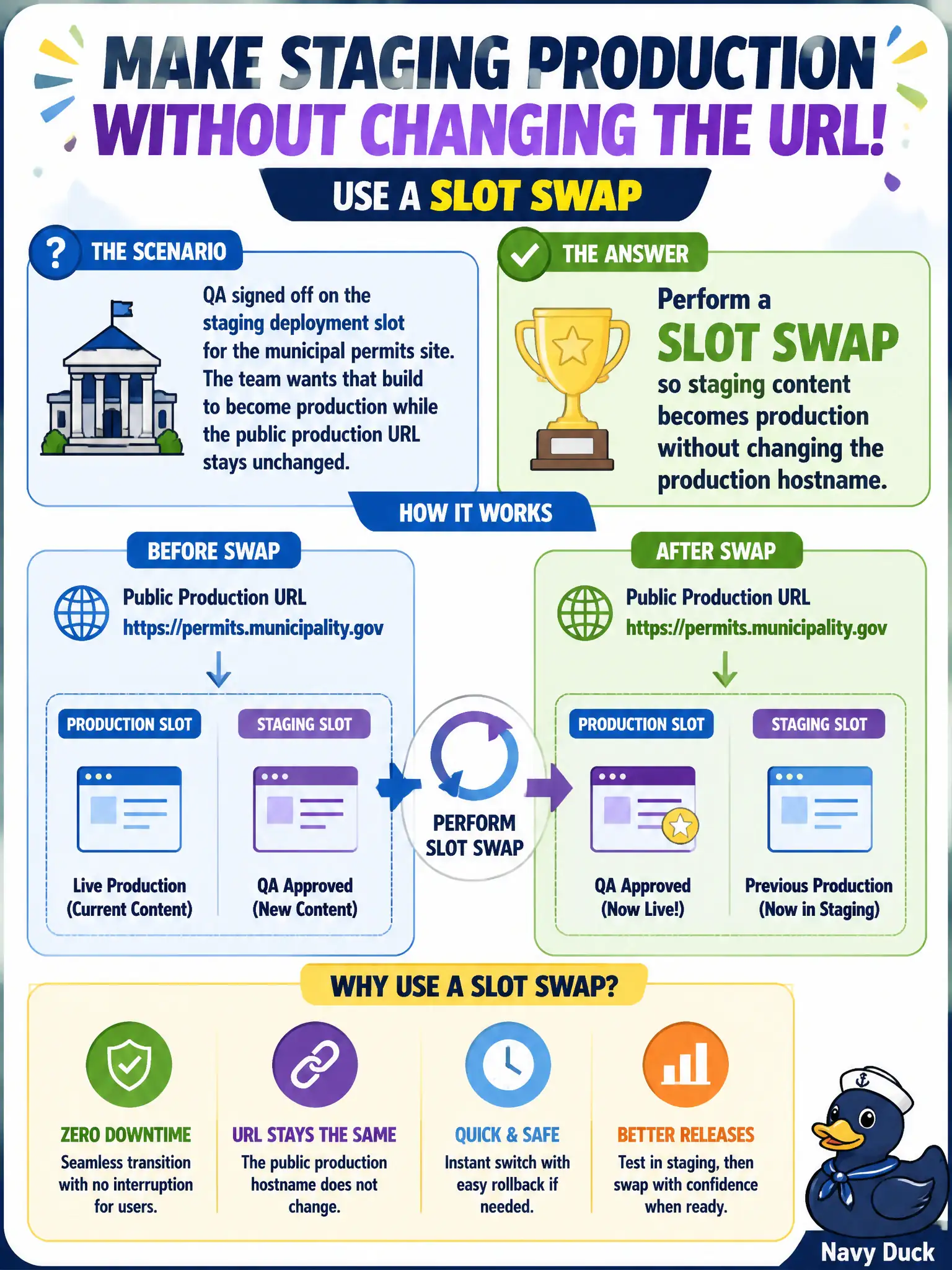
QA signed off on the staging deployment slot for the municipal permits site. The team wants that build to become production while the public production URL stays unchanged. What should the developer do?
Select an answer to reveal the explanation.
Short Explanation
Swap is the magic handshake: production keeps its name and URL while the validated bits slide underneath. No DNS surgery, no deleting production. Staging content moves; sticky settings stay put if marked.
Full Explanation
QA signed off on the staging slot for the municipal permits site, and production’s public URL must stay unchanged while that build becomes live. Perform a slot swap: App Service exchanges content (and non-sticky settings) so the validated staging bits become what the production slot serves, while the production hostname continues to resolve to the production slot. Riders keep the same municipal URL; only the underlying deployment flips.
Renaming the staging slot to production in DNS and waiting for TTL expiry is unnecessary DNS surgery that risks propagation delays and broken bookmarks; swap already preserves the production hostname. Deleting the production slot and recreating it from a ZIP of staging bits is destructive and high-risk—it is not a supported swap workflow and can extend downtime. Changing the custom domain binding to point at the staging slot permanently couples the public name to the staging identity and bypasses the swap model (including sticky settings behavior).
Exam caveat: settings marked sticky stay with their slot through the swap; non-sticky settings move with content—misclassified connection strings are a classic post-swap outage. Operational check: note a unique marker page or assembly version on staging, swap to production, confirm the production hostname now serves that marker, and confirm the former production bits are on staging (easy rollback via swap again).