
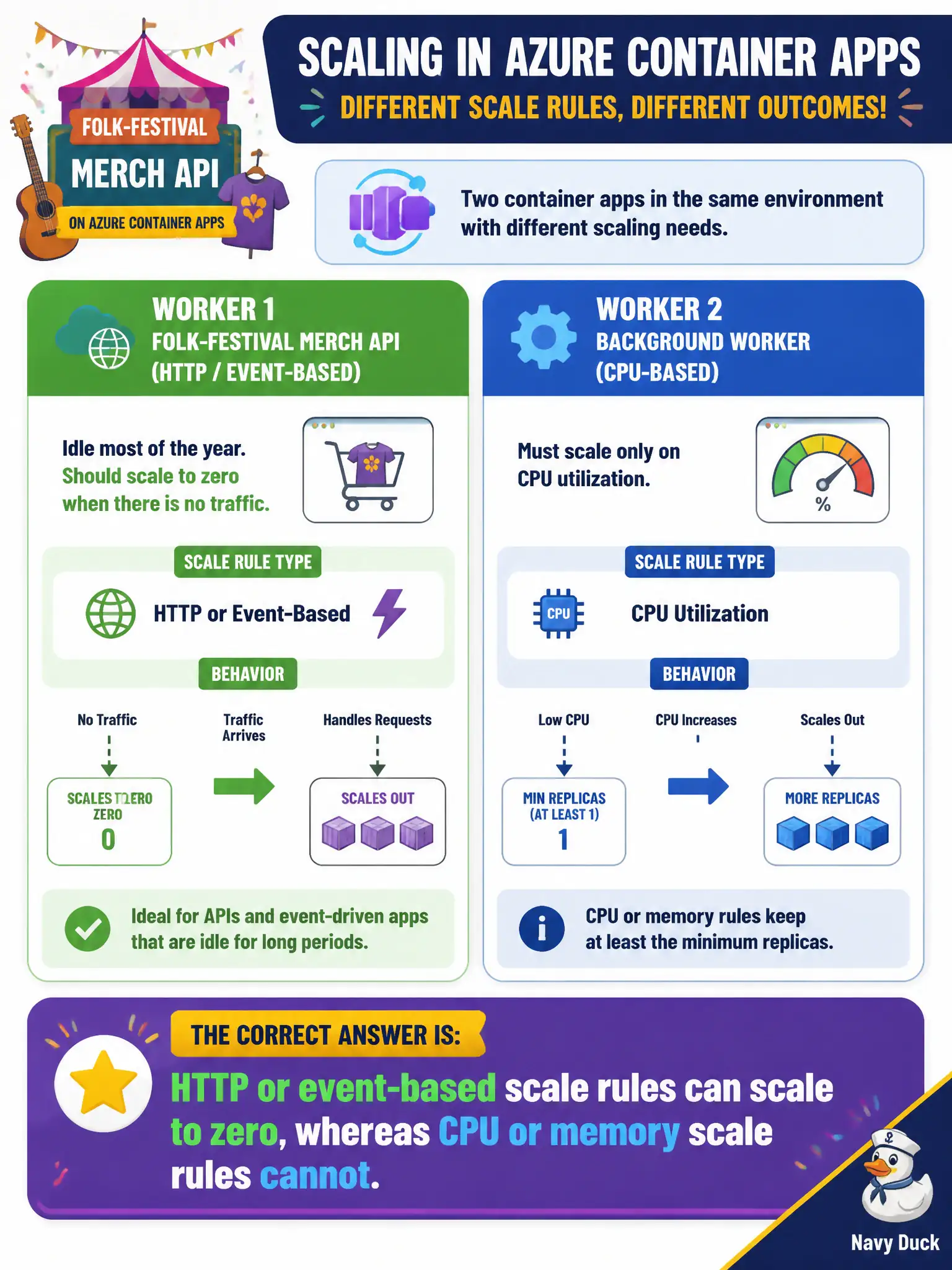
A folk-festival merch API on Azure Container Apps is idle most of the year and should scale to zero when there is no traffic. A second worker in the same environment must scale only on CPU utilization. Which statement is correct?
Select an answer to reveal the explanation.
Short Explanation
Scale-to-zero is like shutting the merch booth when nobody is in line—you need a signal that means “no customers.” HTTP and event rules give you that empty-line signal. CPU and memory rules always assume something is running, so they will not take you all the way to zero.
Full Explanation
On Azure Container Apps, scale-to-zero depends on the kind of scale rule. HTTP and event-based (KEDA) rules can drive replica count to zero when there is no work—like closing the folk-festival merch booth when the line is empty. CPU and memory rules measure utilization on running replicas; they cannot express “no customers,” so they cannot scale to zero. That distinction is what the idle merch API versus the CPU-bound worker needs.
Saying CPU and memory rules can scale to zero while HTTP and event rules must keep one replica reverses the platform behavior. Claiming any KEDA rule scales to zero if min replicas are unset ignores that CPU/memory rules still cannot reach zero. Stating that only Azure Container Instances support scale-to-zero, and that Container Apps always keeps one warm replica, is false: Container Apps explicitly supports scale-to-zero with the right rule types and min replica of zero.
Exam caveat: min replicas must also be set to zero for scale-to-zero; a min of one keeps a warm replica even with HTTP rules. Mix rule types carefully when one app must idle and another must stay CPU-responsive.
Operational check: configure the merch API with an HTTP scale rule and min replicas zero, idle it, and confirm replica count reaches zero. Configure the worker with CPU scaling and confirm it does not advertise scale-to-zero the same way; document min-replica settings in the release checklist.