
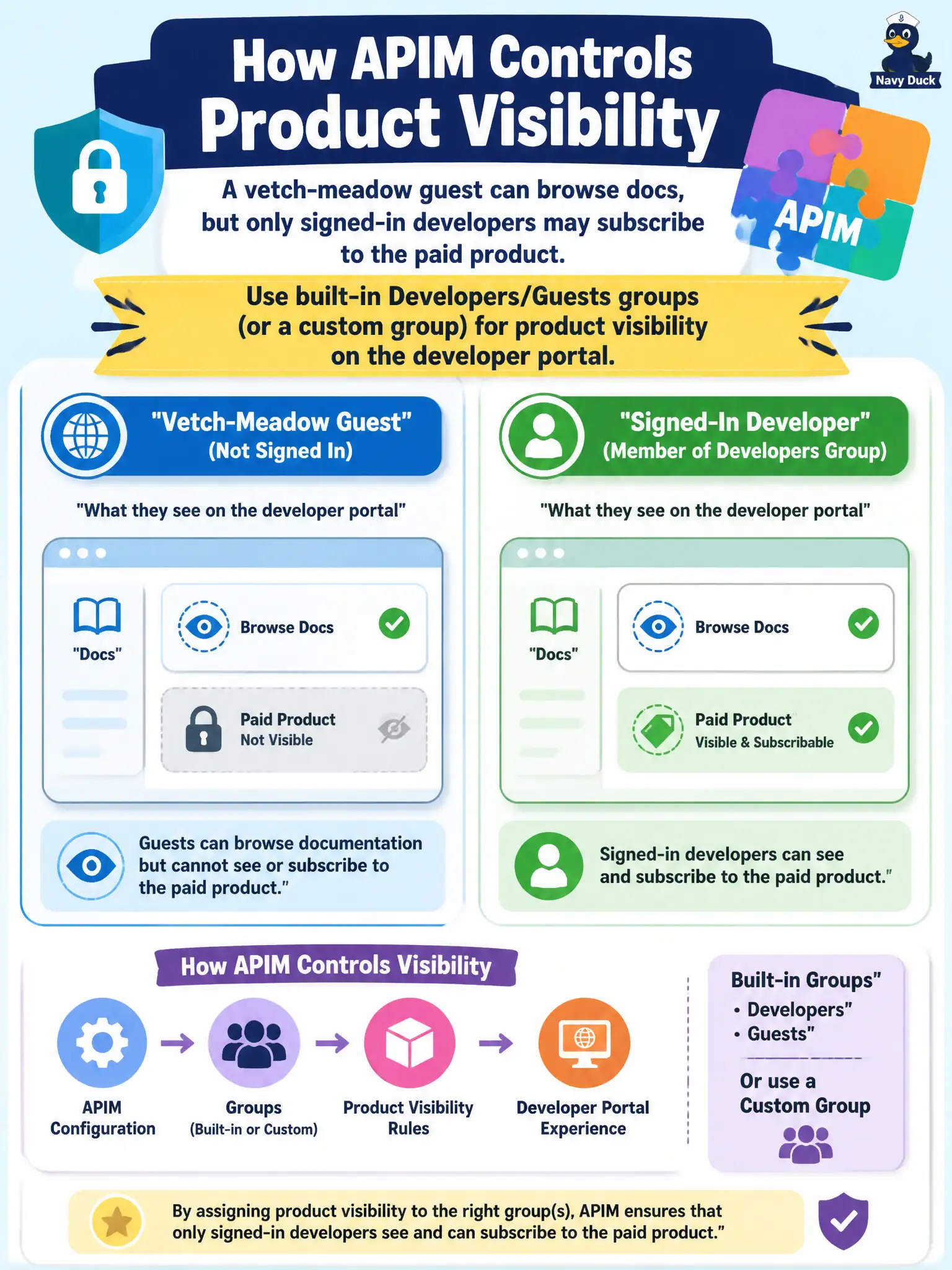
A vetch-meadow guest can browse docs, but only signed-in developers may subscribe to the paid product. How does APIM control that visibility?
Select an answer to reveal the explanation.
Short Explanation
Guests browse, developers subscribe—that’s APIM portal groups (Developers, Guests, or custom), not Graph queries on every call.
Full Explanation
API Management controls developer portal visibility by associating products with portal user groups—built-in Developers and Guests groups, or custom groups. Configure the vetch-meadow paid product so Guests can browse documentation as allowed by group settings while only Developers (signed-in) may subscribe, matching the stated separation between browse and subscribe rights.
Running Microsoft Graph directory queries from every API operation to hide products pushes portal authorization into the data path, adds latency and failure modes, and is not how APIM product visibility is designed. Deleting the developer portal and emailing URLs only to staff removes self-service discovery the city wants for guests. Putting the paid product on an open product setting so guests can subscribe anonymously contradicts the “only signed-in developers may subscribe” rule.
Exam caveat: group visibility is portal configuration; it is separate from gateway runtime auth (keys or JWT) that still applies on calls after someone successfully subscribes.
Operational check: assign the paid product to the Developers group (and docs browsing rules for Guests as designed), sign in as a Guest and confirm subscribe is blocked while docs remain visible if intended, then sign in as a Developer and complete a subscription for vetch-meadow.