
A platform team tried to attach a service control policy inside a member account's IAM console, as if it were a user policy. The policy never took effect on the account. Where must that SCP be attached?
Select an answer to reveal the explanation.
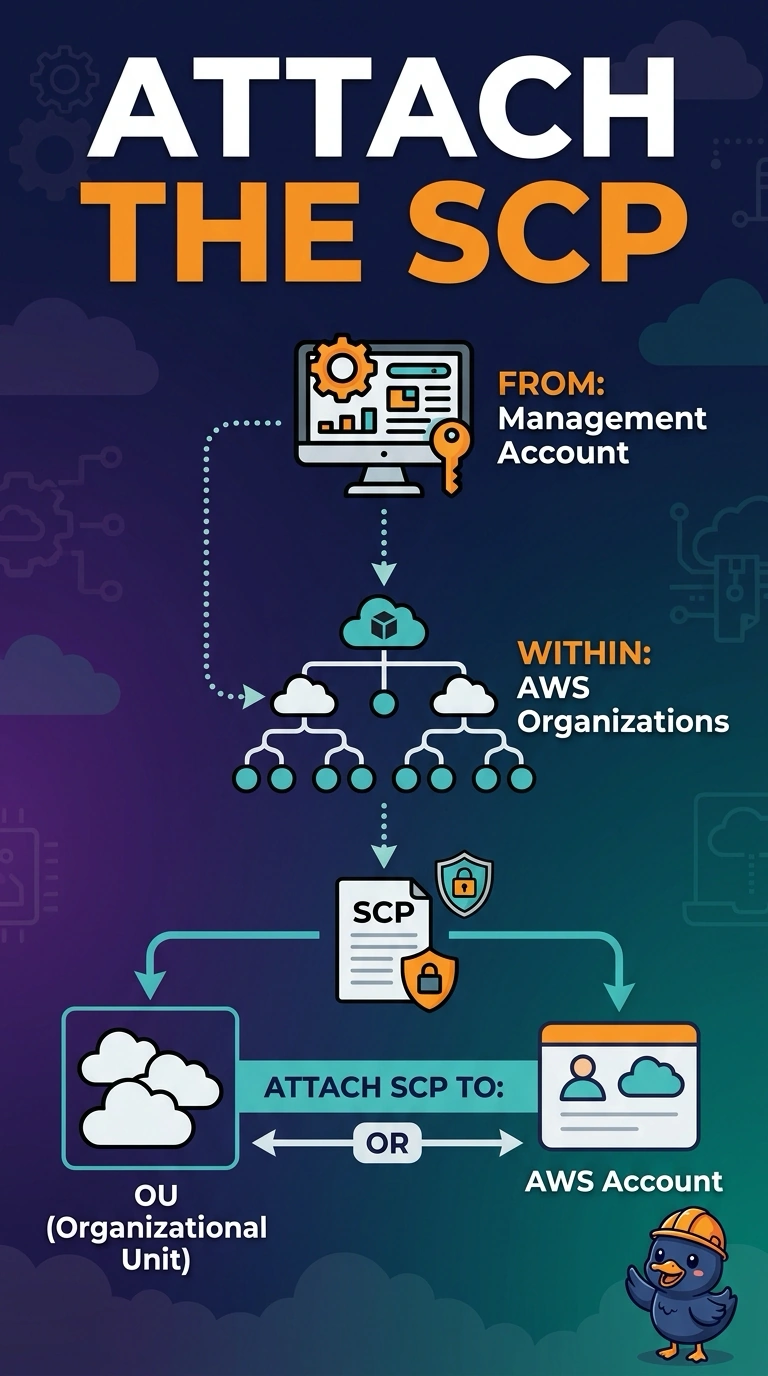
Short Explanation
You attach an SCP in AWS Organizations from the management account, directly to the member account or its OU. An inline policy on the root user, a permissions boundary on an instance profile, or a public S3 bucket cannot attach an SCP.
Full Explanation
Service control policies are managed in AWS Organizations and attached from the management account to an account or its OU. A member account’s IAM console cannot attach an SCP, so a document entered there is not the organizational guardrail the platform team intended. An inline IAM policy on the root user is still an identity policy; it does not become an SCP. A permissions boundary on an instance profile is a different permissions mechanism, not an SCP attachment. A public S3 bucket is a place to store or read data, not an attachment point for an SCP. Exam caveat: the management account is immune to SCPs, so testing a deny there will not show whether the policy is working. For a practical check, sign in to the management account, verify in Organizations that the SCP is attached to the member account or its OU, then retry in the member account an action the SCP denies and confirm that it fails. A JSON document in the member account’s IAM console, an inline policy on its root user, a boundary on an instance profile, or a policy file in a public bucket does not establish that Organizations attachment.