
A role in a logistics account can call S3, and its identity policy allows s3:GetObject on a bucket in a partner account. Gets still fail with Access Denied. The bucket is not public, and the partner's bucket policy has no statement for this role. What is missing?
Select an answer to reveal the explanation.
Short Explanation
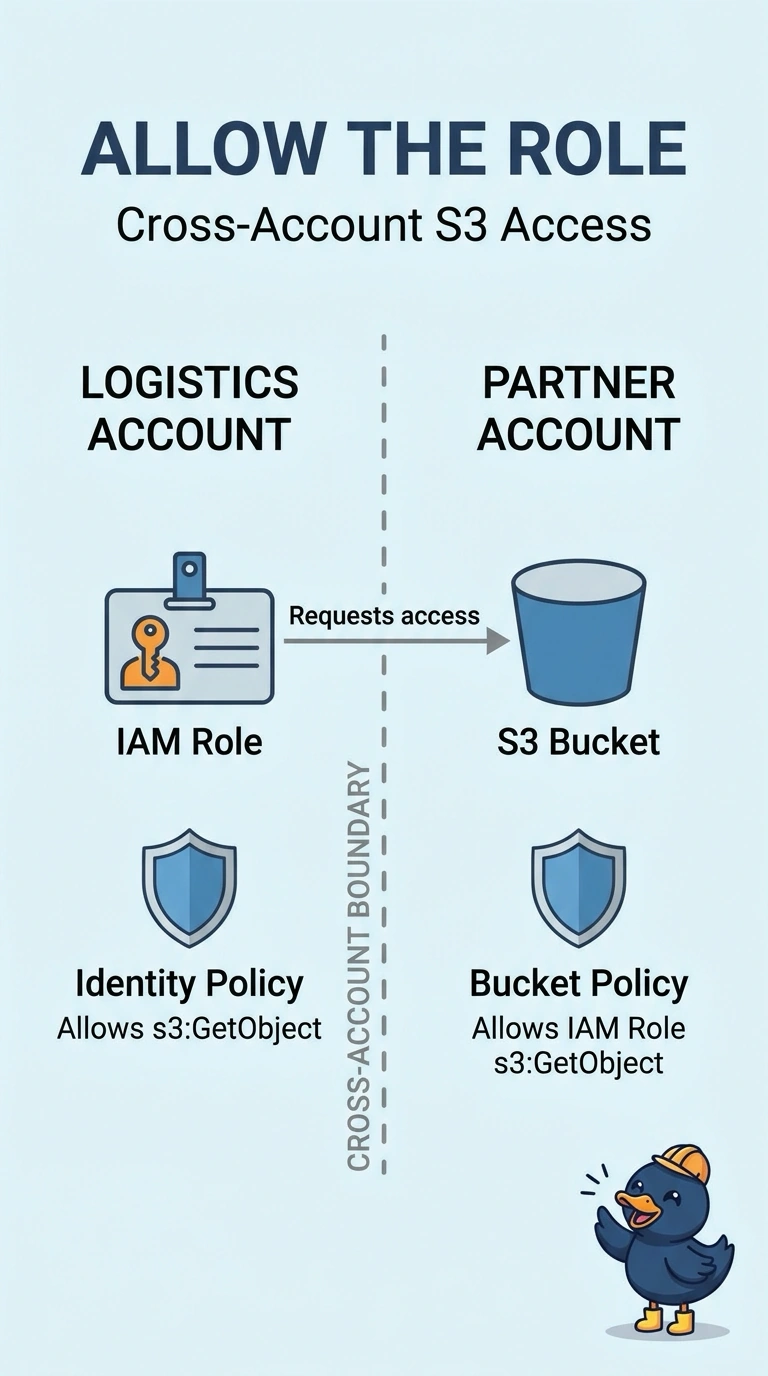
Cross-account S3 is a door with two locks. You already turned the lock in the caller’s account, but the bucket owner has not turned theirs, so you need a bucket policy that allows this role to call s3:GetObject. Making every object public would expose them rather than grant access only to your role.
Full Explanation
For a cross-account GetObject, the caller’s identity policy and the bucket policy both have to allow the call. The identity policy already allows it, and the bucket policy has no statement for the role, so S3 still denies the request. Adding a bucket policy statement for the role’s ARN that allows s3:GetObject is the missing permission. A public ACL on every object would expose the objects publicly, which is not what a partner integration needs. Turning off default encryption does not change IAM evaluation or grant a cross-account read. A CloudTrail trail records activity, including denied requests, but it is not a permission required for a get to succeed. Exam caveat: if an object is encrypted with a customer managed key, the key policy must also allow the role; otherwise, the next failure can be on decrypt rather than on the bucket. Practical check: after saving the bucket policy, retry the get as the role and confirm the deny is gone without making the bucket public. Same-account access can succeed on an identity policy alone when the bucket policy is silent, but cross-account access requires the bucket side to allow the outside principal. Specify the role ARN, not the whole account, if only that role should read. Then retry as the role, not as an administrator in the bucket owner’s account.