
A bad push corrupted folders on an Amazon FSx for Windows File Server share. A user-initiated FSx backup from the evening before the push exists, and automatic backups are turned off. One Windows client that maps the share has an EBS snapshot taken this morning. What restores the share?
Select an answer to reveal the explanation.
Short Explanation
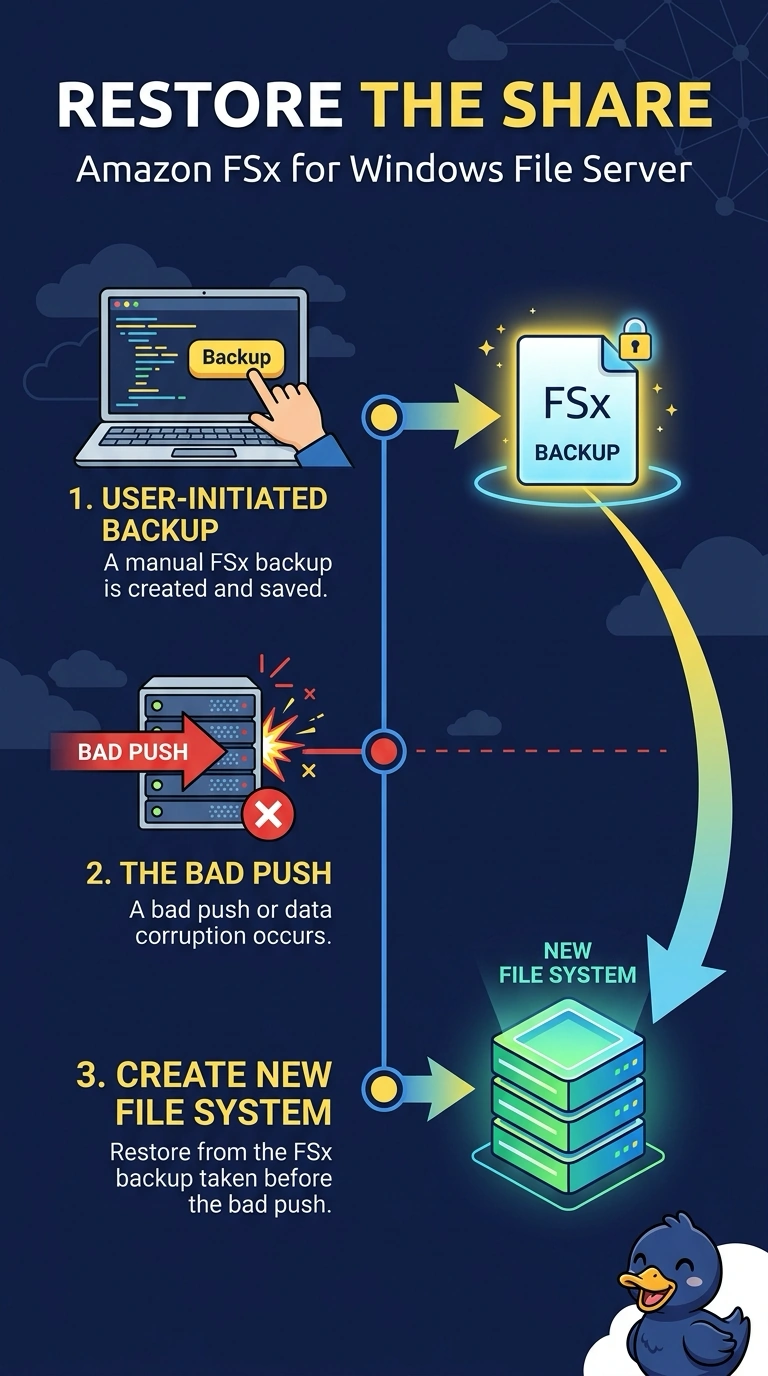
The filing cabinet is the share, not the laptop that had the drive mapped. The evening FSx backup is a copy of the Windows file system from before the bad push, and creating a new file system from that backup is how you put the share back. An EBS snapshot of one client is that computer's disks, not the FSx file system, even if the share was mapped.
Full Explanation
Amazon FSx for Windows File Server stores the share on the FSx file system. A user-initiated backup from the evening before the push is a backup of that file system. Restoring it creates a new file system with the pre-push contents, which is how the share comes back. The corrupted file system is not overwritten in place. An EBS snapshot of a Windows client captures that instance's volumes. Mapping the share does not put the file system's data on the client's disk, so restoring that snapshot onto FSx is not a restore path FSx has, and it would not roll the share back. Copying a mapped-drive cache from the rolled-back client copies whatever fragments that one computer held, not the file system from the evening backup. Attaching a client root snapshot as if it were FSx storage does not replace the FSx volumes. Those volumes are not customer EBS volumes you swap. Caveat: the restored file system has its own DNS name, and any writes after the evening backup are not in it. Operational check: mount the new file system, confirm a known folder matches the pre-push copy, and point clients at that file system's name.