
A CDK deploy for a retailer fails. The command prints a CloudFormation stack error and stops. The team is about to rewrite the application code that the stack was not changing. What should they read first?
Select an answer to reveal the explanation.
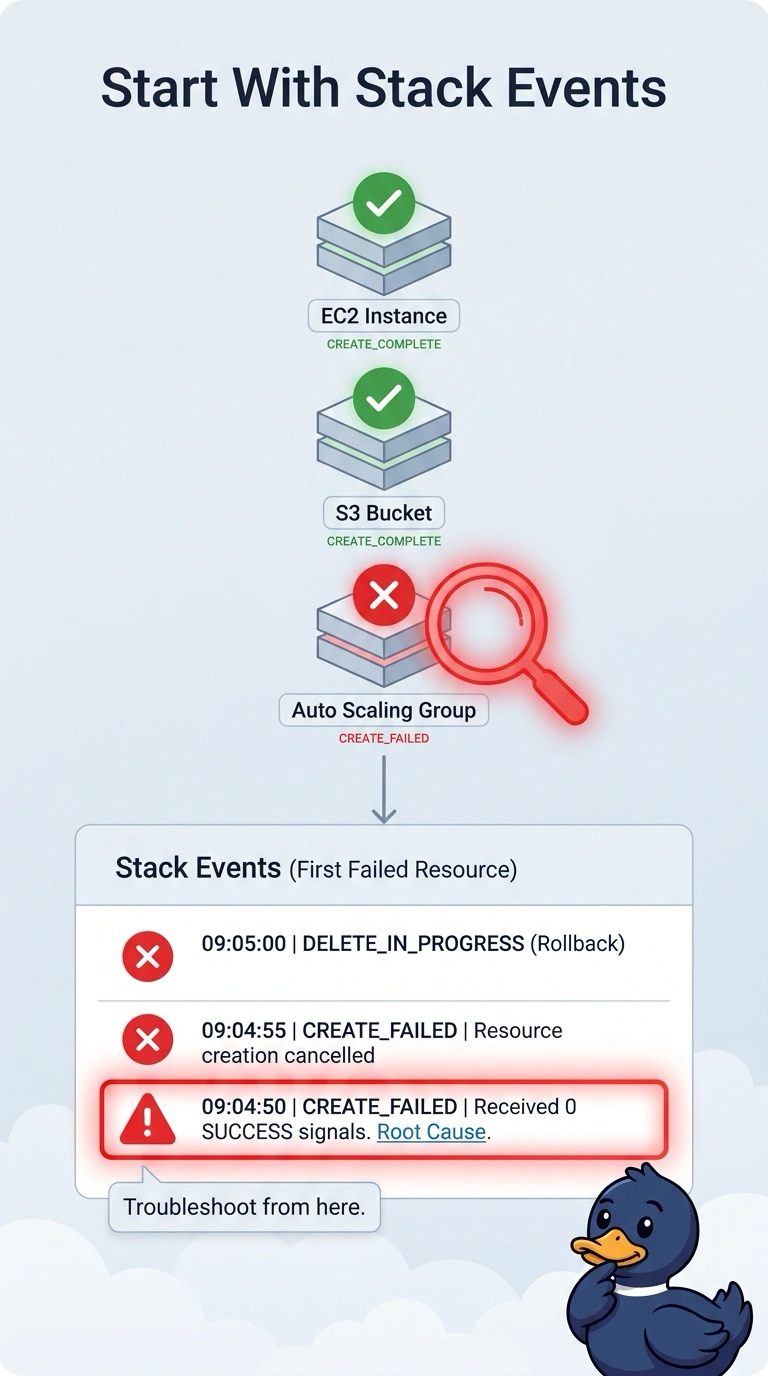
Short Explanation
CDK hands the work to CloudFormation and then waits. When the deploy stops, you read the stack event that failed, not the application tests for a change the stack was not making. The app code is the wrong workbench for a stack error.
Full Explanation
A CDK deploy synthesizes a template and deploys a CloudFormation stack. The failure that stops the command is a stack operation, and the events list names the resource and the status reason. That is the first read, especially when the application code was not part of this change. Unit tests do not explain a CloudFormation resource error. The public DNS record and an AMI list in another Region are unrelated to a failed resource in this stack. Caveat: a synth error, before any stack update starts, is a problem in the CDK app and will not appear in stack events; this command already reported a stack error, so the events exist. Operational check: open the stack, find the earliest CREATE_FAILED or UPDATE_FAILED in this operation, and match the status reason before you edit the application. The CDK CLI prints the stack name and the failure. In the console, the Events tab for that stack is the same list. Nested stacks show the parent as failed and hide the real line in the nested stack, so open the nested one if the parent only says the nested stack failed. Application code is in scope only after the status reason names a property the application build produced, such as a missing artifact.