
EC2 Image Builder published a new AMI for a game studio, but the Auto Scaling group still launches last month's AMI. The group uses a launch template. What should operations update so the next instance uses the new image?
Select an answer to reveal the explanation.
Short Explanation
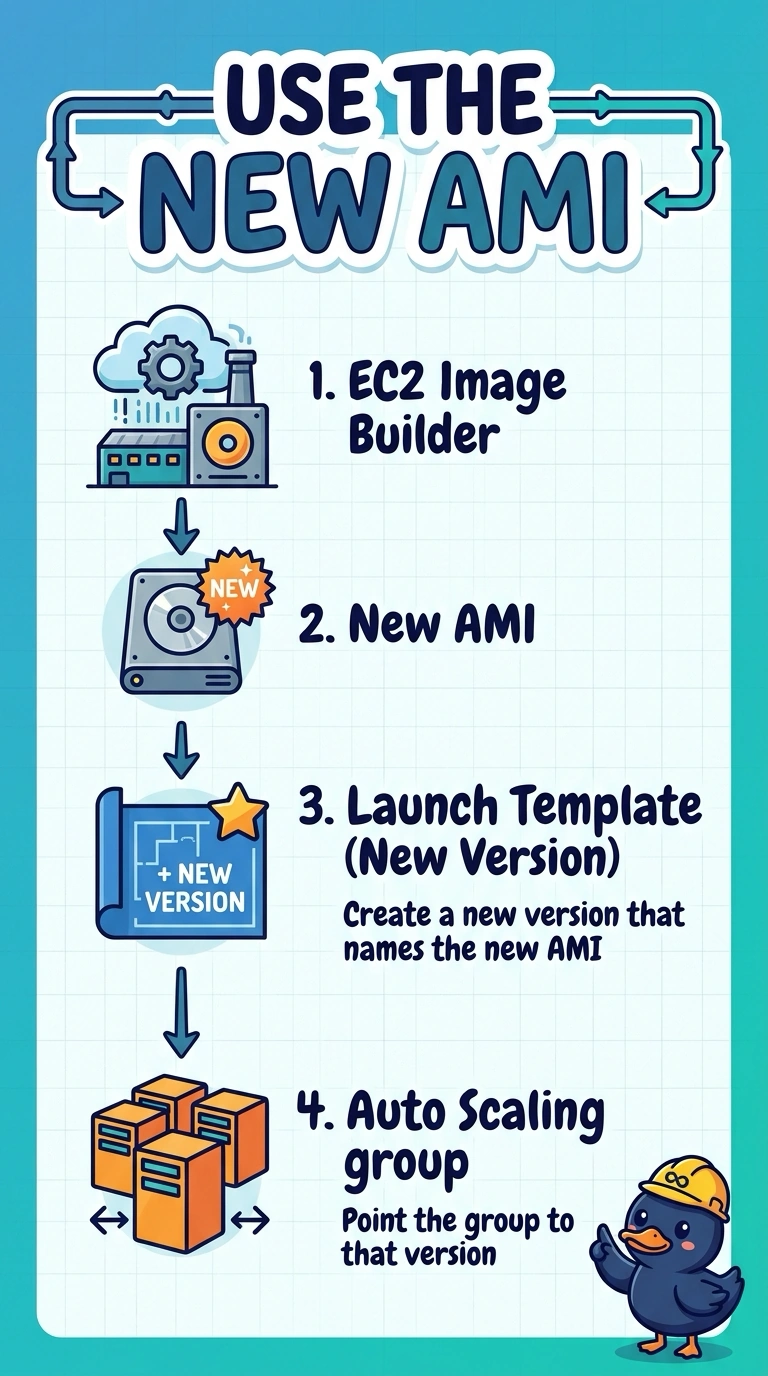
The bakery finished a new loaf, and the menu on the door still lists last month's. You put the new AMI in a launch template version and tell the Auto Scaling group to use it. DNS does not choose an AMI, and a lifecycle rule on the logs does not either.
Full Explanation
An Auto Scaling group launches whatever AMI is in the launch template version it is set to use. After Image Builder publishes a new AMI, that version has to be updated, or a new version created and selected, or the group keeps launching the previous id. Changing only the instance type leaves the old image in place. Route 53 chooses an endpoint, not the AMI inside an instance. An S3 lifecycle rule can expire build logs; it does not edit a launch template. Caveat: instances already running keep the old image until an instance refresh or a scale event replaces them. Operational check: confirm the group's launch template version shows the new AMI id, then start a refresh if the running fleet must match. Launch templates keep versions, and the group points at one version or at the default. Setting a new default does nothing if the group is pinned to a numbered version. An instance refresh is the separate step that replaces instances already running; updating the template only affects the next launch.