
A developer made two local commits on a feature branch that have not been pushed. They want the branch pointer moved back and the index updated accordingly. Which official Git tool matches that local rewrite?
Select an answer to reveal the explanation.
Short Explanation
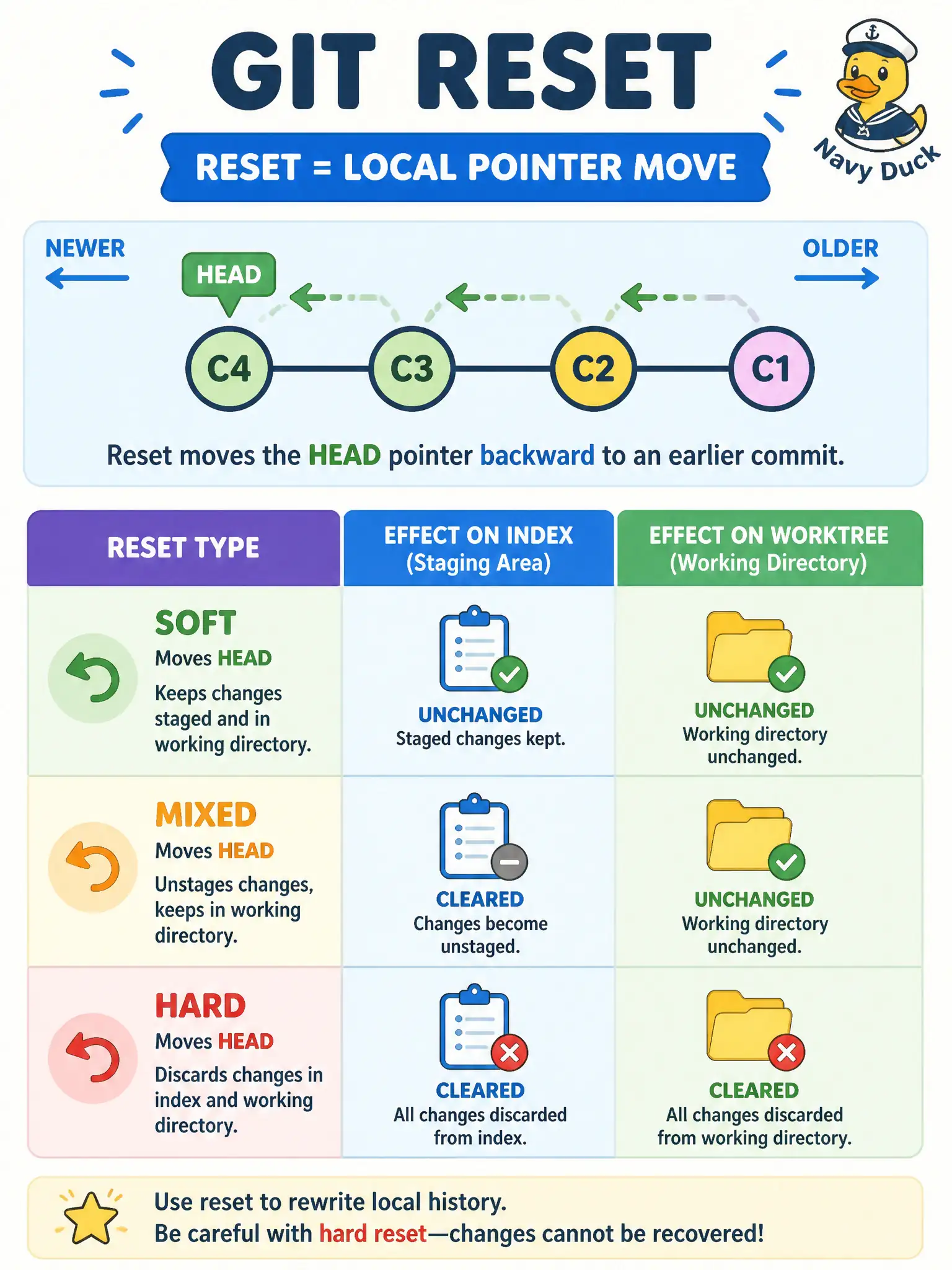
reset is the local “move my branch sticker” tool—soft, mixed, or hard depending how much workspace you rewrite. It is for commits you have not shared. Undoing published history for everyone else is revert’s job.
Full Explanation
git reset is the official tool that moves the current branch pointer among local commits and can update the index and worktree depending on soft, mixed, or hard mode. For two local commits on a feature branch that have not been pushed, reset rewrites that private history in place—the local move-my-branch-sticker tool. Soft keeps workstaged, mixed (default) unstages but keeps files, hard also resets the worktree; choose the mode that matches how much workspace rewrite you want.
git revert on the remote main branch to rewrite teammates’ already-fetched history in place misunderstands revert: revert adds a forward undo commit and is for published history, and it does not mean rewrite-in-place for others. git checkout of a remote tag is not the way to unstage a local file or move a branch pointer among local commits as the primary reset use case. git merge --abort after commits were already pushed and merged upstream does not undo those commits and does not perform a local branch-pointer reset among private commits.
Exam caveat: never reset --hard commits that are already shared unless the whole team agrees to recover; prefer revert on published main. Operational check: before reset, note the commit SHAs with git log, run the chosen reset on the unpushed feature branch only, then confirm git log and git status match the intended pointer and index state without touching shared main.