
A municipal ticket says enable the Lobby SSID on the Meraki network. Which API action correctly does that job?
Select an answer to reveal the explanation.
Short Explanation
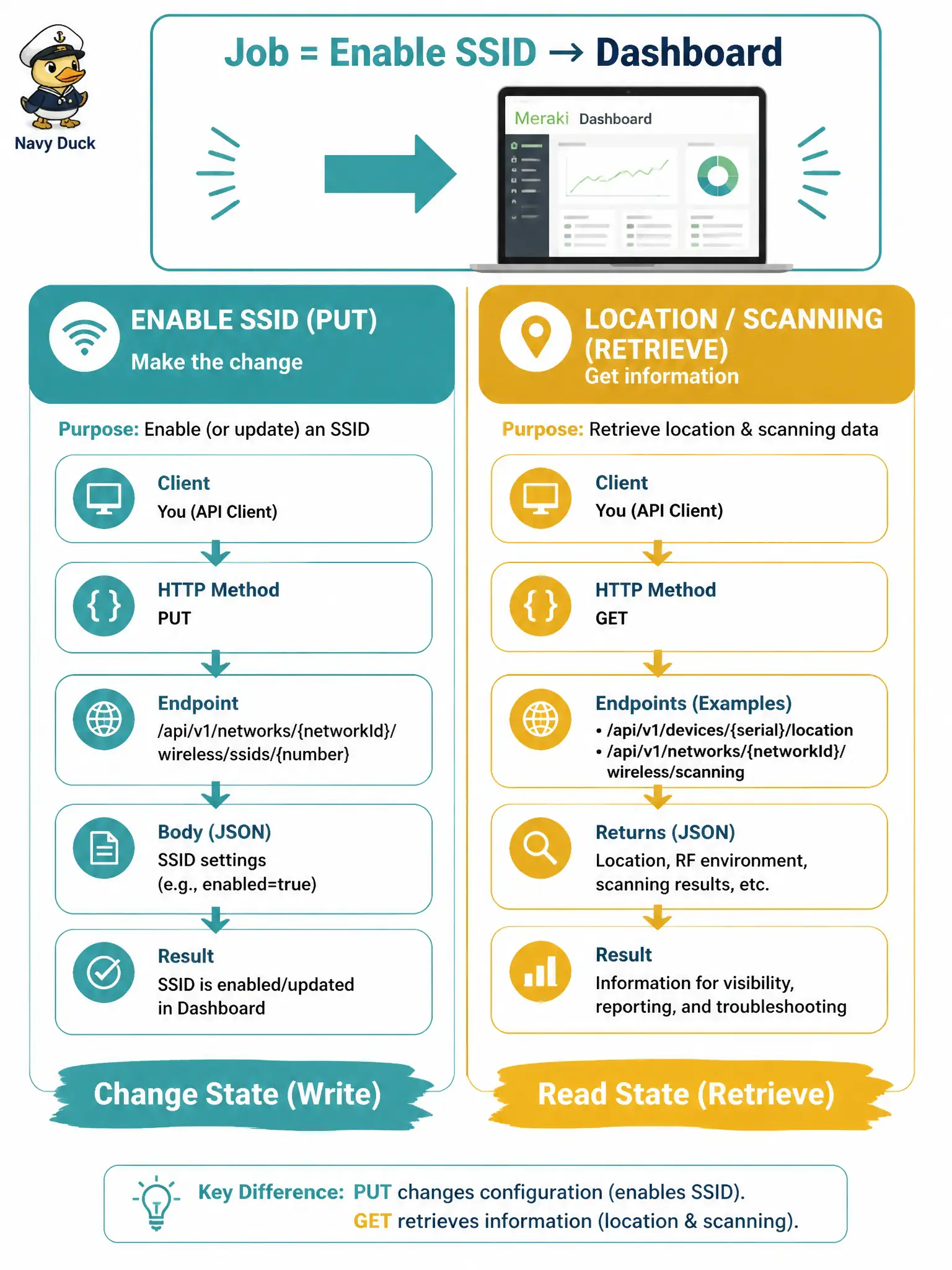
Turning an SSID on is a Dashboard wireless-SSID PUT—not a location push. Scanning receivers hear clients; they do not flip the SSID switch.
Full Explanation
A municipal ticket to enable the Lobby SSID on a Meraki network is a Dashboard wireless SSID configuration change, not a location or analytics side effect. The correct API action is to PUT the wireless SSID resource for the target slot with enabled set to true after you have resolved the correct networkId and slot number. That update is the direct control that turns the SSID on so clients can associate to that network’s access points under the Lobby profile.
POST observations to a Meraki Scanning / location receiver URL fails because location push is inbound telemetry delivered to your app; it is not an SSID enable switch in Dashboard. GET location analytics only fails similarly: reading analytics or coordinates does not enable SSIDs as a hidden side effect of retrieval. Configuring a BLE scanning secret and waiting for the cloud to enable the SSID fails—scanning secrets authenticate location posts to your receiver; they do not flip wireless SSID enabled flags.
Exam caveat: location/Scanning topics often sit next to wireless SSID tasks in study plans; do not let generic “Meraki cloud” wording pull you into the wrong resource family when the ticket says enable SSID.
Operational check: identify Lobby’s slot via GET /networks/{networkId}/wireless/ssids, PUT enabled true on that number, then verify with a follow-up GET showing enabled true and, if possible, a client association smoke test in the lobby.